Post Name

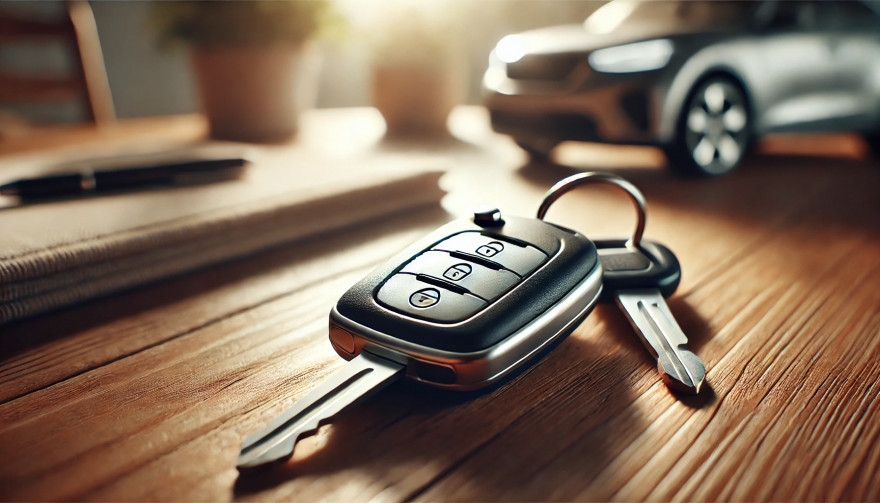
When you need a replacement key, taking a clear, detailed photo of your key can make the process much faster and more accurate. A high-quality image helps key makers understand the exact specifications, cuts, and dimensions of your key, which is especially important if you don’t have a spare. In this guide, we’ll walk you through the best practices for photographing your key so you can get an accurate replacement with ease.

Why a Clear Key Photo Matters

Photographing a key might sound simple, but it requires a bit of attention to detail. A well-taken photo captures the key’s grooves and unique cuts clearly, helping the key cutter replicate the exact pattern.

  • Saves Time: A high-quality photo reduces the need for multiple attempts to cut a new key.
  • Ensures Accuracy: Clear images help capture specific details, leading to a more precise fit.
  • Convenient Process: With just a smartphone and a few tips, you can photograph your key from home without needing special equipment.

Essential Tools for Photographing Your Key

To take a clear photo of your key, you don’t need much beyond a few household items. Here’s what you’ll need:

  • Smartphone or Camera: A phone camera is usually sufficient, but a standard digital camera works well too.
  • Plain Background: Choose a neutral, solid-colored background like a piece of white paper or a smooth table surface.
  • Good Lighting: Natural daylight or a bright room light helps capture details without shadows.
  • Small Object for Elevation: A coin or similar item can lift the key slightly, making it easier to photograph.

Step-by-Step Guide to Taking the Perfect Key Photo

Follow these steps to take a photo that ensures clarity and accuracy for key replacement.

1. Set Up the Background

Place a piece of plain white paper or another smooth, light-colored surface under your key. The solid color helps the details of the key stand out without any visual distractions.

Tip: Avoid backgrounds with patterns or textures, as these can obscure the key’s features.

2. Position the Key Correctly

Lay the key flat on the background, with the grooves and cuts facing up. The key should be positioned horizontally to allow a clear view of all its details.

  • Side Profile: Make sure to capture the side profile that shows the cuts and grooves.
  • Elevate Slightly: Place a coin or small object under one end of the key to angle it slightly toward the camera. This can help reduce shadows and improve focus on the cuts.

3. Adjust Lighting

Good lighting is essential for capturing details. If possible, photograph your key in natural daylight near a window or use a well-lit room.

  • Avoid Shadows: Ensure that no shadows fall across the key, as they can obscure details.
  • Diffuse Light: If using a lamp, consider placing a thin cloth over it to diffuse the light and reduce harsh reflections.

4. Focus and Zoom

Make sure your camera or smartphone is focused directly on the key. You may need to tap the screen to bring it into sharp focus.

  • Zoom in Carefully: If you’re using a smartphone, zoom in slightly to capture the details, but avoid over-zooming, which can blur the image.
  • Test Multiple Angles: Sometimes a slight adjustment in angle can capture the cuts more effectively, so take a few shots from slightly different perspectives.

5. Capture Multiple Photos

It’s always a good idea to take several photos to ensure you have the best one. Try different angles and lighting adjustments to capture as many details as possible.

  • Close-Up of the Grooves: Take one close-up image focusing on the cuts and grooves of the key.
  • Overall Image: Include one full-length photo that shows the entire key from end to end.
  • Try Different Angles: Slightly tilt the key or move the camera to see which angle best captures the detail of the cuts.

Common Mistakes to Avoid When Photographing Your Key

To get the best results, steer clear of these common issues that can impact the quality of your key photo:

  • Blurry Images: If your hand shakes, use a small tripod or prop your phone on a stable surface.
  • Poor Lighting: Avoid taking photos in dim rooms; use bright light to ensure the key is clearly visible.
  • Obstructed Details: Make sure the entire length of the key is visible, without any part being cut off or covered.

Tips for Ensuring a Smooth Replacement Process

Once you have a clear photo of your key, there are a few final steps to make the replacement process as efficient as possible.

  • Check the Photos: Look over your photos before sending them to ensure that they’re clear and detailed.
  • Label the Key: If you’re photographing multiple keys, label each one in the image or add a note to avoid confusion.
  • Include Measurements: If possible, add the measurements of the key’s length and width in your notes for added accuracy.

A clear, detailed photo of your key can save you time and effort when seeking a replacement. By following these simple steps, you’ll provide all the necessary details to ensure your new key is an accurate match. Remember, good lighting, focus, and capturing all the unique cuts are essential to achieving the best results.

With these guidelines, you’re set to take a photo that will make your key replacement process smooth and hassle-free.

Related Posts

Car Won’t Start After Key Shell Change? Here’s What the Transponder Chip Does

Car Won’t Start After Key Shell Change? Here’s What the Transponder Chip Does

Modern car keys have come a long way from the traditional cut metal blades of the past. What was once a simple tool for turning an ignition has evolved into a smart, encrypted device with layers of built-in security. Among the most critical components in today’s car keys is the transponder chip — a small but vital element that could be the reason your car doesn’t start after replacing your key shell. If you've recently changed the shell or casing of your key and suddenly find that your car won’t start, you're not alone. This is one of the most common (and frustrating) issues car owners face when performing a key repair or upgrade. So let’s break down what’s really happening — and how you can fix it. What Is a Transponder and What Does It Do? A transponder chip (short for “transmitter-responder”) is a small electronic component embedded in your car key. Its purpose is to communicate with your vehicle’s immobilizer system to authorize ignition. Here’s how it works: When you insert your key and turn the ignition, your car sends out a radio signal. The transponder chip in your key responds with a coded signal unique to your car. If the code is correct, the car’s computer disables the immobilizer and allows the engine to start. If the chip is missing, broken, or the code doesn’t match — the engine won’t start, even if the key blade physically turns. This system is an anti-theft measure, and it's present in most vehicles manufactured after the late 1990s. Without a functional transponder, your key may unlock the doors but it will not allow the car to start. This ensures that even if someone manages to copy the physical blade of your key, they still can’t steal your car. Why Your Key Might Not Work After Shell Replacement Changing your key shell (also called a case or housing) can seem like a simple cosmetic repair — but it’s easy to overlook the importance of transferring the transponder chip during the process. If your key no longer starts the car after a shell replacement, the most likely reason is: You forgot to move the transponder chip into the new shell. In many keys, the chip is not part of the electronics board . It’s often a tiny black or glass capsule , sometimes hidden in a small compartment within the key shell — completely separate from the buttons and battery. If you didn’t see it, it’s probably still sitting inside the old casing. Some people assume that simply moving over the circuit board and battery is enough — but without the transponder, your key won’t be recognized by the car’s immobilizer. This results in the engine failing to start, even though the buttons may still lock and unlock the doors. Symptoms of a Missing or Misplaced Transponder If your key turns in the ignition but: The car does not crank or start You see a flashing key icon or immobilizer warning on the dashboard The central locking might still work, but the engine won’t respond You hear a clicking sound but no ignition occurs Then it’s almost certainly a transponder issue. The car's system is waiting for a valid coded signal from the key — and without it, the start command is rejected. How to Fix It: What You Need to Do Here’s how to get your car running again: 1. Check Your Old Key Shell Open the old casing and look for a small black or clear capsule (typically rice-sized). That’s your transponder chip. Some are glued in place and may require careful prying. 2. Transfer the Chip Carefully remove it and insert it into the correct compartment in your new key shell. Some aftermarket shells have a specific slot for it, while others require a bit of creativity to keep it securely in place. In some cases, adhesive putty or double-sided tape can help hold it. 3. Reassemble and Test Put your key back together and try starting the car again. If the chip is correctly placed, it should work immediately — no reprogramming needed. Always test both ignition and door lock/unlock functions. What If You Lost the Chip? Unfortunately, if the chip is damaged or lost, the key will no longer be able to start your vehicle. In this case, you’ll need to: Contact a professional auto locksmith Have a new transponder chip programmed to your car’s immobilizer system Provide proof of ownership (such as your vehicle logbook or registration) in most cases Depending on the make and model of your car, programming a new chip may cost anywhere from $50 to $250 , and it typically requires special diagnostic equipment. It’s worth noting that some dealerships may charge significantly more than independent auto locksmiths — and you may have to wait longer for service. Pro Tips When Replacing Your Key Shell Always examine the inside of your old shell carefully before throwing it away. Take photos before disassembly so you know where each component goes. If you're unsure where the chip is or how to transfer it, look for DIY videos specific to your key model. Use tweezers and caution — the chip is fragile. Avoid static electricity or contact with magnets during the transfer process. Some modern keys have transponders integrated into the circuit board , in which case no separate chip needs to be moved. If you’re working with a smart key or proximity key, additional steps may be required. These typically involve re-synchronization with the vehicle’s system and may not function correctly without professional assistance. Small Chip, Big Consequences It’s incredible how something as small as a transponder chip can control such a major function. Replacing your key shell is a great way to refresh the look and feel of your key — but it’s vital not to overlook the importance of transferring every component, especially the transponder. Many DIY repairs are abandoned or lead to confusion simply because of this overlooked step. Fortunately, it’s one of the easiest problems to fix once you understand what to look for. If your key looks brand new but your car won’t start, don’t panic. Chances are, the solution is sitting inside your old key shell — quietly waiting to be moved over.

How to Spot a Car Key Cloning Scam: Warning Signs and Prevention Tips

How to Spot a Car Key Cloning Scam: Warning Signs and Prevention Tips

How to Spot a Car Key Cloning Scam: Warning Signs and Prevention Tips Car theft doesn’t always involve smashing windows or forced ignition anymore. These days, all it might take is a thief standing a few feet away from you — equipped with a small electronic device and a plan to clone your car key without ever touching it. Welcome to the age of car key cloning . Fast, silent, and nearly untraceable, this high-tech method of theft is on the rise, and many drivers don’t even know it exists. In this article, we’ll walk you through how it works, what red flags to watch for, and how to protect yourself from becoming the next victim. What Is Car Key Cloning and How Does It Work? Car key cloning is the process of copying the signal emitted by your key fob and using that signal to unlock and even start your car. Thieves use tools like signal amplifiers, cloning software, or plug-in programming devices to mimic the electronic code stored in your key. In most cases, they don’t even need to touch your key. They just need to be close enough — in a parking lot, next to your front door, or even in a restaurant — to intercept the signal when you lock or unlock your car. That signal is then copied and stored on another device or blank key fob. In some instances, criminals will break into your car and access the OBD port (the vehicle’s diagnostic system) to directly program a new key. This means they can drive off in your car with a cloned key, and you may not even know how they got in. Why This Scam Is Spreading So Quickly Key cloning was once limited to high-end criminal operations, but now the tools are cheap, easy to find , and widely available online. Some fob cloning devices are openly sold on marketplaces, making it simple for even low-level criminals to learn the trade. A cloned key leaves no trace of forced entry, no damage, and often no evidence — making it harder for insurance claims to be validated and for stolen cars to be recovered. The rise in keyless entry systems means millions of drivers are potential targets, whether they realize it or not. According to The Sun, cloning devices sold online can program new keys in under 30 minutes. 5 Warning Signs You May Be Targeted Strange behavior from your key fob – If the range suddenly becomes shorter or the buttons stop responding consistently, your signal may have been intercepted. Unfamiliar devices or people near your car – Be cautious if you see people lingering nearby with phone-like devices or bags near your car. Your car unlocks by itself – This could mean someone nearby is mimicking your key’s signal. You find marks or loose panels near the OBD port – Some thieves break in to plug in programming devices. You lose access to your spare key – It’s possible a third key was added to your system, locking the others out. How to Prevent Car Key Cloning While key cloning can be hard to detect, it's relatively easy to prevent if you're proactive. Here’s how to stay protected: Use a Faraday pouch : These small, signal-blocking cases prevent your key’s signal from being intercepted when not in use. Don’t store keys near doors or windows : Keep your keys at least 5–10 meters from exterior walls. Disable keyless entry if possible : Some vehicles allow you to turn off proximity unlocking in the settings. Invest in physical security : Steering wheel locks, OBD port locks, and even wheel clamps act as strong deterrents. Audit your key system : A locksmith can check how many keys are programmed to your vehicle and delete unauthorized ones. If you're ever in doubt, replace your key and reprogram your system. It may cost a bit up front, but it's cheaper than replacing a stolen car. Need a secure replacement key or a Faraday pouch? Browse our car key and accessories collection for trusted, secure options. Know the Risk, Beat the Scam Car key cloning scams are evolving — and fast. The combination of wireless technology, smart cars, and openly available tools has created the perfect storm for high-tech theft. But with a little awareness and some simple precautions, you can stay one step ahead. Don’t wait until it happens to you. Know the signs, protect your keys, and take action now — because in a world of silent theft, what you don’t see can hurt you .

The Fascinating History of Car Safety Features: How Far We’ve Come to Keep You Safe

The Fascinating History of Car Safety Features: How Far We’ve Come to Keep You Safe

When you think about cars, what comes to mind? Speed, design, or maybe the feeling of freedom when you hit the open road? But there’s one crucial aspect of driving that you might not think about as much—safety. Cars today are safer than ever, thanks to decades of innovations and advancements. But how did we get here? Let’s dive into the history of car safety features and see just how far we’ve come to protect you and your loved ones on the road. The Early Days: A Lack of Safety Awareness Back in the early 1900s, cars were viewed as luxury items and status symbols. Safety wasn’t really a concern. Cars had no seat belts, no airbags, and certainly no crumple zones. People focused more on making vehicles go faster and look better than on keeping passengers safe. In those days, accidents were far more dangerous, often leading to severe injuries or fatalities. It wasn’t until the rise of car ownership in the 1920s and 1930s that people began to notice just how dangerous cars could be. The growing number of vehicles on the road led to more accidents, and the need for safety features became evident. The Invention of Seat Belts: The First Major Breakthrough Seat belts were one of the first car safety features to be introduced. But they didn’t become standard right away. In fact, the idea of a seat belt first appeared in the late 19th century, designed for use in airplanes, not cars. It wasn’t until the 1950s that the seat belt began to find its way into automobiles, thanks to Swedish engineer Nils Bohlin, who designed the three-point seat belt in 1959. Bohlin’s invention, which you still use today, was a game-changer. It saved countless lives and reduced serious injuries in crashes. Volvo was the first company to introduce the three-point seat belt in their vehicles, and soon after, other manufacturers followed suit. Airbags: A Revolutionary Step Forward As seat belts became more common, automakers started looking for additional ways to protect drivers and passengers. Enter the airbag. The airbag was initially developed in the 1950s, but it took decades of refinement before it became a standard feature in cars. The first production car equipped with an airbag was the 1973 Oldsmobile Toronado, but it wasn’t until the 1990s that airbags became widely available. Today, airbags are a critical component of vehicle safety systems, with front, side, and even curtain airbags designed to protect you from all angles in a crash. Alongside seat belts, airbags are now seen as one of the most effective life-saving technologies in modern vehicles. Crumple Zones: Protecting You in a Collision Crumple zones are another innovation that may not be immediately obvious, but they play a huge role in keeping you safe. In the event of a crash, crumple zones are designed to absorb and dissipate energy, reducing the force transferred to passengers. Introduced in the 1950s by Mercedes-Benz, crumple zones help reduce the impact of a collision by sacrificing the car’s body to protect the occupants. Today, crumple zones are standard in virtually every car, and their design continues to evolve, improving crash safety with each new model year. Anti-lock Brakes: Helping You Keep Control The introduction of anti-lock braking systems (ABS) in the 1970s was another massive leap forward in car safety. ABS prevents the wheels from locking up during braking, which helps maintain steering control during an emergency stop. This system is especially useful on slippery surfaces like rain-soaked or icy roads. Before ABS, sudden braking could lead to skidding, causing drivers to lose control of their vehicles. ABS has significantly reduced the number of accidents caused by loss of control and has become a staple of modern driving safety. Electronic Stability Control: The Technology That Saves Lives Electronic Stability Control (ESC) was a groundbreaking safety feature that hit the market in the 1990s. ESC helps you maintain control of your car during skids or oversteering by automatically applying brakes to individual wheels. Studies have shown that ESC can reduce the risk of a fatal crash by as much as 50%. In fact, the National Highway Traffic Safety Administration (NHTSA) now mandates that all cars sold in the United States come equipped with ESC. This technology has proven to be especially helpful in preventing rollovers, which are among the most dangerous types of accidents. The Future of Car Safety: What’s Next? Car safety features have come a long way, but we’re not done yet. The future of vehicle safety lies in advanced driver-assistance systems (ADAS), which use sensors, cameras, and radar to detect potential hazards and prevent accidents before they happen. Some of the technologies that are becoming increasingly common include lane departure warnings, automatic emergency braking, and adaptive cruise control. And let’s not forget the promise of self-driving cars, which could drastically reduce accidents caused by human error, which accounts for the majority of crashes today. The Importance of Car Safety As we look back on the history of car safety features, it’s incredible to see how far we’ve come. From the early days of no seat belts or airbags to today’s cutting-edge technology, the automotive industry has made safety a top priority. The next time you get behind the wheel, take a moment to appreciate all the safety features designed to protect you. Whether it’s a simple seat belt or a high-tech stability control system, these innovations have made driving safer for everyone. And remember, no matter how advanced your car’s safety systems are, the best protection is still responsible driving. Stay alert, drive safely, and always buckle up!

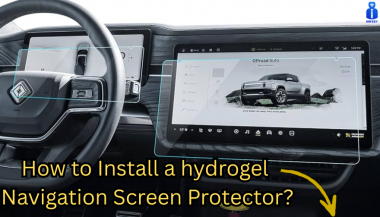
How to Install a Hydrogel Navigation Screen Protector

How to Install a Hydrogel Navigation Screen Protector

Nowadays car interiors rely heavily on touchscreens. Whether you drive a BMW 3 Series , VW Golf , Audi A4 , Mercedes A-Class , Peugeot 3008 , or Skoda Octavia , your infotainment display is the centre of navigation, settings, entertainment and safety features. But these screens are also fragile—prone to scratches , fingerprints , micro-abrasions , and glare . A hydrogel navigation screen protector is one of the best ways to protect your car touchscreen without affecting clarity or touch sensitivity. This guide shows you exactly how to install a hydrogel protector , step by step, with expert tips, mistakes to avoid, and a few insider tricks that most guides miss. What Is a Hydrogel Screen Protector? Hydrogel is a soft, self-healing, flexible material used widely in phone protection and now increasingly in automotive displays. Unlike tempered glass, it adapts to curved edges and eliminates small bubbles over time. For more technical background, you can read the scientific definition on hydrogels Hydrogel is ideal for infotainment screen protection because it: Reduces glare Absorbs micro-scratches Maintains full touch sensitivity Adapts to curved and angled car screens Self-heals small marks over 24–48 hours It’s especially useful for European cars where screens are large and glossy, such as: Mercedes MBUX screens (A-Class, C-Class, GLC) Volkswagen MIB systems (Golf, Passat, Tiguan) BMW iDrive displays (3 Series, X1, X3) Audi MMI touchscreens (A4, A3, Q5) Peugeot i-Cockpit models Renault Clio, Captur, Megane Skoda Octavia, Superb, Scala Curious which specific models benefit the most from hydrogel protection? Check out our full guide on which cars benefit most from hydrogel navigation protection . Before You Start: Essential Preparation Installing a hydrogel protector takes only a few minutes, but the preparation stage determines whether the final result looks factory-perfect . You Will Need Hydrogel screen protector Microfiber cloth Screen-cleaning wipe (wet & dry) Dust-removal sticker (optional but recommended) Small squeegee / card Choose the Right Environment Install the protector in: A dust-free space (car parked indoors is ideal) Soft lighting (so dust particles are visible) A still environment (no wind, no blowing air) Avoid doing it outside or while standing near open windows. Step-by-Step: How to Install a Hydrogel Navigation Screen Protector 1. Clean the Navigation Screen Thoroughly Use a wet wipe first, then a dry microfiber cloth. Focus on: Corners Edges Around the frame Any oily fingerprints Tip: Turn the screen off to see dust more easily. 2. Remove All Dust Particles Even one small dust speck can create a permanent bubble. Use: Dust-removal stickers A clean microfiber cloth Hold the screen at an angle and look under the light. If perfectionism matters anywhere, it’s here. 3. Peel the First Protective Layer Most hydrogel protectors have two layers . Peel Layer 1 halfway and align the protector with: Left and right edges Upper frame Any curved edges Do not peel it completely yet. 4. Align and Apply the Protector Once aligned: Press the top centre gently Slowly drag your finger downward Peel off the rest of Layer 1 as you go The film will naturally stick without much force. 5. Use the Squeegee to Push Out Air Work from centre outward , using firm but controlled pressure. Hydrogel is self-healing , so small micro-bubbles usually disappear within 24–48 hours . 6. Remove the Final Top Layer After application: Peel Layer 2 from one corner Pull slowly to avoid lifting the protector This reveals a glossy, clear surface below. 7. Allow 24 Hours for Full Adhesion Do not touch the screen too much during this period. Avoid: Heat exposure Cleaning sprays Aggressive pressing Hydrogel needs time to “settle” and self-heal. Common Mistakes to Avoid Even a perfect protector can be ruined by simple errors. Installing in a dusty environment Fibres, dust and hair easily get trapped. Touching the sticky side This leaves permanent marks. Rushing the alignment Hydrogel is flexible but not stretch-proof. Cleaning with alcohol after installation This can damage the outer coating. Installing on a hot screen Heat weakens adhesion and causes micro-bubbles. For a complete walkthrough , see our guide on how to protect your car’s navigation screen . Why Hydrogel Is Better Than Tempered Glass for Car Screens Tempered glass works well for smartphones—but not for car navigation screens. Hydrogel performs better because: It bends and adapts to curved displays It doesn’t create raised edges It avoids touchscreen sensitivity issues It self-heals micro-abrasions It provides better Anti-Glare performance If you want to see more in depth guide on why hydrogel protectors are better check out our guide on Hydrogel vs Tempered Glass Navigation Protectors Comparison FAQs 1. Does a hydrogel protector reduce screen sensitivity No. Hydrogel maintains full touch responsiveness because the material is soft and pressure-adaptive. 2. Can I reuse a hydrogel screen protector? No. Once removed, it cannot be reinstalled cleanly. 3. How long do micro-bubbles take to disappear? Usually 24–48 hours. Stubborn ones may take up to 72 hours if the screen is curved. 4. Will the protector affect brightness or clarity? High-quality hydrogel preserves original screen clarity. Matte versions reduce glare but may slightly soften reflections. 5. Is hydrogel safe for anti-reflective or coated screens? Yes. Hydrogel adhesive is gentle and does not damage coatings. If you want premium hydrogel protectors for BMW, Audi, Mercedes, VW, Peugeot, Renault, Skoda and more, explore our full selection today. Visit our shop at mr-key.com Related Guides Which cars benefit most from hydrogel navigation protection How to Protect Your Car’s Navigation Screen from Scratches,Glare & Fingerprints Hydrogel vs Tempered Glass Navigation Protectors Comparison

Chat with us