
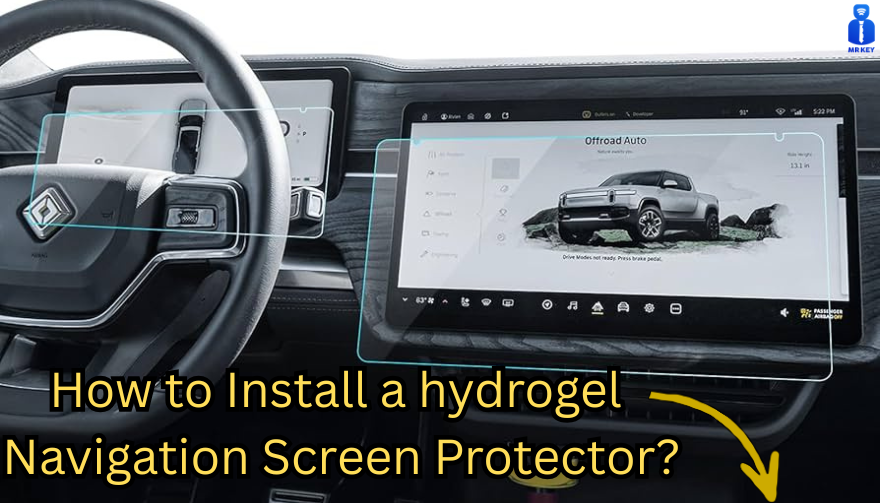
Nowadays car interiors rely heavily on touchscreens. Whether you drive a BMW 3 Series, VW Golf, Audi A4, Mercedes A-Class, Peugeot 3008, or Skoda Octavia, your infotainment display is the centre of navigation, settings, entertainment and safety features.
But these screens are also fragile—prone to scratches, fingerprints, micro-abrasions, and glare. A hydrogel navigation screen protector is one of the best ways to protect your car touchscreen without affecting clarity or touch sensitivity.
This guide shows you exactly how to install a hydrogel protector, step by step, with expert tips, mistakes to avoid, and a few insider tricks that most guides miss.
What Is a Hydrogel Screen Protector?
Hydrogel is a soft, self-healing, flexible material used widely in phone protection and now increasingly in automotive displays. Unlike tempered glass, it adapts to curved edges and eliminates small bubbles over time.
For more technical background, you can read the scientific definition on hydrogels
Hydrogel is ideal for infotainment screen protection because it:
Reduces glare
Absorbs micro-scratches
Maintains full touch sensitivity
Adapts to curved and angled car screens
Self-heals small marks over 24–48 hours
It’s especially useful for European cars where screens are large and glossy, such as:
Mercedes MBUX screens (A-Class, C-Class, GLC)
Volkswagen MIB systems (Golf, Passat, Tiguan)
BMW iDrive displays (3 Series, X1, X3)
Audi MMI touchscreens (A4, A3, Q5)
Peugeot i-Cockpit models
Renault Clio, Captur, Megane
Skoda Octavia, Superb, Scala
Curious which specific models benefit the most from hydrogel protection?
Check out our full guide on which cars benefit most from hydrogel navigation protection.
Before You Start: Essential Preparation
Installing a hydrogel protector takes only a few minutes, but the preparation stage determines whether the final result looks factory-perfect.
You Will Need
Hydrogel screen protector
Microfiber cloth
Screen-cleaning wipe (wet & dry)
Dust-removal sticker (optional but recommended)
Small squeegee / card
Choose the Right Environment
Install the protector in:
A dust-free space (car parked indoors is ideal)
Soft lighting (so dust particles are visible)
A still environment (no wind, no blowing air)
Avoid doing it outside or while standing near open windows.
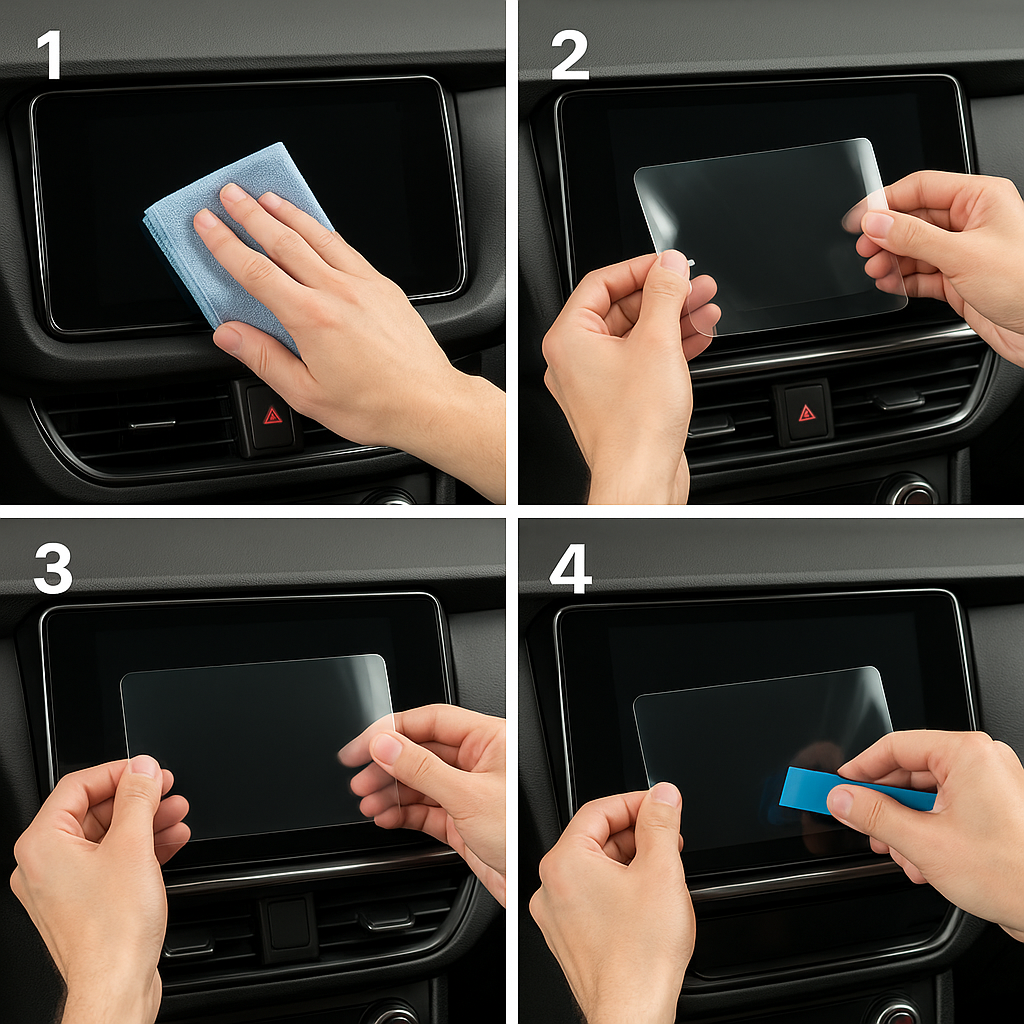
Step-by-Step: How to Install a Hydrogel Navigation Screen Protector
1. Clean the Navigation Screen Thoroughly
Use a wet wipe first, then a dry microfiber cloth.
Focus on:
Corners
Edges
Around the frame
Any oily fingerprints
Tip: Turn the screen off to see dust more easily.
2. Remove All Dust Particles
Even one small dust speck can create a permanent bubble.
Use:
Dust-removal stickers
A clean microfiber cloth
Hold the screen at an angle and look under the light. If perfectionism matters anywhere, it’s here.
3. Peel the First Protective Layer
Most hydrogel protectors have two layers.
Peel Layer 1 halfway and align the protector with:
Left and right edges
Upper frame
Any curved edges
Do not peel it completely yet.
4. Align and Apply the Protector
Once aligned:
Press the top centre gently
Slowly drag your finger downward
Peel off the rest of Layer 1 as you go
The film will naturally stick without much force.
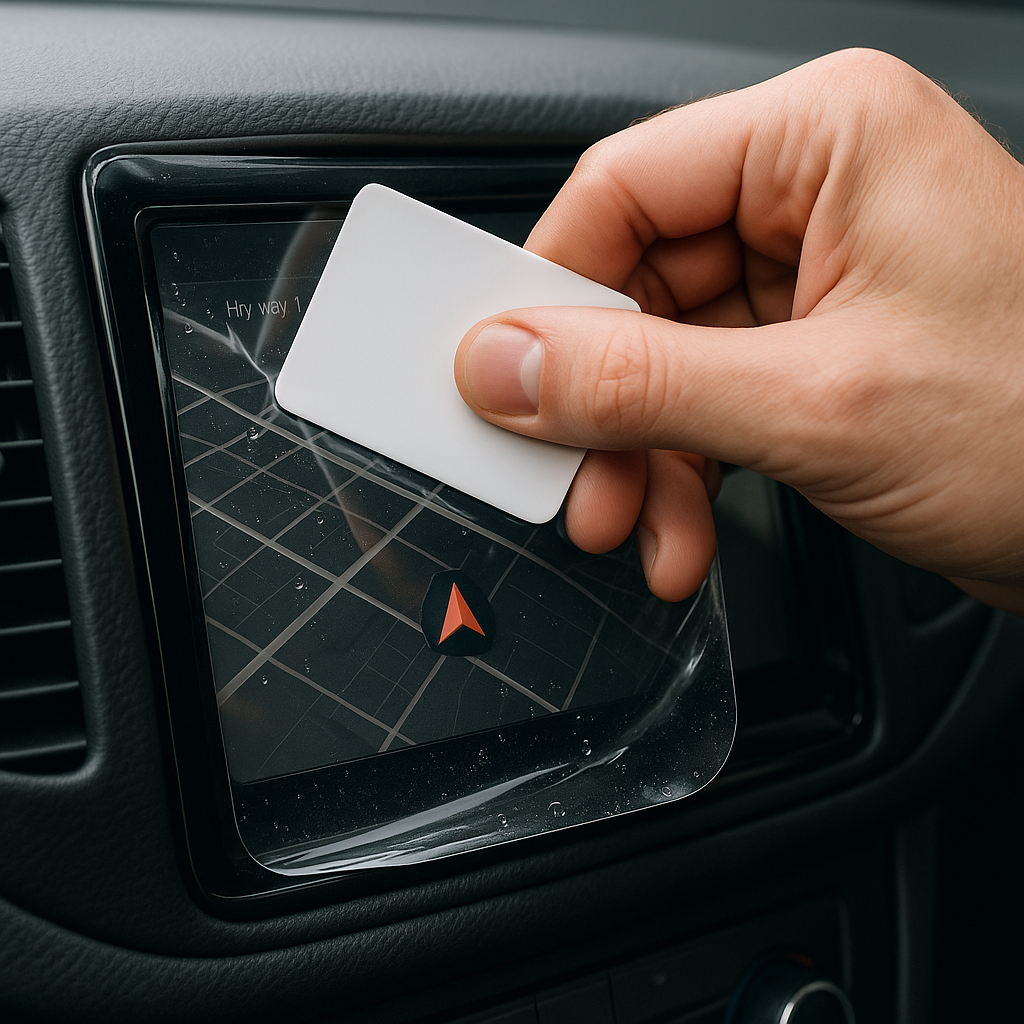
5. Use the Squeegee to Push Out Air
Work from centre outward, using firm but controlled pressure.
Hydrogel is self-healing, so small micro-bubbles usually disappear within 24–48 hours.
6. Remove the Final Top Layer
After application:
Peel Layer 2 from one corner
Pull slowly to avoid lifting the protector
This reveals a glossy, clear surface below.
7. Allow 24 Hours for Full Adhesion
Do not touch the screen too much during this period.
Avoid:
Heat exposure
Cleaning sprays
Aggressive pressing
Hydrogel needs time to “settle” and self-heal.
Common Mistakes to Avoid
Even a perfect protector can be ruined by simple errors.
Installing in a dusty environment
Fibres, dust and hair easily get trapped.
Touching the sticky side
This leaves permanent marks.
Rushing the alignment
Hydrogel is flexible but not stretch-proof.
Cleaning with alcohol after installation
This can damage the outer coating.
Installing on a hot screen
Heat weakens adhesion and causes micro-bubbles.
For a complete walkthrough, see our guide on how to protect your car’s navigation screen.
Why Hydrogel Is Better Than Tempered Glass for Car Screens
Tempered glass works well for smartphones—but not for car navigation screens.
Hydrogel performs better because:
It bends and adapts to curved displays
It doesn’t create raised edges
It avoids touchscreen sensitivity issues
It self-heals micro-abrasions
It provides better Anti-Glare performance
If you want to see more in depth guide on why hydrogel protectors are better check out our guide on Hydrogel vs Tempered Glass Navigation Protectors Comparison
FAQs
1. Does a hydrogel protector reduce screen sensitivity
No. Hydrogel maintains full touch responsiveness because the material is soft and pressure-adaptive.
2. Can I reuse a hydrogel screen protector?
No. Once removed, it cannot be reinstalled cleanly.
3. How long do micro-bubbles take to disappear?
Usually 24–48 hours.
Stubborn ones may take up to 72 hours if the screen is curved.
4. Will the protector affect brightness or clarity?
High-quality hydrogel preserves original screen clarity.
Matte versions reduce glare but may slightly soften reflections.
5. Is hydrogel safe for anti-reflective or coated screens?
Yes. Hydrogel adhesive is gentle and does not damage coatings.
If you want premium hydrogel protectors for BMW, Audi, Mercedes, VW, Peugeot, Renault, Skoda and more, explore our full selection today.
Visit our shop at mr-key.com
Related Guides
Which cars benefit most from hydrogel navigation protection
How to Protect Your Car’s Navigation Screen from Scratches,Glare & Fingerprints
 (1)_1736339207.jpeg)
 (1)_1737119311.jpg)