Post Name

When it comes to convenience, car keyless remotes have revolutionized the way we interact with our vehicles. No more fumbling with traditional keys or worrying about locking yourself out. With just a push of a button, you can lock, unlock, and even start your vehicle. But what happens when your keyless remote stops working, or when you need to program a new one? Here’s a simple guide to help you program your car's keyless remote, regardless of your vehicle's make or model.

Understanding Keyless Remotes

Before jumping into the programming process, it’s important to understand what a keyless remote is and how it works. Essentially, a keyless remote allows you to interact with your vehicle without needing to physically insert a key. Instead of using a traditional metal key, your car’s electronic system communicates wirelessly with the remote, allowing you to lock, unlock, and sometimes even start your vehicle, all with the push of a button.

These remotes typically use a radio frequency to communicate with your car, sending a signal that’s encrypted for security. Most modern cars use transponder technology, which makes the system more secure and resistant to hacking or copying. This means that the remote must be properly programmed to your vehicle’s system to function correctly.

When Do You Need to Program a Keyless Remote?

There are several situations in which you might need to program your keyless remote:

Replacing a Lost or Damaged Remote: If you’ve lost your keyless remote or it’s no longer functioning properly, you’ll need to get a replacement. This may require programming the new remote to sync with your vehicle.

Adding a New Remote: If you’ve bought an additional keyless remote for your car (for a spouse, child, or other family member), you’ll need to program it so that it works with your vehicle.

Battery Replacement: Sometimes, replacing the battery in your remote can cause the programming to reset, meaning you’ll need to reprogram the remote for it to work again.

Changing or Resetting Vehicle Settings: Occasionally, vehicle settings or remotes can be reset or reprogrammed as part of regular maintenance, requiring you to program new or additional remotes.

How to Program Your Car’s Keyless Remote

Programming a keyless remote is easier than you might think, and in most cases, it can be done by following a few simple steps. The process varies slightly depending on the make and model of your car, but here’s a general overview of the steps involved:

Get Your New or Replacement Remote: Ensure that your remote is compatible with your car’s system. If you're not sure, you can check with your car's manufacturer or an authorized dealership. Some remotes require specific codes to be programmed.

Sit Inside Your Vehicle: For safety and security reasons, most cars require you to be inside the vehicle while programming the remote.

Insert the Key in the Ignition: Insert the key into the ignition and turn it to the "ON" position without starting the engine. For cars with push-to-start systems, you may need to press the start button without pressing the brake pedal.

Activate the Programming Mode: Depending on your car’s system, you’ll need to follow a sequence of steps to enter programming mode. This could involve turning the key on and off several times, or pressing certain buttons in a specific order. Refer to your vehicle’s manual for the exact steps, as the process can differ from one model to another.

Program the Remote: Once your car is in programming mode, you’ll need to press the button on your keyless remote that you want to program. Usually, you’ll hear a chime or see the lights flash, indicating that the remote has been successfully programmed. Some cars may require you to press the button several times to ensure proper synchronization.

Test the Remote: After programming, test the remote to make sure it works properly. Try locking and unlocking the doors or starting the engine. If everything works as expected, you’re done!

Exit Programming Mode: To finish the process, simply turn off the ignition and remove the key. This should exit programming mode. If you have additional remotes to program, repeat the steps above for each one.

What to Do if Programming Doesn’t Work

While programming a keyless remote is usually a straightforward process, there are instances where things don’t go as planned. If your remote isn’t syncing with your car after following the steps, here are a few troubleshooting tips:

  • Check the Battery: If the remote’s battery is dead or weak, it won’t transmit the signal to your car. Replace the battery and try programming again.
  • Verify the Compatibility: Make sure that the remote is compatible with your vehicle’s make, model, and year. Some vehicles require special remotes that can only be programmed by the manufacturer or an authorized locksmith.
  • Reset Your Vehicle’s System: In some cases, you might need to reset the car’s system to clear previous programming attempts. Check your owner’s manual or consult a professional for assistance.
  • Consult a Professional: If you continue to have issues, it might be time to visit a dealership or a certified locksmith. These professionals have the tools and experience to program the remote correctly and ensure everything works seamlessly.

Why Programming Your Keyless Remote Is Important

Programming your keyless remote is a simple but important task that helps ensure your car’s security and convenience. By understanding how the process works and what to do if things go wrong, you’ll be able to troubleshoot and solve any issues quickly. Whether you’re replacing a lost remote or adding a new one to your collection, knowing how to program your remote saves time and money compared to visiting a dealership or locksmith.

With the increased reliance on keyless remotes for unlocking and starting vehicles, it’s essential for every car owner to be familiar with this process. By keeping your remote in good working condition and knowing how to program it when necessary, you’ll enjoy a smoother, more efficient experience with your vehicle.

Related Posts

How to Spot a Car Key Cloning Scam: Warning Signs and Prevention Tips

How to Spot a Car Key Cloning Scam: Warning Signs and Prevention Tips

How to Spot a Car Key Cloning Scam: Warning Signs and Prevention Tips Car theft doesn’t always involve smashing windows or forced ignition anymore. These days, all it might take is a thief standing a few feet away from you — equipped with a small electronic device and a plan to clone your car key without ever touching it. Welcome to the age of car key cloning . Fast, silent, and nearly untraceable, this high-tech method of theft is on the rise, and many drivers don’t even know it exists. In this article, we’ll walk you through how it works, what red flags to watch for, and how to protect yourself from becoming the next victim. What Is Car Key Cloning and How Does It Work? Car key cloning is the process of copying the signal emitted by your key fob and using that signal to unlock and even start your car. Thieves use tools like signal amplifiers, cloning software, or plug-in programming devices to mimic the electronic code stored in your key. In most cases, they don’t even need to touch your key. They just need to be close enough — in a parking lot, next to your front door, or even in a restaurant — to intercept the signal when you lock or unlock your car. That signal is then copied and stored on another device or blank key fob. In some instances, criminals will break into your car and access the OBD port (the vehicle’s diagnostic system) to directly program a new key. This means they can drive off in your car with a cloned key, and you may not even know how they got in. Why This Scam Is Spreading So Quickly Key cloning was once limited to high-end criminal operations, but now the tools are cheap, easy to find , and widely available online. Some fob cloning devices are openly sold on marketplaces, making it simple for even low-level criminals to learn the trade. A cloned key leaves no trace of forced entry, no damage, and often no evidence — making it harder for insurance claims to be validated and for stolen cars to be recovered. The rise in keyless entry systems means millions of drivers are potential targets, whether they realize it or not. According to The Sun, cloning devices sold online can program new keys in under 30 minutes. 5 Warning Signs You May Be Targeted Strange behavior from your key fob – If the range suddenly becomes shorter or the buttons stop responding consistently, your signal may have been intercepted. Unfamiliar devices or people near your car – Be cautious if you see people lingering nearby with phone-like devices or bags near your car. Your car unlocks by itself – This could mean someone nearby is mimicking your key’s signal. You find marks or loose panels near the OBD port – Some thieves break in to plug in programming devices. You lose access to your spare key – It’s possible a third key was added to your system, locking the others out. How to Prevent Car Key Cloning While key cloning can be hard to detect, it's relatively easy to prevent if you're proactive. Here’s how to stay protected: Use a Faraday pouch : These small, signal-blocking cases prevent your key’s signal from being intercepted when not in use. Don’t store keys near doors or windows : Keep your keys at least 5–10 meters from exterior walls. Disable keyless entry if possible : Some vehicles allow you to turn off proximity unlocking in the settings. Invest in physical security : Steering wheel locks, OBD port locks, and even wheel clamps act as strong deterrents. Audit your key system : A locksmith can check how many keys are programmed to your vehicle and delete unauthorized ones. If you're ever in doubt, replace your key and reprogram your system. It may cost a bit up front, but it's cheaper than replacing a stolen car. Need a secure replacement key or a Faraday pouch? Browse our car key and accessories collection for trusted, secure options. Know the Risk, Beat the Scam Car key cloning scams are evolving — and fast. The combination of wireless technology, smart cars, and openly available tools has created the perfect storm for high-tech theft. But with a little awareness and some simple precautions, you can stay one step ahead. Don’t wait until it happens to you. Know the signs, protect your keys, and take action now — because in a world of silent theft, what you don’t see can hurt you .

Simple Tips to Free a Stuck Lock: What You Need to Know

Simple Tips to Free a Stuck Lock: What You Need to Know

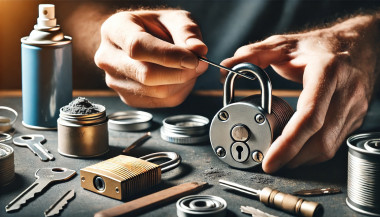
Locks are meant to provide security, but when they seize up, they can leave you feeling frustrated and helpless. Dealing with a stuck lock is more common than you might think, and thankfully, there are affordable and effective solutions to get it working smoothly again. Whether it's a car door, trunk, or your home lock, here are some tried-and-true methods to free up a jammed lock. Why Locks Seize Up Understanding the causes behind a stuck lock can help you prevent it from happening in the future. Locks can seize up for various reasons: Dirt and Debris : Over time, dust, grime, or even small particles can accumulate inside the lock mechanism, making it harder for the internal parts to move smoothly. Rust and Corrosion : Exposure to moisture, humidity, or salty air can lead to rust buildup on metal parts within the lock, which can prevent movement. Lack of Lubrication : Locks need to be lubricated occasionally to ensure smooth operation. Without lubrication, friction increases, and the lock may eventually jam. Now, let’s look at some simple steps to tackle a seized lock. Step 1: Use Graphite Powder or Dry Lubricant The first thing to try is applying a lubricant, but be careful about what type you use. Wet or oil-based lubricants can attract dust, which eventually clogs the lock. Graphite Powder : This is one of the best options for freeing up a stuck lock. Sprinkle a small amount of graphite powder into the keyhole, insert the key, and gently move it back and forth. This spreads the graphite, reducing friction and allowing the lock components to move more freely. Dry Lubricants : These are specifically designed for locks and are ideal for situations where you want to avoid residue buildup. Spray a small amount into the lock, then insert the key and gently turn it. Pro Tip : Avoid using regular WD-40 or other oil-based products, as they may lead to a buildup over time, making the problem worse. Step 2: Try the Key with Gentle Force If lubrication alone doesn’t do the trick, the next step is to use a little gentle force with your key. Be cautious here; applying too much force could break the key inside the lock. Insert the Key : Once the lubricant has been applied, insert the key fully into the lock. Wiggle Carefully : Gently wiggle and turn the key without applying too much force. This movement may help distribute the lubricant further and gradually loosen up any stuck components. Caution : If you feel excessive resistance, don’t force the key. Forcing it can cause damage or even snap the key, which would require additional assistance to remove. Step 3: Warm Up the Lock (Especially Useful for Cold Weather) Cold temperatures can cause locks to seize due to ice or metal contraction. If you suspect the cold is the issue, warming up the lock can be effective. Use a Hair Dryer : Direct warm air onto the lock for several minutes to allow the metal to expand and the ice (if any) to melt. Heat the Key : You can also try warming the key slightly with a lighter, but exercise caution and make sure it isn’t too hot before inserting it into the lock. Safety Note : Avoid open flames directly on the lock itself, as this can damage surrounding surfaces or even warp the lock mechanism. Step 4: Use a Vinegar Solution for Corroded Locks If rust is the culprit, vinegar is a great household solution for loosening rust and corrosion in a lock. Apply Vinegar : Put a few drops of vinegar on the key, insert it into the lock, and let it sit for a minute or two. Vinegar can help dissolve light rust, making it easier to turn the key. Follow with Lubricant : After using vinegar, apply a small amount of graphite powder or dry lubricant to ensure the lock remains smooth and functional. Step 5: Work with Compressed Air to Remove Debris If dirt or debris has accumulated inside the lock, compressed air is a quick and efficient way to clear it out. Blow Out Dust : Use a can of compressed air and direct the nozzle into the keyhole. Short bursts of air can blow out dust and small debris that may be obstructing the mechanism. Follow Up : After using compressed air, it’s a good idea to add a dry lubricant to prevent any remaining dust from causing future jams. How to Prevent Lock Seizure in the Future Once you’ve successfully freed a seized lock, it’s helpful to take steps to prevent it from happening again. Here are some preventive tips: Regularly Lubricate : Use a dry lubricant or graphite powder once or twice a year, especially if you live in a humid or dusty area. Keep Locks Clean : Wipe off any visible dirt or dust around the lock mechanism. If the lock is exposed to elements (like outdoor or car locks), covering it can help keep debris and moisture out. Avoid Overusing Keys : If your key shows signs of wear, consider getting a replacement. Worn-out keys can cause more friction inside the lock, leading to jams. When to Seek Professional Help Sometimes, despite your best efforts, a lock just won’t budge. In cases where the lock is significantly damaged, heavily corroded, or if the key breaks inside, it’s best to reach out for professional assistance. A professional has specialized tools and expertise to address these issues without causing further damage. Taking Care of Your Locks A stuck lock can be an inconvenience, but by following these simple steps and using a little patience, you can often resolve the issue without professional help. Keeping locks in good condition with regular care is the key to ensuring they function smoothly for years to come.

The Real Cost of Replacing a Motorcycle TFT Display: Prices, Causes, and Hidden Costs

The Real Cost of Replacing a Motorcycle TFT Display: Prices, Causes, and Hidden Costs

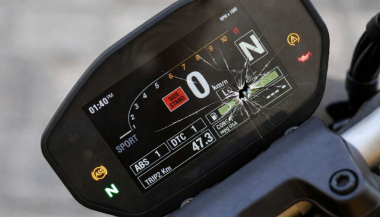
Motorcycle TFT displays are no longer simple speedometers. They are high-resolution computers bonded to glass, sealed against weather, coded to the bike’s electronics, and integrated into safety systems. When a broken TFT display happens, the bill is rarely just “a screen.” Below is the most complete, Europe-focused breakdown of motorcycle display replacement cost you’ll find online—built for riders who are actively searching for replacement prices and real-world risks. What Actually Breaks When a TFT Display Fails A TFT failure is rarely cosmetic. Modern displays are laminated units. Damage spreads. Common failure modes Cracked outer glass → moisture ingress follows Dead pixels or pixel lines → panel failure, not fixable Water ingress / condensation → corrosion of PCB and connectors Sun delamination → layers separate, image fades or ghosts Complete blackout → power board or CAN communication fault Once moisture enters, replacement—not repair—is the only OEM-approved path. Motorcycle Display Replacement Cost (Europe, Real Numbers) These are OEM replacement ranges in Europe, excluding insurance, based on dealer parts pricing, labour, and required coding. Brand Typical TFT Replacement Cost (€) Yamaha €650 – €1,400 BMW €1,200 – €2,500 Honda €800 – €1,800 Triumph €900 – €2,000 Kawasaki €700 – €1,600 Important: These are not worst-case numbers. They are normal dealer outcomes once a display is declared faulty. Why TFT Replacement Is So Expensive 1. The screen is bonded, not modular You cannot replace “just the glass.” The LCD, digitizer, polarizer, and control board are sealed together. 2. Coding & pairing is often mandatory Many TFT units must be coded to the ECU / immobiliser . Without dealer software: Warning lights remain Ride modes may not function Service intervals can’t be reset This adds labour and eliminates cheap aftermarket options. 3. Dead pixels = full replacement Unlike TVs or phones, dead pixels on motorcycle TFTs are not serviceable . OEM policy treats this as a safety-critical component. 4. Water ingress escalates damage fast Condensation today becomes corrosion tomorrow. Displays that “still work” often fail weeks later. The Most Expensive Damage Types (Ranked) Water ingress / condensation Often invisible at first Leads to PCB corrosion Almost always ends in full replacement Dead pixels / pixel columns Caused by pressure, UV heat, or micro-fractures No repair path Cracked glass Immediate usability loss Allows moisture entry Sun delamination Common on bikes parked outdoors Progressive, irreversible Real-World Cost Example (BMW vs Yamaha) BMW adventure / sport models TFT unit: €1,500–€2,200 Coding & labour: €200–€400 Total: €1,700–€2,600 Yamaha mid-range models TFT unit: €700–€1,100 Labour: €100–€250 Total: €800–€1,350 Same problem. Vastly different outcomes. Why “Used” or eBay TFT Displays Are Risky Many riders try to save money this way. Most regret it. VIN or ECU mismatch Immobiliser conflicts No warranty Hidden moisture damage Dealer refusal to code A used TFT that fails after installation means paying twice . The Preventable Part: Surface Damage That Starts It All Most catastrophic failures start small: Fine scratches Stone impacts UV exposure Heat cycling Once the protective surface is compromised, water ingress and pixel failure follow . That’s why many riders choose hydrogel motorcycle screen protectors —they absorb impact, self-heal micro-scratches, and add a moisture barrier without affecting visibility. You can browse motorcycle screen protectors by brand and model here → Motorcycle TFT screen protectors for Yamaha, BMW, Honda, Triumph & Kawasaki . (Exact fit matters. Generic films do not.) What Dealers Rarely Warn You About Condensation voids goodwill claims Pixel defects worsen with time Sun damage is considered “wear” Even hairline cracks can invalidate warranty By the time you ask for a quote, the outcome is usually decided. FAQ — Motorcycle TFT Display Replacement How much does a motorcycle TFT display cost to replace? In Europe, expect €650 to €2,500+ , depending on brand, model, and coding requirements. Can dead pixels be repaired? No. Dead pixels mean full TFT replacement on modern motorcycles. Is condensation inside the display dangerous? Yes. Condensation indicates seal failure and usually leads to corrosion and total failure. Can I ride with a broken TFT display? Often no. Many bikes rely on the TFT for warnings, modes, and diagnostics. Does a screen protector really help? Yes—for scratch prevention, impact absorption, and moisture protection . It cannot fix damage, but it significantly reduces risk. Are aftermarket TFT displays a safe option? Rarely. Most lack proper integration, coding support, or durability. Protecting a €1,500 Part Costs a Fraction A motorcycle TFT display is one of the most expensive components on your bike that faces direct impact, UV exposure, heat, and water—every ride . If you want model-specific protection designed for your exact display shape, visit our shop at mr-key.com and choose the right motorcycle screen protector for your bike.

Which Cars Benefit Most From Hydrogel Navigation Protection? (2026 Overview)

Which Cars Benefit Most From Hydrogel Navigation Protection? (2026 Overview)

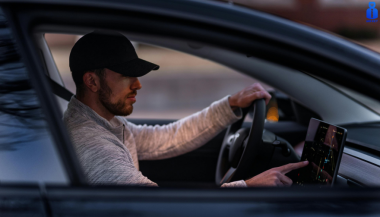
Modern cars rely heavily on large navigation and infotainment screens. These displays are used constantly and exposed to scratches, fingerprints, dust, heat and direct sunlight. Repairs are expensive, and replacement screens can cost several hundred euros. A hydrogel screen protector adds a thin, flexible layer that guards the display without affecting clarity or touch response. Premium and Luxury Models Premium brands adopted large infotainment screens early, making them among the most likely to benefit. BMW models such as the 3 Series , 5 Series and X5 use wide, high-resolution displays (up to 14.9”). Audi cars like the A4 , A6 and Q5 include 10–12” touchscreens. Mercedes-Benz models such as the C-Class , E-Class and GLC use vertically oriented 11–12” MBUX screens. Porsche vehicles (Cayenne, Macan, Panamera) and Tesla models (Model 3, Y, S) use some of the largest screens in Europe. These vehicles benefit significantly from a hydrogel protector thanks to their large surfaces and frequent touch use. Popular European Models Mainstream European cars now feature screens as large as luxury models. Volkswagen offers 10–15” displays in models such as the Golf , Tiguan and Passat . Škoda uses up to 13” screens in the Octavia , Superb and Kodiaq . Dacia equips models like the Jogger , Duster and Sandero with 7–10” displays. Toyota (Corolla, RAV4, Yaris Cross). Renault (Captur, Clio, Megane E-Tech). Peugeot (208, 3008, 5008) Citroën (C4, C5 Aircross) Nissan (Qashqai, Juke, Leaf) Ford (Focus, Kuga) Kia (Sportage, Ceed, Niro, Picanto, Stonic, Rio, Sorento) all rely on large central touchscreens. As screens grow in size across all price segments, protection becomes increasingly important. Benefits of Hydrogel Screen Protectors Hydrogel film is thin, flexible and adheres tightly. It works on flat and curved surfaces where tempered glass cannot. The material absorbs small impacts and can self-heal minor marks. With its anti-glare properties It keeps the display clear, maintains original brightness and preserves smooth touch performance. It also helps reduce smudges and makes daily cleaning easier. Once you’ve chosen a hydrogel protector for your car, the next step is applying it correctly. Follow our step-by-step guide on how to install a hydrogel navigation screen protector for a perfect bubble-free result. Who Needs Hydrogel Protection the Most? Any car with: a large touchscreen (8” or more) glossy glass prone to fingerprints curved edges high cabin sun exposure Hydrogel is especially useful for daily drivers, family cars and vehicles where multiple people interact with the system. Rental, Company and Service Vehicles Benefit Even More Cars used for business—such as rental cars , company vehicles , fleet cars , taxis , and service vehicles —experience significantly higher daily usage than private cars. Their navigation screens are touched constantly by different drivers, exposed to dust, temperature changes and frequent cleaning. Because of this heavy wear, screens in rental and company vehicles are far more likely to show scratches, fingerprints and long-term damage. A hydrogel dashboard screen protector adds a durable layer that absorbs daily abuse, keeps the display clear for every driver and reduces maintenance costs for fleet managers. For any vehicle that is shared or driven by multiple users, screen protection is not just useful—it’s essential . FAQ What is a hydrogel screen protector? A thin, flexible film that protects a car’s navigation or dashboard display. How is it installed? Clean the screen, align the film and press it down. Dry installation is recommended. What are the benefits? Scratch resistance, impact absorption, reduced fingerprints and full coverage on curved screens. Is it compatible with all cars? Yes, if you choose a protector cut for your specific model. Does it affect touch response? No. Hydrogel keeps full touch accuracy. How long does it last? Usually 1–3 years, depending on use. Easy to replace. Hydrogel vs tempered glass? Hydrogel fits curved screens and absorbs impacts. Glass is harder but can crack and does not cover complex shapes. For more in depth guide check out Hydrogel vs Tempered Glass Navigation Protectors Comparison How can I protect my car’s navigation screen from scratches and fingerprints? If you want to know more about How to Protect Your Car’s Navigation Screen from Scratches and Fingerprints check out our guide. Visit mr-key.com to find a custom-cut hydrogel protector for your car model. Related Guides How to Install a Hydrogel Navigation Screen Protector How to Protect Your Car’s Navigation Screen from Scratches, Glare & Fingerprints Hydrogel vs Tempered Glass Navigation Protectors Comparison

Chat with us