Post Name

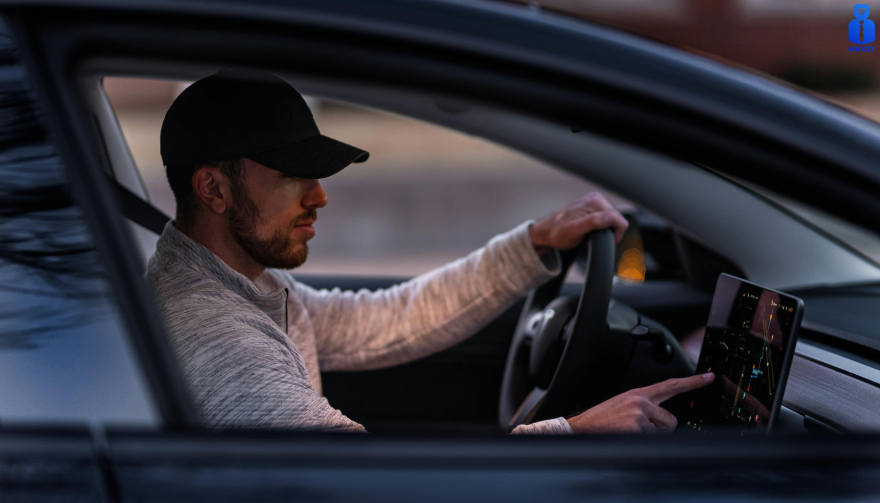
Modern cars rely heavily on large navigation and infotainment screens. These displays are used constantly and exposed to scratches, fingerprints, dust, heat and direct sunlight. Repairs are expensive, and replacement screens can cost several hundred euros. A hydrogel screen protector adds a thin, flexible layer that guards the display without affecting clarity or touch response.
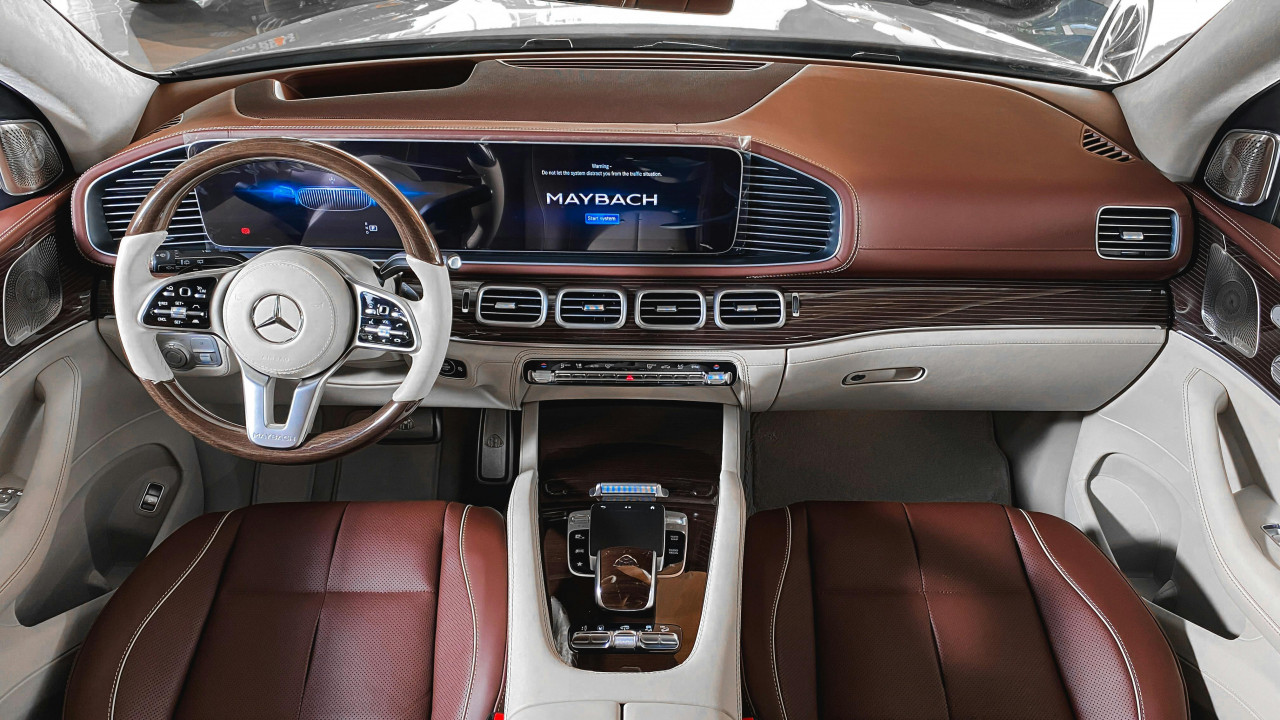
Premium and Luxury Models


Premium brands adopted large infotainment screens early, making them among the most likely to benefit.

BMW models such as the 3 Series, 5 Series and X5 use wide, high-resolution displays (up to 14.9”).

Audi cars like the A4, A6 and Q5 include 10–12” touchscreens.

Mercedes-Benz models such as the C-Class, E-Class and GLC use vertically oriented 11–12” MBUX screens.

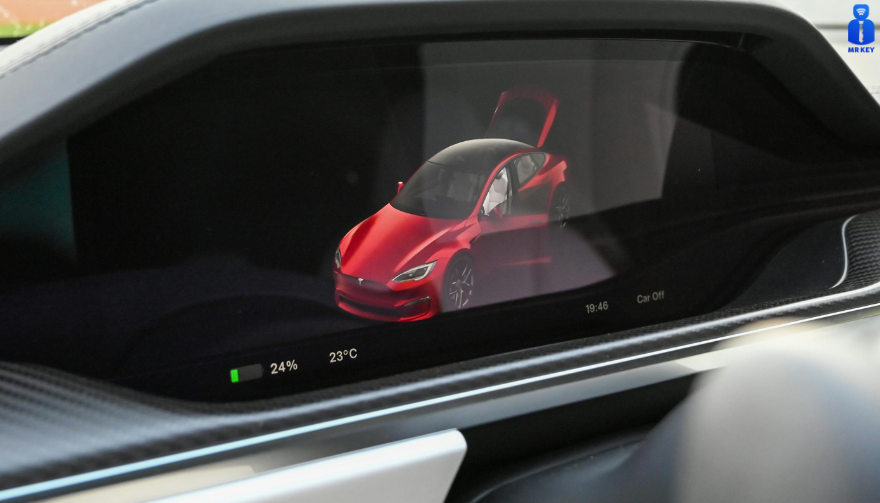
Porsche vehicles (Cayenne, Macan, Panamera) and Tesla models (Model 3, Y, S) use some of the largest screens in Europe.

These vehicles benefit significantly from a hydrogel protector thanks to their large surfaces and frequent touch use.

Popular European Models


Mainstream European cars now feature screens as large as luxury models.

Volkswagen offers 10–15” displays in models such as the Golf, Tiguan and Passat.

Škoda uses up to 13” screens in the Octavia, Superb and Kodiaq.

Dacia equips models like the Jogger, Duster and Sandero with 7–10” displays.

Toyota (Corolla, RAV4, Yaris Cross).

 Renault (Captur, Clio, Megane E-Tech).

Peugeot (208, 3008, 5008)

 Citroën (C4, C5 Aircross)

 Nissan (Qashqai, Juke, Leaf) 

Ford (Focus, Kuga)

Kia (Sportage, Ceed, Niro, Picanto, Stonic, Rio, Sorento)

all rely on large central touchscreens.

As screens grow in size across all price segments, protection becomes increasingly important.

Benefits of Hydrogel Screen Protectors


Hydrogel film is thin, flexible and adheres tightly. It works on flat and curved surfaces where tempered glass cannot. The material absorbs small impacts and can self-heal minor marks. With its anti-glare properties It keeps the display clear, maintains original brightness and preserves smooth touch performance. It also helps reduce smudges and makes daily cleaning easier.

Once you’ve chosen a hydrogel protector for your car, the next step is applying it correctly. Follow our step-by-step guide on how to install a hydrogel navigation screen protector for a perfect bubble-free result.
Who Needs Hydrogel Protection the Most?


Any car with:

a large touchscreen (8” or more)

glossy glass prone to fingerprints

curved edges

high cabin sun exposure

Hydrogel is especially useful for daily drivers, family cars and vehicles where multiple people interact with the system.

Rental, Company and Service Vehicles Benefit Even More


Cars used for business—such as rental cars, company vehicles, fleet cars, taxis, and service vehicles—experience significantly higher daily usage than private cars. Their navigation screens are touched constantly by different drivers, exposed to dust, temperature changes and frequent cleaning.

Because of this heavy wear, screens in rental and company vehicles are far more likely to show scratches, fingerprints and long-term damage. A hydrogel dashboard screen protector adds a durable layer that absorbs daily abuse, keeps the display clear for every driver and reduces maintenance costs for fleet managers.

For any vehicle that is shared or driven by multiple users, screen protection is not just useful—it’s essential.


FAQ


What is a hydrogel screen protector?

A thin, flexible film that protects a car’s navigation or dashboard display.

How is it installed?

Clean the screen, align the film and press it down. Dry installation is recommended.

What are the benefits?

Scratch resistance, impact absorption, reduced fingerprints and full coverage on curved screens.

Is it compatible with all cars?

Yes, if you choose a protector cut for your specific model.

Does it affect touch response?

No. Hydrogel keeps full touch accuracy.

How long does it last?

Usually 1–3 years, depending on use. Easy to replace.

Hydrogel vs tempered glass?

Hydrogel fits curved screens and absorbs impacts. Glass is harder but can crack and does not cover complex shapes. For more in depth guide check out Hydrogel vs Tempered Glass Navigation Protectors Comparison

How can I protect my car’s navigation screen from scratches and fingerprints?

If you want to know more about How to Protect Your Car’s Navigation Screen from Scratches and Fingerprints check out our guide.


Visit mr-key.com to find a custom-cut hydrogel protector for your car model.


Related Guides

How to Install a Hydrogel Navigation Screen Protector

How to Protect Your Car’s Navigation Screen from Scratches, Glare & Fingerprints
Hydrogel vs Tempered Glass Navigation Protectors Comparison

Related Posts

How to Identify the Right Replacement Key Shell for Your Car

How to Identify the Right Replacement Key Shell for Your Car

If your car key shell is cracked, worn, or the buttons no longer press properly, replacing it with a new shell is often the most affordable and effective solution. But one major challenge stands in the way: figuring out exactly which replacement shell you need. With so many variations in blade types, button layouts, and internal compatibility, it’s easy to buy the wrong part—and waste both time and money. This guide breaks down how to identify the correct key shell for your car, so you can upgrade or replace your damaged remote housing without confusion. Step 1: Identify Your Key Blade Type One of the most important features is the key blade. Even within the same car brand, different models and years may use different blade types. Two of the most common are: HU83 blade – Used by many Peugeot and Citroën models. It has a curved groove on both sides. VA2 blade – Similar in appearance but has a flat groove instead of a curve. Other types include TOY43, TOY47, and SIP22, often used in Toyota, Fiat, and other manufacturers. If you're unsure, comparing your blade side-by-side with online reference images helps avoid errors. Tip: Never rely only on the number of buttons—focus on the blade profile first. Step 2: Count and Match the Button Layout Next, verify how many buttons your original key has, and in what layout. Common options include: 2 buttons: Lock / Unlock 3 buttons: Lock / Unlock / Trunk Smart keys: May have a more complex layout or hidden emergency blade Even a small difference in layout can prevent the rubber buttons from pressing the internal switches correctly. Also check whether the button pad is integrated into the case or if it’s a separate piece. That may affect your fit. Step 3: Check the Internal Electronics Placement When swapping a shell, you’ll be transferring the circuit board and (in most cases) a transponder chip. The replacement case must have: The same mounting points and slots Space for the battery (check if yours is CR1620, CR2032, etc.) A similar design to support the flip mechanism, if your original key has one If the internal layout doesn’t match, your circuit board may not sit securely—or your buttons may not work. Bonus tip: Open your old key carefully and take photos of the internal structure before ordering a shell. Step 4: Consider the Key Type – Flip or Fixed There are two main styles: Flip keys: Blade folds into the case and pops out with a button press Fixed blade keys: Blade is static and exposed You must match your replacement with the original style, unless you're intentionally upgrading. Flip key conversions are popular, but they require extra parts and a bit more installation effort. Step 5: Check the Model Compatibility List Many key shells are marketed as being compatible with a range of car models. Look for a list that includes: Your vehicle’s make and model The production years (e.g., “Peugeot 207 2010–2014”) Even then, cross-reference with your physical key—models change subtly across production years. Step 6: Know What You're Not Getting A replacement key shell typically does not include: The circuit board (you must transfer it from your old key) The transponder chip A pre-cut blade (unless stated) You’ll likely need to cut the new blade or reuse the old one if it's detachable. Choosing the right replacement key shell doesn't have to be trial and error. By focusing on blade type, button layout, and internal structure, you can confidently find a case that fits your needs—and your key electronics. It’s a simple fix that extends the life of your existing key without the cost of a full replacement. Just take your time, check the details, and match your original key carefully. A few minutes of inspection now can save hours of hassle later.

Comprehensive Guide: Common Car Key Problems and How to Solve Them

Comprehensive Guide: Common Car Key Problems and How to Solve Them

Your car key is a small but essential part of your daily life. When it stops working properly—whether due to a dead battery, water exposure, signal interference, or ignition issues—it can quickly disrupt your plans. Fortunately, many common car key problems can be identified early and resolved effectively with the right approach. In this comprehensive guide, we explore four of the most frequent car key issues and provide detailed solutions to help you stay on the road with confidence. Recognizing a Failing Car Key Battery The battery inside your car key fob is designed to last, but not indefinitely. On average, a CR2032 battery will power a key fob effectively for one to three years, depending on usage patterns and environmental conditions. A weakening battery usually does not fail suddenly; it provides warning signs that many drivers overlook. One of the earliest indications is a noticeable decrease in the remote’s operating range. You may find yourself needing to stand closer to the vehicle for the key fob to work. As the battery continues to lose power, the fob may start working inconsistently, responding only after multiple button presses or with a delay. Some vehicles will display a low battery warning on the dashboard, providing a clear signal that replacement is necessary. Allowing the battery to fully deplete can leave you unable to unlock or start your car at a critical moment. By promptly replacing the battery with a reliable product, such as the Panasonic CR2032, you can restore full functionality and prevent future inconvenience. Addressing Water Damage in Car Keys Water damage is a common cause of key fob failure. Whether it’s from rain exposure, dropping the key in water, or accidental washing, moisture can cause both immediate and long-term damage to the key's internal components. When water enters the fob, it can short-circuit the delicate electronics, rendering the key inoperative. In other cases, corrosion may develop slowly, causing the key to malfunction days or weeks after the exposure. If your car key gets wet, the first step is to remove the battery immediately to minimize damage. Dry the key as thoroughly as possible using a soft cloth and allow it to air dry in a warm, ventilated space for at least 24 hours. It is crucial to avoid using heat sources like hair dryers, which can damage sensitive components. After drying, install a fresh battery and test the key. If the key still does not function, the internal circuits may have been irreparably damaged, and a professional evaluation or shell replacement may be necessary. Understanding Weak Signal Issues in Car Keys A weak key fob signal can lead to frustration and can often be mistakenly attributed to a battery issue alone. While a low battery is a common cause, signal strength can also be affected by other factors. Physical impacts, such as dropping the key, can disrupt the internal connections or damage the antenna, reducing the fob's ability to communicate effectively with the car. Environmental factors can also interfere with the signal. Parking near large metal structures, power lines, or areas with strong electronic interference can block or weaken the signal temporarily. Additionally, worn buttons that no longer make proper contact with the internal circuit board can result in poor signal transmission, even if the battery is new. When experiencing signal issues, it is important to inspect the key carefully. Replacing the battery, ensuring all components are securely seated, and considering the replacement of worn key shells can often restore proper function. Persistent problems, however, may require professional assessment to ensure the key and vehicle are correctly paired. Dealing with Ignition Problems When the Car Key Won’t Turn One of the most alarming car key issues is inserting the key into the ignition only to find it won’t turn. This problem can stem from several sources, and identifying the correct cause is essential for a safe and effective fix. A worn key blade is a common culprit, especially in vehicles with many years of use. Over time, the precision cuts on the key blade can wear down, making it difficult for the key to properly engage the pins within the ignition cylinder. Another frequent cause is the steering wheel lock mechanism. If the steering wheel locks in place, it can prevent the key from turning until the wheel is gently moved to relieve the pressure. In some cases, the ignition cylinder itself may become dirty, misaligned, or mechanically worn. If you have a spare key, testing it can help determine whether the issue lies with the key or the ignition. Cleaning the ignition slot with compressed air can sometimes resolve minor blockages. If the problem persists, professional servicing of the ignition system may be necessary to avoid more serious mechanical failures. Car Key Maintenance and Problem Solving Car key problems are a common inconvenience that most drivers will face at some point. However, understanding the signs and causes of these issues can empower you to act quickly and avoid more significant disruptions. Whether dealing with a failing battery, water exposure, weak signal, or ignition lockout, timely intervention and proper maintenance can prevent escalation. Regularly checking your key's condition, replacing batteries with trusted products, and ensuring your key shell remains intact are simple yet effective practices that can extend the life of your car key. By addressing small issues early, you can maintain reliable access to your vehicle and reduce the risk of unexpected problems. For high-quality replacement shells, batteries, and accessories, visit mr-key.com and explore solutions designed to keep your car key functioning like new.

Hydrogel vs Tempered Glass Navigation Protectors Comparison

Hydrogel vs Tempered Glass Navigation Protectors Comparison

Cars and vehicles nowadays often include large touchscreen navigation systems that are prone to scratches, fingerprints and cracks. These displays are expensive to replace – one owner reported a factory infotainment screen costing over $3,000 to swap out – so protecting them is crucial. That’s where navigation screen protectors come in. The two main options are hydrogel film protectors and tempered glass protectors . Below, we compare hydrogel vs tempered glass for car navigation screens, looking at fit, durability, clarity and more, so you can choose the best protection for your car. Hydrogel vs Tempered Glass: The Essentials Tempered glass protectors A rigid, hard 9H glass shield. Excellent scratch resistance, very clear, and feels like the original screen. Best for completely flat displays. Hydrogel protectors A flexible, self-healing polymer film originally used in aviation and military applications. Ultra-thin, edge-to-edge fit, excellent for curved or uniquely shaped screens. Key difference: Hydrogel bends. Tempered glass doesn’t. Fit & Coverage (Hydrogel Wins) Modern cars often have curved or tapered displays. Tempered glass cannot follow these shapes, leaving exposed edges, air gaps or weak adhesion points. Hydrogel protectors conform perfectly to flat, curved and 3D-shaped screens. They wrap the edges, eliminate halo gaps, and achieve full-surface coverage. If your car’s screen isn’t perfectly flat, hydrogel is the correct choice. Scratch & Impact Protection Tempered glass: Extremely resistant to scratches Can crack on impact, sacrificing itself to protect the screen Once cracked, must be replaced Hydrogel: Softer surface, but self-heals micro-scratches over time Doesn’t shatter; absorbs everyday bumps Ideal for preventing long-term wear and swirl marks Glass is harder; hydrogel stays clearer longer thanks to self-healing. Clarity, Glare & Touch Sensitivity Both types maintain high clarity and touch accuracy, but behave differently in real use: Tempered glass: Ultra-clear Glossy surface shows fingerprints easily Good touch response Hydrogel: Crystal-clear or matte anti-glare options Reduces reflections in sunlight — very useful in cars Zero touch interference due to ultra-thin structure Minor micro-bubbles self-resolve within hours If you drive in bright sun or hate fingerprint shine, hydrogel’s matte option is a major advantage. Installation & Removal Tempered glass: Simple dry install One-shot alignment Rigid, so easy to place but unforgiving if misaligned Hydrogel: Dry or wet install Allows micro-adjustments Easy bubble removal No cracking during installation Removal is simple for both, though hydrogel is safer (no glass shards, no risk of breakage during removal). If you want to learn more about how to install your hydrogel navigation screen protector visit our guide. Which Should You Choose? For general car owners with modern infotainment systems, the winner is clear: ✔ Hydrogel protectors are better for most car navigation screens. Why: Perfect fit on curved screens Self-healing surface Anti-glare options Full edge-to-edge coverage Zero loss in touch sensitivity Tempered glass is fine for older or perfectly flat screens — but today’s automotive displays benefit more from hydrogel technology. FAQ Does a navigation screen really need protection? Yes. Screens scratch easily, attract fingerprints, and are expensive to replace. A protector preserves clarity and resale value. Is hydrogel or tempered glass better overall? Hydrogel — unless your screen is perfectly flat. It fits better, reduces glare, and self-heals surface scratches. Will a protector affect touch response? No. Both types maintain excellent touch accuracy. Hydrogel is especially responsive due to its thin, adaptive structure. How do I protect my screen from fingerprints and glare? Use a matte hydrogel film. For more techniques, see our guide on [ How to Protect Your Car’s Navigation Screen from Scratches, Glare & Fingerprints ] . Which cars benefit most from hydrogel protection? Any model with curved, large, glossy or high-resolution displays. See our model list: [ Which Cars Benefit Most From Hydrogel Navigation Protection? ] . For custom-cut hydrogel protectors for your exact car model, visit mr-key.com . Related Guides How to Protect Your Car’s Navigation Screen from Scratches, Glare & Fingerprints How to Install a Hydrogel Navigation Screen Protector Which Cars Benefit Most From Hydrogel Navigation Protection?

How to Program a Car Key: A Step-by-Step Guide

How to Program a Car Key: A Step-by-Step Guide

Lost Your Car Key Programming? Here's What to Do Have you ever lost your car keys or found yourself with a spare key that doesn’t start your vehicle? While the process of programming a car key might seem intimidating, it’s often simpler than you’d expect. In many cases, car owners can program keys themselves without needing a visit to a dealership. This guide walks you through the essentials of car key programming, helping you save time, effort, and potentially a significant amount of money. Understanding Car Key Programming: The Basics Car key programming is the process of syncing a key with a car's internal computer so it can communicate securely. Modern vehicles use transponder keys or smart keys equipped with chips that emit a unique signal. Without proper programming, these keys won’t function, even if they fit perfectly into the ignition. While older mechanical keys didn’t require programming, today’s advanced systems add a layer of security, reducing the risk of car theft. However, this added sophistication means that replacing or reprogramming a key is no longer as simple as cutting a piece of metal. Quick Tip: Check your vehicle’s owner manual to see if programming your car key is a DIY-friendly process, as some models allow self-programming, while others require professional tools. Step-by-Step Guide to Programming a Car Key Before starting, ensure you have all necessary tools and information: The vehicle’s owner manual. All keys that need programming, including the functional ones. Step 1: Access Programming Mode Start by sitting in the driver’s seat with all the doors closed. Insert the already functional key into the ignition and turn it to the “on” position (do not start the engine). Some vehicles require you to cycle the key between “on” and “off” positions a specific number of times to enter programming mode. Step 2: Add the New Key Once in programming mode, remove the functional key and quickly insert the new key into the ignition. Turn it to the “on” position. The vehicle’s security light may flash to indicate the key has been successfully programmed. Step 3: Test the Key After programming, remove the new key and test it to ensure it can start the car and unlock the doors. Note: Each car manufacturer has unique programming steps. Be sure to consult your owner’s manual or the manufacturer’s website for specific instructions. When Professional Help Is Needed While many vehicles allow for DIY key programming, others require specialized equipment or software that only dealerships or locksmiths can access. This is particularly true for luxury or high-end cars with advanced encryption and security features. If your DIY efforts fail, it’s best to seek help from a certified professional. Visiting a dealership is a reliable, albeit more expensive, option. Alternatively, professional locksmiths often provide programming services at a lower cost, making them a practical choice for many drivers. Costs and Considerations The cost of programming a car key varies significantly based on the vehicle’s make and model. For basic models, self-programming might cost nothing if you already have a functional key. However, professional programming can range from $50 to $300 or more, especially for smart keys or proximity fobs. To minimize costs: Have a spare key : Always keep a functional spare to simplify programming if a replacement is needed. Research costs : Call local locksmiths or dealerships to compare pricing. Empower Yourself with Knowledge Programming a car key doesn’t have to be a daunting task. With the right tools and information, many car owners can handle the process themselves, saving time and money. However, it’s essential to recognize when professional assistance is necessary, particularly for complex key systems. By understanding the basics of car key programming and following a step-by-step approach, you can ensure your vehicle remains secure and functional. So, whether it’s a spare key or a replacement, you now have the confidence to tackle the task or know where to turn for help.

Chat with us