Post Name

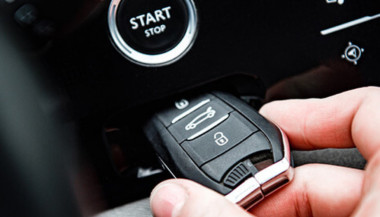
The convenience of a modern car key fob is hard to overstate — it unlocks doors, starts engines, and sometimes even controls your car remotely. But at the heart of all these features lies a small coin battery, usually a CR2032, that powers your fob’s every function. Like all batteries, it doesn’t last forever, and certain conditions can shorten its lifespan or cause unexpected problems like leaks.

In this guide, we’ll explore how long your key fob battery should last, what causes leaks, and how temperature plays a critical role in battery performance.


How Long Do Key Fob Batteries Typically Last?

Most key fobs use lithium coin batteries like the CR2032. These are designed for small electronic devices and typically last between two to four years, depending on how often you use your fob and how close it stays to your vehicle. Constant use — such as frequent locking and unlocking — can deplete the battery faster. If your smart key remains within range of your car at all times, it may draw more power passively.

Another key factor is the quality of the battery. High-grade batteries like those from Panasonic usually last longer and offer more consistent voltage. You’ll know it’s time for a replacement when the fob works only at short distances, you need to press buttons more than once, or the indicator light becomes dim or fails to light up at all.

Catching these early signs is important, as a simple battery replacement can prevent unexpected lockouts or costly service calls.


Battery Leaks in Key Fobs: Risks and Prevention

Though not as common, a leaking battery can be far more destructive than a dead one. Leakage can corrode the internal components of your key fob, sometimes making it unusable.

Signs of a leak include white residue inside the battery compartment, visible corrosion on the metal contacts, or a strange smell or dampness near the battery slot. Leaks often occur in batteries that are expired, low-quality, or exposed to extreme heat or moisture.

To reduce the risk of leaks, it's a good idea to replace your key fob battery every two years, regardless of performance. Always use reputable brands such as Panasonic CR2032, and store spare batteries in a cool, dry place. Also avoid mixing new and old batteries, even temporarily.

If you notice any signs of leakage, remove the battery promptly and clean the compartment using a cotton swab and isopropyl alcohol. If the corrosion is severe, replacing the key fob casing or consulting a specialist may be necessary.


How Temperature Affects Your Key Fob Battery Life

Ambient temperature can have a major effect on battery efficiency. In cold conditions, the chemical reactions within a lithium coin battery slow down, resulting in reduced voltage and sluggish or inconsistent performance. A key fob left overnight in freezing temperatures might stop working until it warms up.

On the flip side, high temperatures accelerate battery depletion. Leaving your key fob inside a hot car or near a heat source can shorten its lifespan and, in rare cases, even cause the battery to leak. Heat can also warp internal components, especially in compact spaces like key fobs.

To protect your battery, avoid exposing your key fob to direct sunlight or intense heat for long periods. Don’t store it in jackets or compartments that get hot in summer, and try to keep a spare battery handy if you live in an area with extreme seasonal swings. Choosing temperature-resistant batteries — like those from Panasonic — adds another layer of protection.

Key fob batteries are small but essential parts of modern car ownership. Understanding their typical lifespan, recognizing early signs of failure or leakage, and knowing how temperature affects their performance can help you avoid unpleasant surprises.

With a little foresight, you can keep your key fob working smoothly for years. Replace the battery every two to three years, choose high-quality brands, and take precautions during temperature extremes. A few minutes of care now can save you from frustration later.
Related Posts

The Secret to Smooth Locks: How (and Why) to Lubricate Your Locks Like a Pro

The Secret to Smooth Locks: How (and Why) to Lubricate Your Locks Like a Pro

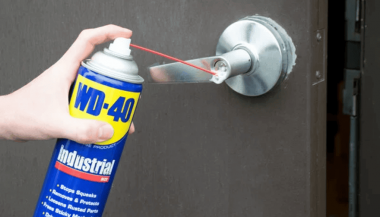
Regular lock maintenance is essential to prevent key jamming or lock failure. Proper lubrication reduces wear and tear, ensures smooth operation, and extends the lifespan of your locks. A well-lubricated lock decreases the risk of your key getting stuck or breaking inside the lock—an inconvenient and costly problem. At MR-KEY , we understand the importance of well-maintained locks and want to help you keep yours in top condition. How Often Should You Lubricate Your Locks? For most locks, lubricating them every three to six months is sufficient. However, locks exposed to extreme weather conditions—such as those on towbars, roof racks, or outdoor gates—require more frequent maintenance. Rain, dust, and freezing temperatures can cause internal components to stick, making it difficult to insert or turn the key. If you notice resistance when using a lock, it’s time for lubrication. What Lubricant Should You Use for Locks? Choosing the right lubricant is crucial for long-term lock performance. Here are the best options: • Teflon-based (PTFE) spray – Forms a protective film inside the lock, reducing friction and repelling dust buildup. • Dry silicone spray – Excellent for outdoor locks as it resists moisture without attracting dirt. • WD-40 Specialist Dry PTFE or White Lithium Grease – Unlike regular WD-40, these provide long-lasting lubrication and protection against corrosion. • Graphite powder – A great choice for older locks but should not be used if there’s oil residue inside the lock. While WD-40 Multi-Use is a quick fix for stuck locks, it is primarily a cleaner rather than a long-term lubricant. If used, follow up with a dry lubricant to prevent dirt accumulation inside the lock. How to Lubricate a Lock If your lock is functioning properly but feels slightly stiff, follow these steps: 1. Clean the Lock – Insert and remove the key a few times to dislodge debris, wiping it clean each time. 2. Apply the Lubricant – Insert the spray straw into the keyhole and apply two short bursts of lubricant. 3. Work the Lock – Insert and turn the key multiple times to distribute the lubricant inside. 4. Wipe Excess Lubricant – Remove any residue from the key and lock exterior to prevent dirt buildup. For graphite powder , follow the manufacturer’s specific instructions, as overapplication can lead to clumping inside the lock. Special Care for Towbar and Roof Rack Locks Locks on towbars and roof racks are exposed to harsher conditions than typical door locks. To keep them in good shape: • Regularly inspect them for stiffness or corrosion. • Apply dry silicone spray or PTFE lubricant for lasting protection. • If the lock is exposed to frequent moisture, white lithium grease offers superior water resistance. Lock It in: The Key to Long-Lasting Security Regular lock maintenance is a small effort that prevents big problems. By keeping your locks clean and properly lubricated—especially those exposed to the elements—you can avoid costly repairs and ensure they function smoothly for years. For high-quality lock maintenance products, visit MR-KEY and keep your locks in perfect working condition. A little maintenance goes a long way in ensuring security and peace of mind!

The Fascinating History of Car Safety Features: How Far We’ve Come to Keep You Safe

The Fascinating History of Car Safety Features: How Far We’ve Come to Keep You Safe

When you think about cars, what comes to mind? Speed, design, or maybe the feeling of freedom when you hit the open road? But there’s one crucial aspect of driving that you might not think about as much—safety. Cars today are safer than ever, thanks to decades of innovations and advancements. But how did we get here? Let’s dive into the history of car safety features and see just how far we’ve come to protect you and your loved ones on the road. The Early Days: A Lack of Safety Awareness Back in the early 1900s, cars were viewed as luxury items and status symbols. Safety wasn’t really a concern. Cars had no seat belts, no airbags, and certainly no crumple zones. People focused more on making vehicles go faster and look better than on keeping passengers safe. In those days, accidents were far more dangerous, often leading to severe injuries or fatalities. It wasn’t until the rise of car ownership in the 1920s and 1930s that people began to notice just how dangerous cars could be. The growing number of vehicles on the road led to more accidents, and the need for safety features became evident. The Invention of Seat Belts: The First Major Breakthrough Seat belts were one of the first car safety features to be introduced. But they didn’t become standard right away. In fact, the idea of a seat belt first appeared in the late 19th century, designed for use in airplanes, not cars. It wasn’t until the 1950s that the seat belt began to find its way into automobiles, thanks to Swedish engineer Nils Bohlin, who designed the three-point seat belt in 1959. Bohlin’s invention, which you still use today, was a game-changer. It saved countless lives and reduced serious injuries in crashes. Volvo was the first company to introduce the three-point seat belt in their vehicles, and soon after, other manufacturers followed suit. Airbags: A Revolutionary Step Forward As seat belts became more common, automakers started looking for additional ways to protect drivers and passengers. Enter the airbag. The airbag was initially developed in the 1950s, but it took decades of refinement before it became a standard feature in cars. The first production car equipped with an airbag was the 1973 Oldsmobile Toronado, but it wasn’t until the 1990s that airbags became widely available. Today, airbags are a critical component of vehicle safety systems, with front, side, and even curtain airbags designed to protect you from all angles in a crash. Alongside seat belts, airbags are now seen as one of the most effective life-saving technologies in modern vehicles. Crumple Zones: Protecting You in a Collision Crumple zones are another innovation that may not be immediately obvious, but they play a huge role in keeping you safe. In the event of a crash, crumple zones are designed to absorb and dissipate energy, reducing the force transferred to passengers. Introduced in the 1950s by Mercedes-Benz, crumple zones help reduce the impact of a collision by sacrificing the car’s body to protect the occupants. Today, crumple zones are standard in virtually every car, and their design continues to evolve, improving crash safety with each new model year. Anti-lock Brakes: Helping You Keep Control The introduction of anti-lock braking systems (ABS) in the 1970s was another massive leap forward in car safety. ABS prevents the wheels from locking up during braking, which helps maintain steering control during an emergency stop. This system is especially useful on slippery surfaces like rain-soaked or icy roads. Before ABS, sudden braking could lead to skidding, causing drivers to lose control of their vehicles. ABS has significantly reduced the number of accidents caused by loss of control and has become a staple of modern driving safety. Electronic Stability Control: The Technology That Saves Lives Electronic Stability Control (ESC) was a groundbreaking safety feature that hit the market in the 1990s. ESC helps you maintain control of your car during skids or oversteering by automatically applying brakes to individual wheels. Studies have shown that ESC can reduce the risk of a fatal crash by as much as 50%. In fact, the National Highway Traffic Safety Administration (NHTSA) now mandates that all cars sold in the United States come equipped with ESC. This technology has proven to be especially helpful in preventing rollovers, which are among the most dangerous types of accidents. The Future of Car Safety: What’s Next? Car safety features have come a long way, but we’re not done yet. The future of vehicle safety lies in advanced driver-assistance systems (ADAS), which use sensors, cameras, and radar to detect potential hazards and prevent accidents before they happen. Some of the technologies that are becoming increasingly common include lane departure warnings, automatic emergency braking, and adaptive cruise control. And let’s not forget the promise of self-driving cars, which could drastically reduce accidents caused by human error, which accounts for the majority of crashes today. The Importance of Car Safety As we look back on the history of car safety features, it’s incredible to see how far we’ve come. From the early days of no seat belts or airbags to today’s cutting-edge technology, the automotive industry has made safety a top priority. The next time you get behind the wheel, take a moment to appreciate all the safety features designed to protect you. Whether it’s a simple seat belt or a high-tech stability control system, these innovations have made driving safer for everyone. And remember, no matter how advanced your car’s safety systems are, the best protection is still responsible driving. Stay alert, drive safely, and always buckle up!

Dead Pixels on a Motorcycle TFT Display: What They Mean & When Replacement Is Inevitable

Dead Pixels on a Motorcycle TFT Display: What They Mean & When Replacement Is Inevitable

Dead pixels on a motorcycle TFT display are rarely “just cosmetic”. On modern bikes, the TFT dashboard is a sealed, laminated electronic unit exposed to sun, heat, vibration, rain, and pressure washing . When pixels fail, it often signals structural damage inside the display , not a surface defect. This article explains what TFT display dead pixels really mean, why they appear, how to diagnose them correctly, and the point where replacement becomes unavoidable . What riders mean by “dead pixels” — and why it matters The term motorcycle display dead pixels is used loosely. In practice, three very different faults exist. True dead pixels (permanently black) A true dead pixel is a pixel transistor that no longer functions. It stays black on all backgrounds and during startup screens. This is a hardware failure inside the LCD matrix . It does not self-heal. Stuck pixels (fixed bright color) A stuck pixel remains red, green, blue, or white. On phones or TVs, this can sometimes be intermittent. On motorcycle TFTs, stuck pixels are often caused by heat stress or internal pressure and frequently progress into permanent failure. Lines or blocks of dead pixels A vertical or horizontal line of missing pixels is not a pixel issue. It indicates row or column driver failure inside the panel — a structural defect of the display module. Once this appears, replacement is usually inevitable. Why TFT dead pixels appear on motorcycles Dead pixels on a dashboard are rarely random. They follow consistent mechanical and environmental causes. Heat and UV exposure Motorcycle TFTs sit in direct sunlight. Daily heat cycles expand and contract the laminated layers inside the display. Over time, this stresses internal bonds and pixel drivers. A single failed pixel can become a cluster. Micro-impact and pressure A light impact that doesn’t crack the glass can still damage the internal LCD stack. This is common on naked bikes and adventure models where the display is more exposed. Moisture ingress and condensation Condensation inside a TFT display is a critical warning sign. It means the factory seal has been compromised. Moisture accelerates corrosion on connectors and display drivers, often leading to dead pixels followed by total blackout. Electrical stress Voltage fluctuations or grounding issues can contribute, but if the pixel defect appears in the same physical location across reboots , the issue is almost always panel-level, not wiring. Brand examples: how this appears in real motorcycles Dead pixel reports follow similar patterns across brands. BMW TFT clusters: pixel lines or dark zones often appear after heat exposure or condensation events. Clusters are fully integrated and typically replaced as a unit. Yamaha TFT dashboards: isolated dead pixels may appear first, followed by spreading rows on models parked outdoors long-term. Kawasaki TFT displays: line failures are commonly reported after pressure washing or heavy rain use. Honda TFT dashboards: less frequent, but once pixel clusters appear, dealers usually recommend full replacement. Across all brands, panel repair is not part of standard dealer service . Fast diagnosis: how to tell if the damage is permanent You can determine the seriousness in minutes. Check startup screens If the pixel defect appears during the boot logo or splash screen, it is hardware, not software. Test multiple backgrounds Switch themes or display modes: Always black → dead pixel Always bright or colored → stuck pixel Straight line → driver failure Look for progression A defect that grows over weeks is not stable. Progression is a replacement signal. Inspect for condensation Any fogging or haze inside the screen means moisture ingress. Pixel failure combined with condensation almost always worsens. When TFT display replacement is inevitable Replacement is not about annoyance. It’s about predictable failure . Replacement becomes inevitable when any of the following occur: A row or column of dead pixels appears Dead pixels spread over time Dead pixels appear together with condensation The defect blocks speed, warnings, or riding data The bike relies on the TFT for ride modes or system alerts At this stage, the TFT is no longer a reliable instrument cluster. Why TFT displays are rarely repaired A motorcycle TFT is not a standalone screen. It is: Laminated glass + LCD + polarizer Sealed against weather Electronically paired to the motorcycle Separating and rebuilding this stack requires specialized industrial equipment. As a result, OEMs replace the entire unit . Used clusters introduce risks: coding issues, immobilizer pairing, mileage discrepancies, and unknown moisture history. Cost reality in Europe In Europe, OEM motorcycle TFT replacement typically ranges from: €600–€1,200 for mid-range models €1,500–€2,500+ for premium or integrated systems This includes coding and calibration, not just the display itself. That’s why a small dashboard pixel issue deserves early attention. Can dead pixels be prevented? You cannot prevent internal electronic aging. You can reduce the most common triggers: Surface scratches that weaken seals Micro-impacts UV exposure Moisture pooling around edges A properly fitted screen protector does not fix dead pixels, but it reduces the external damage pathways that often lead to full TFT failure. If you want to reduce the risk of turning a small pixel defect into a four-figure repair, you can protect the display surface early — explore motorcycle TFT screen protectors at mr-key.com FAQ: TFT display dead pixels Are dead pixels dangerous? They are not dangerous by themselves, but they often indicate deeper display degradation. Can software updates fix dead pixels? No. If the defect appears in the same physical location during startup, it is hardware. Will one dead pixel spread? Sometimes. Spread is common when heat or moisture is involved. Is condensation inside the TFT serious? Yes. Condensation indicates seal failure and greatly increases the risk of progressive damage. Is replacement always required? Not for a single stable pixel. Replacement becomes unavoidable with progression, lines, or moisture involvement.

Smart or Mechanical Car Keys: What to Choose for Your Vehicle’s Security?

Smart or Mechanical Car Keys: What to Choose for Your Vehicle’s Security?

When it comes to vehicle security, the type of car key you use is crucial. Car keys have evolved dramatically over the years, and today, two main types are commonly available: smart keys and mechanical keys. Each type offers distinct advantages and drawbacks, depending on your preferences, security needs, and budget. In this article, we’ll explore the differences between these two types of keys, their pros and cons, and help you determine which one is best for your vehicle’s security. Understanding Smart Car Keys Smart car keys, often referred to as key fobs, have become the standard for most new vehicles. These advanced keys operate using radio frequency identification (RFID) technology, which allows the key to communicate wirelessly with your car. The interaction between the car and the key is based on encrypted signals, enhancing both convenience and security. Key Features of Smart Car Keys: Keyless Entry: One of the most convenient features of smart keys is keyless entry. With this technology, you don’t have to physically insert a key into the lock to open your car. Instead, the key fob transmits a signal to the car’s receiver, unlocking the doors automatically when you approach. This feature is especially useful when your hands are full or during inclement weather. Push-to-Start Ignition: Many modern vehicles with smart keys feature a push-to-start ignition system. With this technology, you can start your car simply by pressing a button, provided that the key fob is inside the vehicle. No need to insert a key into the ignition, making the process quicker and easier. Enhanced Security Features: Smart keys are designed to improve vehicle security. They utilize encrypted signals that are difficult to replicate or hack. Modern key fobs often come with rolling codes, meaning the signal changes each time the key is used, making it nearly impossible for thieves to copy the key’s signal. Additionally, many smart keys are equipped with proximity sensors that automatically lock the doors when the key is a certain distance away, reducing the risk of theft. Convenience and Customization: Some smart car keys allow for extra features, such as memory settings for seat adjustments, climate control, and even personalized preferences like music playlists. This adds a layer of comfort and convenience to your driving experience. Drawbacks of Smart Car Keys: While smart keys offer numerous benefits, they come with a few challenges: Battery Dependence: Smart keys rely on batteries, both within the key fob and sometimes within the car itself. If the battery in your key fob dies, you might find yourself locked out of your vehicle or unable to start it. Fortunately, many vehicles allow you to use a backup mechanical key that is hidden inside the fob itself. However, the reliance on batteries can still be a disadvantage. Cost: Replacing a lost or damaged smart key can be expensive, particularly if it involves reprogramming or replacing the vehicle’s security system. Smart keys are generally more costly than mechanical keys, so the price of a replacement key can put a strain on your budget. Vulnerability to Hacking: Although modern smart keys are designed to be secure, they are not completely immune to theft. Sophisticated thieves have developed methods of intercepting and cloning key fob signals. While this is still a relatively rare occurrence, it’s important to be aware of the potential risks and take extra precautions to protect your key fob. Vulnerability to Water and Extreme Conditions: Smart keys are sensitive to water damage, which makes them less suitable for activities like surfing, open-water swimming, or even heavy rain exposure. Unlike mechanical keys, which are more resistant to environmental factors, electronic key fobs can malfunction if exposed to water or extreme weather conditions. This can leave you stranded or necessitate an expensive replacement. Understanding Mechanical Car Keys Mechanical car keys, also known as traditional metal keys, have been in use for over a century. These keys work through a physical mechanism: when inserted into the ignition, they turn to engage the engine. While they are less common in modern vehicles, mechanical keys are still widely used, particularly in older cars or more budget-friendly models. Key Features of Mechanical Car Keys: Simplicity and Reliability: One of the main advantages of mechanical keys is their simplicity. Unlike smart keys, mechanical keys don’t rely on electronics or batteries, making them highly reliable, especially in situations where technology might fail. Whether it’s a long road trip or a cold winter morning, you can always count on your mechanical key to work. Affordability: Mechanical keys are far less expensive to produce and replace than electronic keys. If you lose your key, getting a replacement is typically much cheaper. For those on a budget, mechanical keys are a practical option for car security. No Risk of Signal Interception: Mechanical keys don’t use radio signals, which means they can’t be intercepted or hacked in the same way smart keys can. There’s no risk of someone remotely copying your key’s signal to gain access to your vehicle. Durability: Mechanical keys are often made from durable materials, which means they can last for many years if properly cared for. They don’t require regular battery replacements and are resistant to the kind of wear and tear that might affect electronic systems. Suitable for Adventures: Mechanical keys are an excellent choice for outdoor enthusiasts and adventurers. Since they are resistant to water damage, they’re ideal for activities where you might get wet, such as hiking in the rain, kayaking, or camping by a lake. Their durability ensures they’ll keep working even in rugged or wet conditions. Drawbacks of Mechanical Car Keys: While mechanical keys have their merits, they also come with limitations: Lack of Convenience: Unlike smart keys, mechanical keys require manual operation. You need to physically insert the key into the door and ignition, which may be less convenient, especially when you’re in a hurry or carrying items. Security Risks: While mechanical keys can’t be hacked, they are more easily duplicated. If someone gets a hold of your key, they can make a copy, which could put your vehicle at risk. Additionally, older mechanical key systems don’t have the advanced security features found in modern smart keys. No Keyless Entry or Push-Start Features: Mechanical keys lack keyless entry and push-to-start ignition, which can make your car less convenient to use. In addition, you won’t have access to any of the advanced features offered by smart keys, such as memory settings or remote start. When deciding between a smart or mechanical car key, the best choice depends on your individual needs, preferences, and security concerns. If you prioritize convenience and advanced security , a smart key might be the right choice for you. Features like keyless entry, push-to-start ignition, and superior encryption provide a higher level of comfort and safety. If you have a newer vehicle or enjoy the latest technology, a smart key will enhance your driving experience. If you value simplicity, reliability, and cost-effectiveness , a mechanical key may be the better option. It’s a great choice for older vehicles, drivers on a budget, or those who don’t need the added complexity of modern electronic systems. Mechanical keys are also ideal for people who want a straightforward, low-maintenance solution to car access. Regardless of which type of key you choose, it’s important to maintain backups and ensure that your keys are properly cared for. If you opt for a smart key, remember to replace the batteries regularly and store the key in a safe place to prevent loss or theft. If you use a mechanical key, consider having a spare made to avoid being locked out of your vehicle in case of misplacement. For ultimate peace of mind, having both types of keys can be a smart investment—offering the convenience of advanced features alongside the reliability of a traditional backup. Together, they ensure you’re prepared for any situation while adding an extra layer of security.

Chat with us