
Post Name

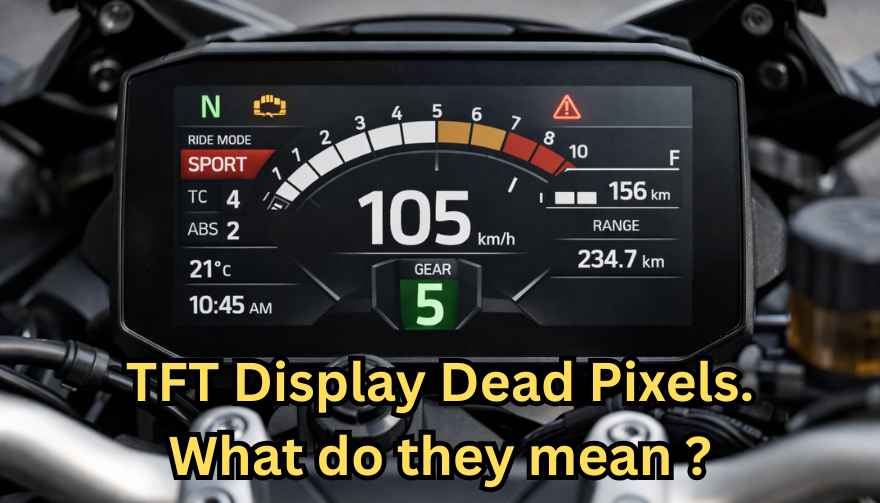
Dead pixels on a motorcycle TFT display are rarely “just cosmetic”.
On modern bikes, the TFT dashboard is a sealed, laminated electronic unit exposed to sun, heat, vibration, rain, and pressure washing. When pixels fail, it often signals structural damage inside the display, not a surface defect.
This article explains what TFT display dead pixels really mean, why they appear, how to diagnose them correctly, and the point where replacement becomes unavoidable.

What riders mean by “dead pixels” — and why it matters
The term motorcycle display dead pixels is used loosely. In practice, three very different faults exist.

True dead pixels (permanently black)
A true dead pixel is a pixel transistor that no longer functions. It stays black on all backgrounds and during startup screens.

This is a hardware failure inside the LCD matrix. It does not self-heal.

Stuck pixels (fixed bright color)
A stuck pixel remains red, green, blue, or white. On phones or TVs, this can sometimes be intermittent.

On motorcycle TFTs, stuck pixels are often caused by heat stress or internal pressure and frequently progress into permanent failure.

Lines or blocks of dead pixels
A vertical or horizontal line of missing pixels is not a pixel issue.
It indicates row or column driver failure inside the panel — a structural defect of the display module. Once this appears, replacement is usually inevitable.

Why TFT dead pixels appear on motorcycles
Dead pixels on a dashboard are rarely random. They follow consistent mechanical and environmental causes.

Heat and UV exposure
Motorcycle TFTs sit in direct sunlight. Daily heat cycles expand and contract the laminated layers inside the display.
Over time, this stresses internal bonds and pixel drivers. A single failed pixel can become a cluster.

Micro-impact and pressure
A light impact that doesn’t crack the glass can still damage the internal LCD stack.
This is common on naked bikes and adventure models where the display is more exposed.

Moisture ingress and condensation
Condensation inside a TFT display is a critical warning sign.
It means the factory seal has been compromised. Moisture accelerates corrosion on connectors and display drivers, often leading to dead pixels followed by total blackout.

Electrical stress
Voltage fluctuations or grounding issues can contribute, but if the pixel defect appears in the same physical location across reboots, the issue is almost always panel-level, not wiring.

Brand examples: how this appears in real motorcycles
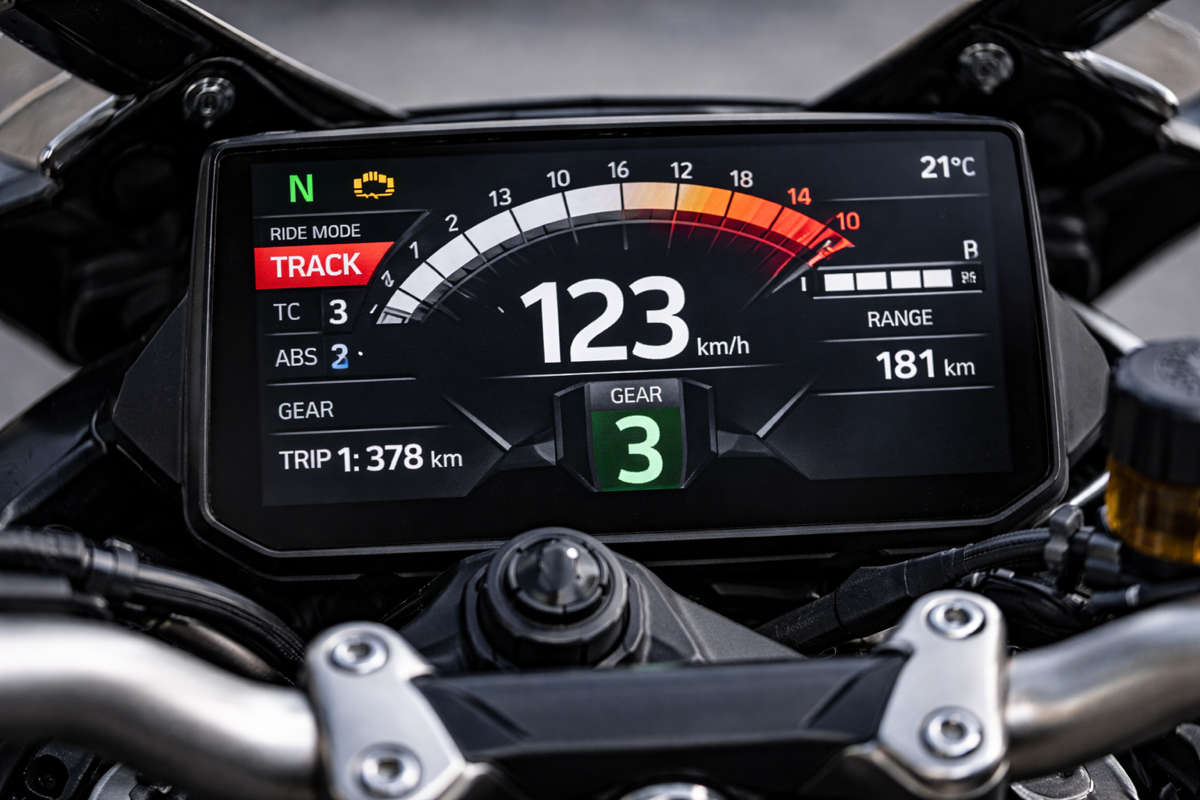
Dead pixel reports follow similar patterns across brands.

BMW TFT clusters: pixel lines or dark zones often appear after heat exposure or condensation events. Clusters are fully integrated and typically replaced as a unit.

Yamaha TFT dashboards: isolated dead pixels may appear first, followed by spreading rows on models parked outdoors long-term.

Kawasaki TFT displays: line failures are commonly reported after pressure washing or heavy rain use.

Honda TFT dashboards: less frequent, but once pixel clusters appear, dealers usually recommend full replacement.

Across all brands, panel repair is not part of standard dealer service.

Fast diagnosis: how to tell if the damage is permanent
You can determine the seriousness in minutes.

Check startup screens
If the pixel defect appears during the boot logo or splash screen, it is hardware, not software.

Test multiple backgrounds
Switch themes or display modes:
Always black → dead pixel
Always bright or colored → stuck pixel
Straight line → driver failure

Look for progression
A defect that grows over weeks is not stable. Progression is a replacement signal.

Inspect for condensation
Any fogging or haze inside the screen means moisture ingress. Pixel failure combined with condensation almost always worsens.

When TFT display replacement is inevitable
Replacement is not about annoyance. It’s about predictable failure.
Replacement becomes inevitable when any of the following occur:
A row or column of dead pixels appears
Dead pixels spread over time
Dead pixels appear together with condensation
The defect blocks speed, warnings, or riding data
The bike relies on the TFT for ride modes or system alerts

At this stage, the TFT is no longer a reliable instrument cluster.

Why TFT displays are rarely repaired
A motorcycle TFT is not a standalone screen.
It is:
Laminated glass + LCD + polarizer
Sealed against weather
Electronically paired to the motorcycle

Separating and rebuilding this stack requires specialized industrial equipment. As a result, OEMs replace the entire unit.
Used clusters introduce risks: coding issues, immobilizer pairing, mileage discrepancies, and unknown moisture history.

Cost reality in Europe
In Europe, OEM motorcycle TFT replacement typically ranges from:
€600–€1,200 for mid-range models
€1,500–€2,500+ for premium or integrated systems

This includes coding and calibration, not just the display itself.
That’s why a small dashboard pixel issue deserves early attention.

Can dead pixels be prevented?
You cannot prevent internal electronic aging.
You can reduce the most common triggers:
Surface scratches that weaken seals
Micro-impacts
UV exposure
Moisture pooling around edges

A properly fitted screen protector does not fix dead pixels, but it reduces the external damage pathways that often lead to full TFT failure.

If you want to reduce the risk of turning a small pixel defect into a four-figure repair, you can protect the display surface early — explore motorcycle TFT screen protectors at mr-key.com

FAQ: TFT display dead pixels

Are dead pixels dangerous?
They are not dangerous by themselves, but they often indicate deeper display degradation.

Can software updates fix dead pixels?
No. If the defect appears in the same physical location during startup, it is hardware.

Will one dead pixel spread?
Sometimes. Spread is common when heat or moisture is involved.

Is condensation inside the TFT serious?
Yes. Condensation indicates seal failure and greatly increases the risk of progressive damage.

Is replacement always required?
Not for a single stable pixel. Replacement becomes unavoidable with progression, lines, or moisture involvement.
Related Posts

Smart Solutions for Car Key Removal

Smart Solutions for Car Key Removal

Different Types of Car Keys: What Are You Dealing With? First, identify the type of key you use, as this will determine your options: Traditional Metal Keys : Basic, non-electronic keys. Easy to duplicate and affordable to replace. Transponder Keys : Keys with a chip for electronic communication with your car’s ignition. Remote Key Fobs : Allow remote locking, unlocking, and sometimes starting of your car. Smart Keys : Push-button start and keyless entry, offering high-tech convenience. Skip the Dealership: Affordable Alternatives for Key Replacement Dealerships often charge premium rates for key replacements. Here are more budget-friendly options: Automotive Locksmiths : Experts in creating and programming replacement keys, including transponder and smart keys. Usually quicker and cheaper than a dealership. DIY Key Duplication Kiosks : Found in hardware stores and supermarkets. Great for duplicating traditional metal keys on the spot. Online Key Retailers : Purchase replacement keys or fobs online at competitive prices. Ensure compatibility with your vehicle and be prepared to find a professional to program electronic keys. What to Do If You’ve Lost Your Key Losing a car key is inconvenient, but following these steps can simplify the replacement process: Look for a Spare : Check whether you have a backup key available. Determine Key Type : Understand what kind of key you need replaced. Gather Car Details : Have your car’s make, model, year, and Vehicle Identification Number (VIN) handy. Contact a Professional : Reach out to an automotive locksmith or trusted replacement service for assistance. How to Remove a Broken Key From a Lock If a key snaps off in your car’s lock, don’t panic. Try one of these methods: Use Needle-Nose Pliers or Tweezers : Carefully pull out the broken part if it’s sticking out. Broken Key Extractor Tool : Insert this tool into the lock to hook and remove the key fragment. Apply Lubrication : Spray a lubricant like WD-40 to make extraction smoother. If these options don’t work, a professional locksmith can extract the key safely. Prevent Key Mishaps Before They Happen Duplicate Keys : Keep a spare key in a safe, accessible place to avoid emergencies. Attach a Key Tracker : Use a Bluetooth tracker to quickly find misplaced keys. Inspect Your Keys : Regularly check for wear and tear to avoid breaks. Quick and Smart Solutions Keep You Moving Losing or breaking your car keys doesn’t have to lead to frustration or hefty expenses. With the right approach, you can find affordable solutions and even take steps to prevent future mishaps. Why waste more time and money? Simply send us a picture of your key, and we’ll handle the rest. Quick, easy, and affordable—let Mr Key take care of your car key replacement needs today!

Guide to Identifying and Replacing Your Keys

Guide to Identifying and Replacing Your Keys

Losing your keys can be a frustrating experience, but identifying the right replacement doesn't have to be. Whether you've lost a house key, a car key, or a key to a padlock or cabinet, understanding how to identify the key you need is crucial. This guide will walk you through the process of identifying your keys, ensuring you find the right replacement quickly and efficiently. The Importance of Key Identification Before diving into how to replace a lost key, it’s important to understand why key identification is critical. Keys come in a variety of shapes, sizes, and designs, each tailored to specific types of locks. Identifying your key correctly will save time, money, and frustration. For example, car keys often include transponder chips that need to be programmed to your vehicle, while house keys may have specific patterns that fit only one brand of lock. Step 1: Check for Key Codes and Markings The first step in identifying your key is to look for any codes or markings. These can be found on the key itself or sometimes on the lock. Key codes are often a series of letters and numbers that indicate the specific model or cut of the key. If you still have the original key, examine it closely for these codes. If not, check the lock for any inscriptions that might offer clues. Key codes are essential, particularly for high-security keys or specialized keys such as those used in commercial settings. For car keys, this code might also be found in the vehicle’s manual or on a key tag provided at the time of purchase. Step 2: Determine the Key Type Next, determine the type of key you need. Different keys serve different purposes: House Keys: Typically flat with unique grooves along the edge, these are used in residential locks. Car Keys: These may include electronic transponders and are often more complex. Padlock Keys: Usually smaller, these keys have a unique profile that fits the specific lock. Cabinet or Locker Keys: These are often smaller and may be specific to a brand or lock type. Identifying the correct key type is important because it narrows down your options when searching for a replacement. Step 3: Identify the Lock Brand If you cannot find a key code, identifying the lock brand is the next best step. The brand name is usually stamped somewhere on the lock or key. Knowing the brand will help you narrow down the options for finding a replacement key. For example, many house keys are cut to fit specific brands like Yale or Schlage. Car keys, on the other hand, are usually specific to the car manufacturer. Knowing the brand is especially useful when you need to replace a key without an original to reference. Step 4: Examine the Key Profile The profile of the key refers to the unique cuts, grooves, and ridges along its blade. This profile is what allows the key to operate a specific lock. When identifying your key, compare the profile of your key to those available through online resources or in-store at key-cutting services. If you have a high-security key, it may have a more complex profile that is difficult to replicate. In such cases, it’s best to consult a professional locksmith or the lock manufacturer for an exact match. Step 5: Utilize Online Resources There are many online resources available to help you identify and replace your lost key. Websites often offer key identification tools where you can input details such as key codes, lock brands, and key types to find a match. Additionally, many online stores specialize in replacement keys, offering a wide selection based on the information you provide. Step 6: Contact the Manufacturer If you're still having trouble identifying your key, contacting the lock or car manufacturer can be extremely helpful. Provide them with any details you have about the lock or key, and they can often guide you to the right replacement. For car keys, your vehicle identification number (VIN) can often be used by the dealership to cut a new key or program a replacement transponder key. Step 7: Professional Locksmith Assistance When all else fails, a professional locksmith is your best bet. Locksmiths have the tools and expertise to identify and replicate nearly any type of key. They can also assist with programming transponder keys for cars or creating master keys for complex locking systems. Losing a key doesn't have to be a stressful experience if you know how to identify and replace it effectively. By following these steps—checking for key codes, determining the key type, identifying the lock brand, examining the key profile, using online resources, and seeking professional help—you can ensure that you find the right replacement quickly and efficiently. Proper key identification is the first step toward restoring access and ensuring security.

The Secret Life of Car Keys: Unlocking Their Evolution and Hidden Potential

The Secret Life of Car Keys: Unlocking Their Evolution and Hidden Potential

In the modern age of technology, where smartphones dominate our lives, it’s easy to overlook the small yet significant gadgets we use daily—like car keys. What was once a simple metal tool has now transformed into a sophisticated device, integrating technology, convenience, and security. But how did we get here? And what surprising secrets do car keys hold? This journey into the secret life of car keys will reveal their evolution, innovative features, and potential future. From Metal to Smart: A Brief History of Car Keys The history of car keys is a fascinating reflection of automotive innovation. In the early 20th century, cars relied on simple ignition switches, but by the 1940s, car keys became standard. These were basic metal tools designed to operate mechanical locks and ignitions. The 1980s marked a significant milestone with the introduction of remote keyless entry systems. Suddenly, unlocking a car was as simple as pressing a button, a feature that quickly became a standard in most vehicles. By the early 2000s, car keys had evolved into smart keys, incorporating technology that allowed keyless ignition and enhanced security. These advancements weren’t just about convenience—they were a response to rising concerns about car theft. Today, digital car keys take innovation even further. Some manufacturers now allow drivers to unlock and start their vehicles using smartphone apps, integrating biometric authentication for added security. This evolution highlights how far we’ve come from the humble metal key. Hidden Features: What Your Car Key Can Do Modern car keys are more than just tools for unlocking and starting your car—they’re packed with features that many drivers don’t even realize exist. Panic Button : Most car key fobs have a panic button, which emits a loud alarm to deter potential threats or help locate your car in a crowded area. Remote Start : Certain keys allow you to start your car from a distance, a lifesaver in extreme weather conditions. Window Control : Some key fobs can roll your windows up or down remotely, perfect for venting a hot car before stepping inside. Valet Mode : This feature limits the speed and access to certain compartments when you hand over your keys, enhancing security. These features reflect how car keys have grown beyond their traditional roles, becoming integral to the driving experience. Car Keys Across the Globe: Different Innovations, Same Purpose Car key technology isn’t uniform—it varies across regions, catering to different needs and preferences. Asia : In countries like Japan and South Korea, biometric car keys are becoming the norm. Fingerprint or facial recognition ensures that only authorized users can access the car. Europe : European car manufacturers emphasize eco-friendly designs, often using recycled materials in key fobs. North America : Remote start and smartphone integration are popular features, reflecting the region’s focus on convenience. These regional differences underline how car keys adapt to meet the diverse demands of global markets. Challenges with Modern Car Keys While advanced car keys offer unparalleled convenience, they’re not without drawbacks. High Replacement Costs : Losing a smart key can be expensive, with replacements costing hundreds of dollars due to programming requirements. Security Risks : Keyless entry systems can be vulnerable to relay attacks, where thieves intercept and amplify the key’s signal to gain access to the car. Battery Dependency : Smart keys rely on batteries, and a dead battery can leave drivers stranded. To address these challenges, drivers are encouraged to keep spare keys, invest in signal-blocking pouches, and regularly check key fob batteries. The Future of Car Keys As technology advances, the future of car keys looks exciting. Biometric keys are expected to become mainstream, offering unmatched security through fingerprint or retina scanning. Additionally, digital keys, which allow drivers to control their vehicles entirely through smartphones, are gaining traction. In the coming years, sustainability will likely play a bigger role. Manufacturers are exploring ways to make key fobs more environmentally friendly, such as using biodegradable materials or incorporating solar charging for battery-free operation. These innovations signal a future where car keys become even more sophisticated, secure, and eco-conscious. Why Car Keys Matter More Than You Think Car keys are small devices with big responsibilities. Beyond their practical use, they symbolize how technology can integrate seamlessly into our lives. Understanding their features and potential can help you make informed decisions, whether it’s upgrading to a smart key or taking precautions to protect your investment. Pro Tips for Car Key Maintenance : Keep a Spare Key : Always have a backup in case of loss or damage. Check Battery Life : Replace key fob batteries regularly to ensure consistent performance. Use Protective Covers : These prevent wear and tear, especially in extreme weather conditions. By caring for your car keys, you ensure their longevity and reliability, saving you from unexpected hassles. More Than Just a Key Car keys have evolved from simple metal tools into complex devices that enhance security, convenience, and connectivity. As technology continues to advance, their role in our daily lives will only grow. By understanding their capabilities and challenges, you can fully appreciate the innovation behind these essential tools. The next time you hold your car key, take a moment to think about its journey—from the past to the future, it’s a small device with a story as dynamic as the automotive industry itself.

The Real Cost of Replacing a Motorcycle TFT Display: Prices, Causes, and Hidden Costs

The Real Cost of Replacing a Motorcycle TFT Display: Prices, Causes, and Hidden Costs

Motorcycle TFT displays are no longer simple speedometers. They are high-resolution computers bonded to glass, sealed against weather, coded to the bike’s electronics, and integrated into safety systems. When a broken TFT display happens, the bill is rarely just “a screen.” Below is the most complete, Europe-focused breakdown of motorcycle display replacement cost you’ll find online—built for riders who are actively searching for replacement prices and real-world risks. What Actually Breaks When a TFT Display Fails A TFT failure is rarely cosmetic. Modern displays are laminated units. Damage spreads. Common failure modes Cracked outer glass → moisture ingress follows Dead pixels or pixel lines → panel failure, not fixable Water ingress / condensation → corrosion of PCB and connectors Sun delamination → layers separate, image fades or ghosts Complete blackout → power board or CAN communication fault Once moisture enters, replacement—not repair—is the only OEM-approved path. Motorcycle Display Replacement Cost (Europe, Real Numbers) These are OEM replacement ranges in Europe, excluding insurance, based on dealer parts pricing, labour, and required coding. Brand Typical TFT Replacement Cost (€) Yamaha €650 – €1,400 BMW €1,200 – €2,500 Honda €800 – €1,800 Triumph €900 – €2,000 Kawasaki €700 – €1,600 Important: These are not worst-case numbers. They are normal dealer outcomes once a display is declared faulty. Why TFT Replacement Is So Expensive 1. The screen is bonded, not modular You cannot replace “just the glass.” The LCD, digitizer, polarizer, and control board are sealed together. 2. Coding & pairing is often mandatory Many TFT units must be coded to the ECU / immobiliser . Without dealer software: Warning lights remain Ride modes may not function Service intervals can’t be reset This adds labour and eliminates cheap aftermarket options. 3. Dead pixels = full replacement Unlike TVs or phones, dead pixels on motorcycle TFTs are not serviceable . OEM policy treats this as a safety-critical component. 4. Water ingress escalates damage fast Condensation today becomes corrosion tomorrow. Displays that “still work” often fail weeks later. The Most Expensive Damage Types (Ranked) Water ingress / condensation Often invisible at first Leads to PCB corrosion Almost always ends in full replacement Dead pixels / pixel columns Caused by pressure, UV heat, or micro-fractures No repair path Cracked glass Immediate usability loss Allows moisture entry Sun delamination Common on bikes parked outdoors Progressive, irreversible Real-World Cost Example (BMW vs Yamaha) BMW adventure / sport models TFT unit: €1,500–€2,200 Coding & labour: €200–€400 Total: €1,700–€2,600 Yamaha mid-range models TFT unit: €700–€1,100 Labour: €100–€250 Total: €800–€1,350 Same problem. Vastly different outcomes. Why “Used” or eBay TFT Displays Are Risky Many riders try to save money this way. Most regret it. VIN or ECU mismatch Immobiliser conflicts No warranty Hidden moisture damage Dealer refusal to code A used TFT that fails after installation means paying twice . The Preventable Part: Surface Damage That Starts It All Most catastrophic failures start small: Fine scratches Stone impacts UV exposure Heat cycling Once the protective surface is compromised, water ingress and pixel failure follow . That’s why many riders choose hydrogel motorcycle screen protectors —they absorb impact, self-heal micro-scratches, and add a moisture barrier without affecting visibility. You can browse motorcycle screen protectors by brand and model here → Motorcycle TFT screen protectors for Yamaha, BMW, Honda, Triumph & Kawasaki . (Exact fit matters. Generic films do not.) What Dealers Rarely Warn You About Condensation voids goodwill claims Pixel defects worsen with time Sun damage is considered “wear” Even hairline cracks can invalidate warranty By the time you ask for a quote, the outcome is usually decided. FAQ — Motorcycle TFT Display Replacement How much does a motorcycle TFT display cost to replace? In Europe, expect €650 to €2,500+ , depending on brand, model, and coding requirements. Can dead pixels be repaired? No. Dead pixels mean full TFT replacement on modern motorcycles. Is condensation inside the display dangerous? Yes. Condensation indicates seal failure and usually leads to corrosion and total failure. Can I ride with a broken TFT display? Often no. Many bikes rely on the TFT for warnings, modes, and diagnostics. Does a screen protector really help? Yes—for scratch prevention, impact absorption, and moisture protection . It cannot fix damage, but it significantly reduces risk. Are aftermarket TFT displays a safe option? Rarely. Most lack proper integration, coding support, or durability. Protecting a €1,500 Part Costs a Fraction A motorcycle TFT display is one of the most expensive components on your bike that faces direct impact, UV exposure, heat, and water—every ride . If you want model-specific protection designed for your exact display shape, visit our shop at mr-key.com and choose the right motorcycle screen protector for your bike.

Chat with us