Post Name

Losing a roof rack key is more common than manufacturers like to admit. The good news: it's almost always solvable — quickly, cheaply, and without a locksmith.

Here's the exact sequence to follow, from the moment you realise the key is gone.

Step 1: Don't Panic — and Don't Force It

The first instinct is to try to open the lock anyway. Don't.

Forcing a barrel lock with the wrong tool damages the cylinder, strips the keyway, and turns a simple €8 key replacement into a €40 lock cylinder replacement. Leave the lock alone until you have the right key or professional help.

Step 2: Check for the Key Code

Before you do anything else, find your key code. This is the number stamped on your lock barrel, printed on your original key card, or listed in your rack documentation.

Where to look:

  • The lock face — look at the front of any lock point on your rack. The code is usually stamped directly on the metal
  • Your original key — if you have one remaining key, the code is often stamped on the bow (the flat grip section)
  • Paperwork — the key card or code card that came with your rack at purchase
  • Registration confirmation — if you registered your rack online with Thule, Yakima, or Mont Blanc, the code may be on your account

Found the code? You're done with the hard part. Jump to Step 5.

No code visible? Continue to Step 3.

Step 3: Photograph the Lock

Take a clear, close-up photograph of the lock face in good light.

This photo can do two things:

  1. Help a specialist identify your key — experienced suppliers can often determine the correct key from the keyway profile and any partial stamping visible in a photo
  2. Help a locksmith decode the lock — a physical locksmith can sometimes read the code from the lock face or decode it by impression

Send the photo to a specialist before assuming you're stuck.

Step 4: Identify Your Brand and Model

If the code is genuinely unreadable, your brand and rack model narrows down the options considerably.

  • Thule — uses N-series codes (N001–N200+), stamped on the lock barrel. If you know your N-code, the key is in stock.
  • Yakima — uses SKS (Same Key System) codes, typically found on the lock core. Common range: SKS-101 to SKS-132+.
  • Mont Blanc — numeric code system, on a sticker inside the lock or on the original key card.
  • GIVI — code found on the product label or lock face.
  • Other brands — most use ISO-standard barrel formats with numeric codes.

Once you have brand + model, a specialist supplier can suggest the most likely code ranges for your rack generation and help you narrow it down.

Step 5: Order the Replacement Key

With your code confirmed, ordering is straightforward.

What you need to provide:

  • Brand (Thule, Yakima, Mont Blanc, GIVI, other)
  • Exact key code (e.g. N121, SKS-115)
  • Quantity — we recommend ordering two: one replacement and one spare

From mr-key.com, keys ship to most European destinations within 2–5 business days. No locksmith. No dealer visit. No full rack replacement.

Step 6: What If You Still Can't Unlock the Rack?

If you have cargo on the rack that you need to remove urgently — bikes, a roof box, ski equipment — and you cannot wait for a replacement key, you have limited but real options.

Option A: Call a locksmith A locksmith experienced with barrel locks can open your rack lock without damage and, in many cases, cut you a working key on the spot. This costs €50–€120 depending on location and time of day.

Option B: Contact your rack manufacturer Thule and Yakima both have customer service lines. With proof of purchase or registered ownership, they may be able to supply a replacement key or lock service.

Option C: Remove the lock cylinder On some rack models, the lock cylinder can be removed from the outside with the rack foot or arm partially dismantled. This requires mechanical confidence and the correct tools — consult your rack's installation manual first. Once the cylinder is out, a locksmith can decode it or you can replace it entirely.
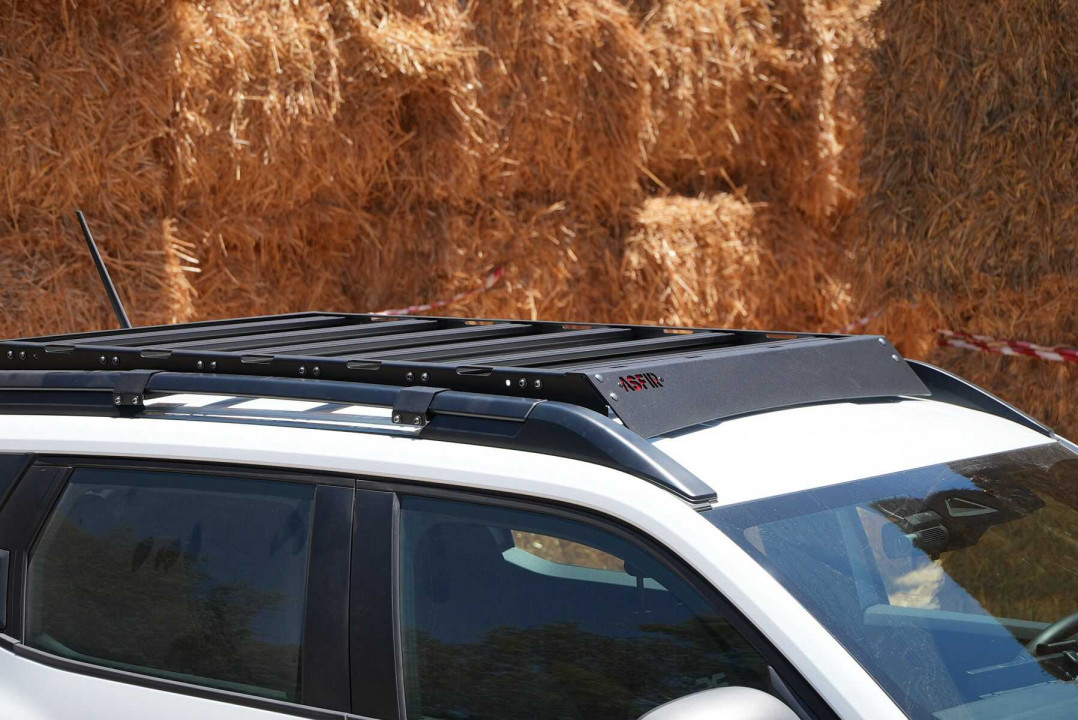
Roof Rack

After the Crisis: What to Do Next

Once you have access and a replacement key in hand, take 10 minutes to prevent this from happening again.

Photograph your key code. Take a photo of the code stamped on your lock face. Store it in cloud storage or email it to yourself with the subject line "roof rack key code — [your rack brand]."

Buy a spare key. It costs less than €10. Keep it somewhere separate from your main keyring — a drawer at home, your work locker, your other car.

Register your rack. Thule and Yakima both offer product registration. Registering links your key code to your account, making future replacements instant.

Label your key. If you have multiple sets of keys — car, house, garage, rack — label your rack key clearly so it's never confused and never left behind.

Roof Rack Key Replacement: Brand-by-Brand Quick Reference

BrandWhere to Find CodeKey FormatNotes
ThuleStamped on lock faceN001–N200+One-Key System: one code for all locks
YakimaOn lock coreSKS-101–SKS-132+Same Key System: one code for all locks
Mont BlancInside lock or key cardNumericSticker sometimes fades — check paperwork
GIVIProduct label or lock faceNumericPrimarily motorcycle/touring racks
Kamei / G3 / FaradLock face or documentationVariesContact supplier with photo if unsure

FAQ

Q: I lost both keys — can I still get a replacement? A: Yes. The key code is stamped on the lock itself, not on the key. As long as you can read the code on the lock face, you can order a replacement. If the code is unreadable, send a photo to a specialist supplier.

Q: My rack is second-hand and came with no keys — what are my options? A: Check the lock face for a stamped code. If none is visible, a locksmith can decode the lock. Alternatively, order a replacement lock cylinder for your rack model — it will arrive with new keys and a new code.

Q: How long will a locksmith take to open a roof rack lock? A: Most experienced locksmiths can open a barrel-style rack lock in under 10 minutes. The challenge is finding one who works on non-automotive locks — call ahead and confirm.

Q: Can I drill out a roof rack lock myself? A: Technically yes, but this destroys the lock cylinder and leaves your rack unsecurable until you replace the full lock assembly. Only consider this if the cargo is time-critical and a locksmith is not available.

Q: Will my insurance cover a lost roof rack key? A: Home contents or vehicle insurance sometimes covers key replacement, including accessories like rack locks. Check your policy — the cost of a specialist supplier is low, but it's worth reclaiming if covered.

Q: I found a spare key in my car — how do I know if it's the right one? A: Try it carefully and gently. If it inserts smoothly and turns without force, it's the correct key. If it doesn't insert fully or requires force, stop — it's the wrong profile and forcing it risks damaging the cylinder.

Q: Can I order a replacement key for an old rack that's no longer sold? A: In most cases yes. Key codes from established brands like Thule and Yakima remain in production for decades. Discontinued rack models still use the same N-series or SKS key codes.

Get Your Replacement Key Today

You know the code. You know the process. Don't leave it until the next trip.

Visit mr-key.com to order your replacement roof rack key by brand and code. We ship to Germany, France, Italy, Greece, Netherlands, Romania, Spain, the UK, and across Europe — with tracking on every order.

Order Your Roof Rack Key at mr-key.com

Also read: The Complete Guide to Roof Rack Replacement Keys | Thule Roof Rack Key Replacement: How to Find Your Code and Order the Right Key

Related Posts

What’s the Difference Between a Key Fob, Smart Key, and Proximity Key?

What’s the Difference Between a Key Fob, Smart Key, and Proximity Key?

Over the past two decades, vehicle security and convenience have evolved dramatically. Traditional metal keys have steadily given way to a range of more advanced systems that offer not only better protection but also more comfort for the everyday driver. Among the most commonly used terms in today’s automotive world are key fob , smart key , and proximity key . While often used interchangeably, these are not identical technologies. Each represents a step forward in how drivers interact with their cars, and understanding the differences between them is essential—especially when replacing, repairing, or purchasing new key components. In this article, we’ll explore each key type in detail, highlight what sets them apart, and offer practical insights to help you identify which type you own—and what that means for functionality, replacement options, and compatibility. Key Fob: The Foundation of Remote Access A key fob , in the modern context, refers to a remote control device that allows users to perform basic functions such as locking or unlocking the car doors. The word "fob" originally described a decorative accessory on a keychain, but it has evolved to refer specifically to these electronic remotes. Most key fobs use radio frequency (RF) signals to communicate with the vehicle. When you press a button on the fob, it sends a coded signal to a receiver inside the car, instructing it to lock, unlock, open the trunk, or activate the panic alarm. Some key fobs also include a physical key blade that can be used manually if the battery is dead or if the remote functionality fails. Key fobs became standard in the early 2000s and are now found in nearly every modern car. They represent the bridge between the traditional mechanical key and more advanced systems. While they don’t offer hands-free operation or engine-starting capabilities by default, they introduced a level of convenience that significantly improved the driving experience at the time of their launch. Smart Key: Hands-Free, High-Tech, Highly Secure The smart key builds on the foundation of the key fob but adds a major element of sophistication: hands-free access and ignition . With a smart key, you no longer need to press buttons to enter or start your vehicle. Instead, the key communicates continuously with the vehicle via low-frequency antennas and encrypted signals . As long as the key is within a certain range—often in your pocket or handbag—the vehicle automatically detects it and allows for keyless entry and push-button start. In many smart key systems, simply touching the door handle unlocks the vehicle. Once inside, starting the car requires nothing more than pressing a button on the dashboard. Some smart keys even store personalized settings, such as seat position or mirror alignment, offering a more tailored driving experience for each registered user. Originally reserved for luxury vehicles, smart keys have become increasingly common across all vehicle classes. Brands like Lexus, Mercedes-Benz, and BMW were early adopters, but today you’ll find smart keys in many Hyundai, Kia, Toyota, Nissan, and Volkswagen models. They offer both convenience and enhanced security thanks to rolling code encryption, which helps prevent signal interception and unauthorized vehicle access. Proximity Key: The Functional Twin of the Smart Key The term proximity key is often used synonymously with smart key, and in many cases, it functions in the same way. A proximity key allows the car to detect when the key is nearby—typically within one to three feet—and respond accordingly. You can unlock the car simply by approaching or touching the handle, and engine start is enabled through a button as long as the key remains inside the cabin. However, while all smart keys are proximity-based, not all proximity systems include the full feature set of a smart key. In some vehicles, the proximity key may lack advanced personalization or remote app integration, but the core functionality— hands-free locking, unlocking, and push-to-start capability —remains intact. The term “proximity key” is more commonly used in owner manuals or by manufacturers in Europe and Asia, while “smart key” has become the marketing standard in North America. Regardless of the terminology, the underlying technology is largely the same, relying on short-range radio waves, signal encryption, and two-way authentication between the key and the car. Breaking Down the Differences To simplify the distinctions between these three key types, it’s helpful to focus on user experience and technical capability. A traditional key fob requires active input—pressing a button to unlock the doors—whereas smart and proximity keys allow for passive, automatic operation. Additionally, the integration of engine start buttons, memory features, and enhanced security protocols tends to be exclusive to smart and proximity systems. Another notable difference lies in design and construction . Key fobs often have visible mechanical blades and rubber buttons, while smart keys are usually more compact, feature fewer or no physical buttons, and hide the emergency key blade inside the unit. Understanding this can help when shopping for replacement shells, batteries, or full units. Identifying Your Key Type Not sure which key your car uses? You’re not alone. Here's how to tell: If you must press a button on your key to unlock the doors and start the engine with a physical ignition slot, you’re likely using a key fob . If your car unlocks automatically when you approach and starts with a dashboard button —without ever removing the key from your pocket—you have a smart key or proximity key . If your car allows for keyless entry but still requires button pressing on the remote , it's most likely a standard key fob with added convenience features. Why Knowing the Difference Matters Understanding what type of key you use is crucial when you’re purchasing replacement components. A smart key cannot be replaced by a basic key fob, as it contains far more complex electronics and vehicle-specific programming. Likewise, replacing a proximity key requires knowing the exact frequency, chip type, and compatibility with your vehicle’s immobilizer system. At mr-key.com , we help car owners find exactly what they need—whether it’s a replacement key shell, a fresh battery, or a full remote unit with electronics and transponder chip included. With detailed listings sorted by make, model, and key type, it’s easy to identify the correct product and avoid costly dealership programming fees. As automotive technology continues to evolve, so does the way we access and operate our vehicles. Whether you're using a classic key fob, a cutting-edge smart key, or a proximity-based system, each offers a different balance of convenience, security, and technical complexity. Recognizing the key you use—and understanding how it works—not only makes you a more informed vehicle owner but also helps you take better care of your key system. When the time comes for a replacement or upgrade, you’ll be prepared to make the right choice quickly and confidently. For high-quality, vehicle-specific replacement parts, visit mr-key.com . From fob covers and CR2032 batteries to complete electronic keys and blades, we’ve got everything you need to keep your key performing like new.

What to Do If You Lose Your Volkswagen Key?

What to Do If You Lose Your Volkswagen Key?

Losing a Volkswagen key is stressful. It usually happens at the worst possible moment—before work, during travel, or far from home. Modern VW keys are no longer simple pieces of metal. They combine electronics, immobiliser chips, and precision-cut blades. When a lost car key situation happens, knowing the right steps saves time, money, and frustration. This guide explains exactly what to do if you lose your VW key, how to secure your vehicle, and how to get a proper VW key replacement without unnecessary delays. Stay Calm and Check the Obvious First Before assuming your VW key is gone for good, pause. Keys are often misplaced, not stolen. Check: Jacket and trouser pockets Bags and backpacks Around the car, driveway, or parking area Home entry points and recent stops Many VW keys are lost nearby and found within minutes. If the key truly cannot be located, move to the next step. Secure Your Volkswagen Immediately If you suspect the key is lost in a public place, vehicle security becomes the priority. Modern Volkswagen keys communicate with the car via encrypted signals. While this offers protection, losing a key still creates risk. What to do: Lock the vehicle if possible Avoid leaving the car unattended for long periods Do not delay replacement if the key cannot be recovered The fewer active keys exist for your vehicle, the safer it remains. Identify What Type of VW Key You Lost Not all Volkswagen keys are the same. Knowing what you lost helps you choose the correct replacement. Common VW key types include: Mechanical keys (older VW models) Transponder keys (chip-based immobiliser keys) Remote flip keys Smart / proximity keys (keyless entry systems) You can usually identify your key type by: The year of the vehicle Whether it had buttons Whether the car starts with a traditional ignition or push-start This information ensures you order the correct VW key replacement. Why a Spare Volkswagen Key Matters More Than You Think Many VW owners only realise the importance of a spare after losing their only key. A spare key: Prevents vehicle immobilisation Reduces stress during travel Makes replacement faster and simpler Acts as a backup for emergencies Relying on a single key is one of the most common and avoidable mistakes VW drivers make. Replacing a Lost Volkswagen Key the Smart Way A VW key replacement does not always require the original key. At mr-key.com , you can order replacement Volkswagen keys, fobs, and key cases designed to match your exact model. Available solutions include: Replacement VW key shells and fobs New key blades cut to match your vehicle Keys cut from a photo of the original Keys cut from a code , where available This allows you to restore access even if the original key is completely lost. Important : Electronic keys may still require programming after cutting, depending on the model. How VW Keys Can Be Cut Without the Original Many drivers assume a missing key makes replacement impossible. That is not true. VW keys can often be cut: From a clear photo of the original key blade From a key code linked to the vehicle or lock This method restores the physical function of the key with high precision. It is especially useful when no spare key exists. More information on official VW security and immobiliser systems can be found on the Volkswagen website Protect Your Replacement VW Key Once you replace a lost VW key, protect it properly. Simple habits make a big difference: Use a protective key case Avoid placing keys loosely in bags or pockets Keep a spare key stored safely at home Small steps prevent repeat key loss—and repeat stress. Frequently Asked Questions Can I replace a Volkswagen key without the original? Yes. A VW key replacement is possible even without the original key. Keys can be cut from a photo or code, depending on the model. What should I do if I lose my only VW key? Secure the vehicle first. Then order a replacement key as soon as possible to avoid being locked out or immobilised. Are all VW keys the same? No. Volkswagen uses different key types depending on model and year, including mechanical, transponder, remote, and smart keys. Does a replacement VW key need programming? Some VW keys include electronic chips that require programming. Cutting the key restores physical access, while programming enables full functionality. Why is having a spare VW key important? A spare key saves time, stress, and complications if your main key is lost or damaged. For independent vehicle security standards and best practices, see guidance from recognised automotive organisations such as ADAC If you’ve lost your Volkswagen key or want to avoid future problems, explore VW key replacements , fobs , cases , and key cutting services at mr-key.com and secure your vehicle the smart way.

TSA Locks: Why They Matter for Car Owners

TSA Locks: Why They Matter for Car Owners

TSA Locks: Why They Matter for Car Owners As a car owner, you may not immediately consider the importance of a TSA-approved lock for your vehicle, especially when it comes to travel. However, these specialized locks can offer an added layer of security and convenience, particularly when you’re transporting your vehicle or luggage through airports, shipping services, or even while storing it during a trip. But what exactly is a TSA lock, and why should you, as a car owner, care about it? In this article, we break down everything you need to know about TSA locks, how they work, and why they could be beneficial for both you and your vehicle. What is a TSA Lock? A TSA lock is a special type of lock that has been designed to meet the standards set by the Transportation Security Administration (TSA). These locks are typically used for luggage, but their benefits extend to car owners who want to secure their valuables during travel. What sets TSA locks apart from standard locks is their unique feature: TSA agents can unlock these locks using a master key. This allows them to inspect your belongings if needed without damaging your lock or luggage. These locks are often used for suitcases, travel bags, and in some cases, for securing items inside a vehicle while it's being shipped or stored. Why Should Car Owners Consider TSA Locks? While TSA locks are primarily used for luggage, there are several ways car owners can benefit from them: 1. Convenience for Travel If you're shipping your car or using long-term parking at an airport, you may want to secure your vehicle's trunk or compartments. TSA-approved locks give you peace of mind knowing that any inspections required by airport security or shipping agents won't result in your lock being broken. 2. Extra Layer of Security When you’re transporting your vehicle across state lines or internationally, you’ll likely want to keep valuables like electronics, tools, or personal items in the car. A TSA-approved lock ensures that, should security personnel need to access your vehicle, they can do so without causing damage. 3. Compliance with Shipping Regulations Certain vehicle shipping services may require TSA-approved locks as part of their protocols. These locks provide an easy way for shipping carriers to inspect your vehicle without having to call you for permission every time an inspection is necessary. By using TSA-approved locks, you comply with industry regulations and simplify the process. How Do TSA Locks Work? TSA locks are equipped with a special mechanism that allows TSA personnel to unlock them using a universal key. When you use a TSA-approved lock, you set your own combination or use a key for the lock. The TSA agents have access to a master key that fits all TSA locks, allowing them to inspect the contents of your luggage or vehicle safely. These locks are typically used for things like bags, briefcases, or car storage compartments. They provide the added benefit of security, knowing that your belongings are locked but still accessible for inspection when necessary. How to Choose the Right TSA Lock for Your Vehicle If you’re considering a TSA lock for your car, there are a few things to keep in mind: Size and Fit : Make sure the TSA lock fits the compartments or storage areas you intend to secure, whether it’s the trunk, glove box, or internal storage. Durability : Look for locks made of high-quality materials, such as stainless steel or reinforced plastic, to ensure they stand up to wear and tear during transit. Ease of Use : Choose a lock that you can easily open and close but that remains secure against tampering. Approval : Always ensure that the lock you purchase is TSA-approved. You can usually find the TSA logo on the packaging or lock itself. Are TSA Locks Necessary for Every Car Owner? While TSA locks offer multiple benefits, they aren’t absolutely necessary for every car owner. If you rarely travel with your car or if you don’t need to transport it across borders, a standard lock might be sufficient for your needs. However, for those who ship their car regularly or for long-term travelers, TSA-approved locks are a great investment. Whether you're shipping your vehicle, storing it during travel, or just want an extra layer of security, TSA locks can provide the assurance that your belongings remain secure—and that airport security or shipping agents can access your vehicle if needed without causing damage. TSA locks may seem like a small detail, but for car owners who frequently travel, ship their vehicles, or store valuable items inside their cars, they can make a big difference. With the convenience, security, and compliance they offer, TSA-approved locks provide peace of mind, knowing your car and belongings are safe during the travel process. Next time you're preparing for a trip, consider investing in a TSA-approved lock to make your journey a little easier and a lot more secure. This revised blog provides an informative, engaging overview of TSA locks and their relevance to car owners. It emphasizes both convenience and security while addressing the potential benefits for those who travel or ship their vehicles regularly.

How to Identify Your Key Type for Easy Replacement

How to Identify Your Key Type for Easy Replacement

Replacing a lost or broken key might seem straightforward, but identifying the correct type of key is crucial to getting an exact replacement. Whether you need a car key, a house key, or even a cabinet key, each type has specific features that determine its function and fit. Here’s a step-by-step guide to understanding your key type, so you can save time and avoid unnecessary frustration when ordering a replacement. Why Key Identification is Important Keys come in many shapes and sizes, each designed for specific types of locks. Understanding your key’s unique characteristics ensures you get the right replacement and avoid wasted time or money on mismatched keys. Avoid Extra Costs : Ordering the wrong key can mean additional fees for reordering. Save Time : Getting the right key from the start saves the hassle of sending it back and waiting for the correct replacement. Enhance Security : Accurate key identification ensures your security by avoiding compromised, incorrect key fits. Types of Keys: Which One is Yours? Understanding the different types of keys can help you determine what you have. Here are the common types and what makes each unique. 1. Household Keys Household keys are typically designed for residential locks like front doors, back doors, and garage doors. These keys are often small and have either a single or double-sided cut pattern along the edges. Some household keys are unique in design, making them specific to a particular lock type. Common Features : Smaller, single or double-sided cuts. Typical Use : Standard residential door locks, such as deadbolts and knob locks. Tip : Look for any identifying numbers or letters on the key itself. These may indicate a specific lock series, making it easier to identify. 2. Car Keys Car keys come in various styles, depending on the make, model, and year of the vehicle. While older cars may use basic metal keys, most modern vehicles use transponder keys or fob keys with embedded chips for added security. Basic Car Keys : Metal keys without electronic components. Transponder Keys : These have a small chip embedded in the head, which communicates with the car to prevent theft. Key Fobs : Some cars use a fob that contains a keyless entry system, which requires programming specific to your vehicle. Tip : If your car uses a transponder or fob key, you may need assistance programming the replacement. 3. Padlock Keys Keys for padlocks can be small and compact, with a straightforward design. These keys often have a unique series number printed on them, making it easier to match them to a specific lock model. Common Features : Small size, usually single-sided. Typical Use : Storage units, gym lockers, and outdoor gates. 4. Furniture and Cabinet Keys Furniture and cabinet keys are typically found on desks, filing cabinets, and other types of lockable furniture. These keys are generally small, with a straight or tubular shaft, and they often have numbers or letters for identification. Common Features : Compact, single or double-sided cuts, often with identification codes. Typical Use : Office furniture, personal storage, and older-style drawers. 5. High-Security Keys High-security keys are specifically designed to prevent unauthorized duplication. These keys have unique, intricate cut patterns and require special authorization for copying. Common Features : Complex, often multi-sided cuts with additional security features. Typical Use : High-security doors in residential or commercial settings, safes, and secure access points. Key Identification Tips: What to Look For Once you know the type of key, you’ll want to examine specific details that will help with identification. Here’s what to look for: Keyway and Shape : The groove pattern, or “keyway,” is specific to the key type. Take note of the key’s shape and groove configuration. Markings and Codes : Look for any numbers or letters printed on the key. These often refer to specific lock brands or key series. Size and Length : Measure your key’s length, as some keys are longer or shorter depending on the lock type. Metal Head Design : Certain keys, like car keys, may have plastic or rubberized heads, which can indicate the need for a transponder or chip inside. Steps to Identify Your Key Type Inspect for Markings : Look closely at your key for any stamped numbers, letters, or symbols. These markings can often be referenced to find a matching lock or brand series. Measure Your Key : Use a ruler or tape measure to record the length and width of your key. These dimensions can help narrow down the exact key type. Examine the Cut Pattern : Take note of the number of cuts and whether they are on one or both sides. Identify the Head Style : If it’s a car key with a transponder, the head might be plastic or rubber. Check for a Code on the Lock : Some padlocks and cabinet locks have codes printed on them that correspond to a specific key model. What to Do When You Can't Identify the Key If your key has no visible markings or the cuts are unusual, consider taking a photo to help in the identification process. For specialty keys or hard-to-identify types, you may want to seek professional help or consult a detailed online database for reference. Preventing Future Key Confusion Once you’ve identified your key, take a few steps to prevent future issues with identification. Label Your Keys : Adding a small tag with a brief description can help you remember the type of key. Keep Spare Keys in a Safe Place : Having a backup key prevents you from needing a replacement immediately. Store Key Codes or Information : If your key or lock has a series code, store it in a safe place in case you need it for future reference. Identifying your key type is essential for getting a precise replacement without unnecessary hassle. By taking the time to understand your key’s unique features, you can save both time and money when it’s time to replace it. Following these steps will help ensure that your replacement key works as smoothly as the original.

Chat with us