Post Name

Car keys have changed dramatically in the last 20 years. What was once a simple mechanical tool has become an essential electronic device packed with functionality. From remote locking and trunk opening to push-start ignition systems and proximity sensors, today's car keys do a lot more than just turn in the ignition. However, this increased functionality also means more components that can fail—and when they do, the inconvenience can be frustrating or even immobilizing.

For many drivers, key problems seem to come out of nowhere. A button stops working, the car doesn’t start, or a backup key won’t respond. Understanding the most common issues with modern car keys can help you avoid unnecessary trips to the dealership and identify quick fixes at home. Below, we’ll explore the ten most frequent car key problems, how to recognize the symptoms, and what steps to take to get your key working again—often without spending a fortune.

1. The Key Fob Has Stopped Responding

One of the most common complaints drivers have is that their key fob simply stops responding. The remote may no longer lock or unlock the vehicle, the trunk button might stop working, or there may be no visible LED indicator when you press a button. In most cases, the culprit is a dead battery—something that’s inexpensive and easy to replace. Most key fobs use a CR2032 coin-cell battery, which can typically be changed with a small screwdriver or a plastic pry tool.

If replacing the battery doesn’t bring the fob back to life, the issue may be with the internal electronics. Moisture, drops, and general wear over time can corrode or damage the tiny circuit board inside. In such cases, replacing the outer shell might not be enough—you may need to invest in a full replacement or transplant the electronics into a new case if only the buttons or housing are damaged.

2. The Car Doesn't Detect the Key

Another increasingly common issue—especially in vehicles with push-to-start systems—is that the car doesn’t detect the key, even though it's inside the cabin or close to the sensor. You might see a warning on the dashboard such as “Key Not Detected” or “No Key Present.” This can happen due to a nearly dead battery in the fob, radio frequency interference from nearby electronics, or a fault in the key’s transponder chip.

The first step is always to replace the key’s battery. If the issue persists, try holding the key closer to the start button or steering column—some vehicles have hidden backup sensors that detect the key at close range in emergencies. If none of that works, the problem could be with the chip inside the fob or the vehicle’s receiver, requiring diagnosis by a qualified locksmith or dealership technician.

3. The Key Turns in the Ignition, But Nothing Happens

This issue is particularly frustrating: you insert your key into the ignition, it turns freely, but the car doesn’t respond at all. Often, this is a sign that the vehicle’s immobilizer system isn’t recognizing the key. Modern car keys contain a small RFID chip that communicates with the car’s anti-theft system. If this chip is damaged or unprogrammed, the vehicle will not start—no matter how well the mechanical part of the key works.

Try using a spare key if you have one. If the backup works, you’ll know the issue lies within the primary key. If neither key works, the problem could be with the vehicle’s receiver, antenna ring, or immobilizer control unit. A professional diagnostic scan is typically needed to pinpoint the cause.

4. The Key Won’t Turn in the Door or Ignition

If your key suddenly stops turning in the door or ignition cylinder, the cause may be as simple as wear and tear. Key blades—especially older ones—can become worn down over time, resulting in poor contact with the internal pins in the lock. Dirt, rust, or debris inside the lock can also prevent the key from turning, particularly if the vehicle hasn’t been manually unlocked in a while.

First, try using a backup key. If it turns smoothly, your main key is likely worn. If both keys struggle, apply a non-residue contact cleaner or lock lubricant to clean out the cylinder. For long-term solutions, you may need to replace either the key blade or the ignition/door lock entirely. Don’t attempt to force the key, as this could cause the blade to bend or snap inside the lock.

5. The Buttons Feel Mushy or Stuck

Physical wear is one of the most overlooked causes of key fob failure. Over time, the rubber buttons on your remote can wear down, become loose, or stop pressing properly. You might notice that only one or two buttons respond, or that they must be pressed harder than usual to work. In many cases, the outer shell has simply degraded, while the electronic board inside remains perfectly functional.

The most effective fix is to replace the key shell. These replacement housings are inexpensive and widely available for most major vehicle brands. Simply open the fob, transfer the circuit board, battery, and buttons into the new shell, and your key will feel and function like new again—without any need for reprogramming.

6. Your Key Fob Got Wet

Water and electronics rarely mix well, and key fobs are no exception. Whether your key was left out in the rain, fell into a puddle, or went through the washing machine, moisture can quickly short-circuit the internal components or lead to long-term corrosion. If your key gets wet, act fast.

Remove the battery immediately and open the case to allow air circulation. Use desiccants such as silica gel packets to dry out the internal parts—avoid using rice, which is far less effective. If corrosion is visible, gently clean it with isopropyl alcohol and a cotton swab. If the key still doesn’t work after drying, the damage may be permanent and require replacement.

7. The Key Shell Is Cracked or Broken

Keys endure daily use, pocket pressure, accidental drops, and exposure to the elements. Over time, the plastic casing of the fob can crack, split, or completely fall apart, leaving internal electronics vulnerable. Although a broken shell doesn’t necessarily mean the key is non-functional, it can make usage difficult and risky.

Thankfully, key shell replacements are an easy and budget-friendly solution. You can often reuse all your original components, including the battery, buttons, and transponder chip. Replacing just the shell avoids costly reprogramming and restores your key’s durability and appearance.

8. The Key Still Doesn’t Work After Replacing the Battery

Replacing a fob battery is supposed to solve the problem—but sometimes it doesn’t. If your remote remains unresponsive after a battery change, you may have installed the wrong type of battery, inserted it incorrectly, or failed to clean the contact points inside the fob. In some cases, the circuit board itself may be damaged or shorted out.

Double-check that the battery type matches the original (commonly CR2032). Ensure it’s properly seated and that the metal contact tabs are clean and secure. If the problem continues, the issue likely lies with the circuit board, and the fob may need to be replaced entirely.

9. You’ve Lost Your Only Key

Few things are more stressful than losing your only car key—especially if you don’t have a spare. Most modern vehicles require the key to be electronically paired with the car, so simply cutting a new blade isn’t enough. You’ll need your Vehicle Identification Number (VIN), proof of ownership, and a visit to either a dealership or a certified locksmith.

Some aftermarket services can offer replacement keys that are compatible with your vehicle at a lower price than the dealership. Once the new key is cut and programmed, be sure to create and safely store a backup key to avoid being locked out in the future.

10. The Spare Key Doesn’t Work Anymore

Spare keys are often kept in drawers or glove compartments for years without use. When finally needed, many drivers are surprised to find that the backup key doesn’t work. Batteries may have died, circuit boards may have degraded, or the key may have fallen out of sync with the vehicle.

Start by replacing the battery. If that doesn’t work, the spare may need to be reprogrammed to the car. Keeping your spare key in a safe, climate-controlled environment and testing it occasionally is the best way to ensure it's ready when needed.


Car key problems can range from mildly inconvenient to seriously disruptive—but the majority are entirely fixable, often at home and at minimal cost. Understanding the common causes behind these issues allows you to respond quickly, avoid dealership prices, and extend the life of your keys.

At mr-key.com, you’ll find a wide selection of replacement key shells, batteries, blades, and complete electronic keys compatible with dozens of vehicle brands. With proper care and the right tools, you can keep your key in excellent condition and avoid ever being stranded due to a faulty fob.

Related Posts

What’s the Difference Between Immobilizer, Transponder Chip, and Key Fob?

What’s the Difference Between Immobilizer, Transponder Chip, and Key Fob?

In modern vehicles, the once simple car key has evolved into a sophisticated piece of technology. With built-in electronics, anti-theft features, and remote functions, today’s car key is part of a broader ecosystem designed for both convenience and security. Yet with all this advancement comes confusion. Many drivers aren’t sure what terms like immobilizer , transponder chip , and key fob actually mean—or how they relate to one another. This guide breaks down these components in detail, explains how they work together, and clarifies why it matters when you’re replacing, reprogramming, or troubleshooting your car key. What Is an Immobilizer? An immobilizer is an electronic security device installed in most modern cars. Its purpose is to prevent the engine from starting unless the correct key—specifically, the correct coded signal—is detected. When you attempt to start your vehicle, the system searches for a signal from a registered transponder chip. If that signal is missing or incorrect, the immobilizer blocks the ignition system. This means the engine won’t crank or turn over, even if the physical key fits. Immobilizers are embedded in the car’s engine control unit (ECU) and became standard in vehicles after the late 1990s in many countries, in response to rising car theft. They offer a silent, invisible layer of protection against common theft techniques like hotwiring. Without the correct digital authentication, the car simply will not start. What Is a Transponder Chip? The transponder chip is a small electronic microchip located inside the car key or key fob. The word “transponder” is a combination of “transmitter” and “responder.” It is designed to emit a unique code that the car's immobilizer can recognize. When you insert the key into the ignition or bring a key fob close to a push-start system, the chip sends a signal to the car’s ECU. If the code matches the one stored in the car’s database, the immobilizer disables itself and allows the engine to start. Transponder chips are passive. They do not require a battery and are activated by electromagnetic energy from the ignition coil or receiver unit inside the vehicle. Without a functioning or correctly programmed transponder chip, your car will not start—even if the metal key turns in the ignition. What Is a Key Fob? A key fob is the remote control device you carry that allows you to perform functions like locking or unlocking your car, opening the trunk, and activating panic alarms. In modern vehicles, key fobs may also control remote start or proximity-based unlocking features. While key fobs often include a transponder chip inside them, they serve a different function. The key fob operates remote commands via short-range radio signals. The transponder chip, on the other hand, is responsible for enabling or disabling the engine. Smart key fobs, found in many recent vehicles, don’t require insertion into the ignition. Instead, the car detects the fob nearby and permits the engine to start with a button press. If your key fob battery dies, you might still be able to start the car manually if the transponder chip is present and recognized. Most fobs also have a hidden mechanical key inside, which can be used to unlock the door if the electronics fail. How They Work Together Although they are distinct components, the immobilizer, transponder chip, and key fob all work in harmony to secure and operate your vehicle. The immobilizer controls whether the engine is allowed to start. The transponder chip provides the digital identity that must be verified by the immobilizer. The key fob provides wireless control of non-engine functions like locking, unlocking, and trunk access. In most modern cars: You approach the vehicle with the key fob. The fob unlocks the doors. When you start the vehicle, the transponder chip sends a signal to the immobilizer. If the code matches, the engine is authorized to start. If the code doesn’t match, or if the chip is missing or damaged, the engine remains disabled—even if the rest of the key’s functions work perfectly. Why This Knowledge Matters Understanding how your car key works is essential when: Replacing a lost or broken key Buying a spare or duplicate Diagnosing why your car won’t start Choosing between locksmith and dealership services For example, if your key fob unlocks your car but won’t start it, the issue may lie with the transponder chip, not the battery. Conversely, if your fob doesn’t lock or unlock the car remotely, the chip may still be functional, and the issue could simply be a dead battery. Replacing a key without properly programming the transponder chip will result in a non-starting vehicle, even if the key physically fits and the remote works. For reliable replacement keys, fobs, batteries, and accessories, visit our Car Key Collection. Car keys are no longer just mechanical tools. They’re complex, multi-function devices that combine security, convenience, and connectivity. By understanding the role of the immobilizer , transponder chip , and key fob , you’ll not only protect your vehicle better, but also avoid costly mistakes when dealing with repairs or replacements. Whether you’re troubleshooting a non-starting car or simply trying to replace a damaged key, knowing the difference between these three elements gives you the clarity and confidence to take the right action.

Everything You Should Know About Key Fob Battery Life, Leaks, and Temperature Effects

Everything You Should Know About Key Fob Battery Life, Leaks, and Temperature Effects

The convenience of a modern car key fob is hard to overstate — it unlocks doors, starts engines, and sometimes even controls your car remotely. But at the heart of all these features lies a small coin battery, usually a CR2032, that powers your fob’s every function. Like all batteries, it doesn’t last forever, and certain conditions can shorten its lifespan or cause unexpected problems like leaks. In this guide, we’ll explore how long your key fob battery should last, what causes leaks, and how temperature plays a critical role in battery performance. How Long Do Key Fob Batteries Typically Last? Most key fobs use lithium coin batteries like the CR2032. These are designed for small electronic devices and typically last between two to four years, depending on how often you use your fob and how close it stays to your vehicle. Constant use — such as frequent locking and unlocking — can deplete the battery faster. If your smart key remains within range of your car at all times, it may draw more power passively. Another key factor is the quality of the battery. High-grade batteries like those from Panasonic usually last longer and offer more consistent voltage. You’ll know it’s time for a replacement when the fob works only at short distances, you need to press buttons more than once, or the indicator light becomes dim or fails to light up at all. Catching these early signs is important, as a simple battery replacement can prevent unexpected lockouts or costly service calls. Battery Leaks in Key Fobs: Risks and Prevention Though not as common, a leaking battery can be far more destructive than a dead one. Leakage can corrode the internal components of your key fob, sometimes making it unusable. Signs of a leak include white residue inside the battery compartment, visible corrosion on the metal contacts, or a strange smell or dampness near the battery slot. Leaks often occur in batteries that are expired, low-quality, or exposed to extreme heat or moisture. To reduce the risk of leaks, it's a good idea to replace your key fob battery every two years, regardless of performance. Always use reputable brands such as Panasonic CR2032 , and store spare batteries in a cool, dry place. Also avoid mixing new and old batteries, even temporarily. If you notice any signs of leakage, remove the battery promptly and clean the compartment using a cotton swab and isopropyl alcohol. If the corrosion is severe, replacing the key fob casing or consulting a specialist may be necessary. How Temperature Affects Your Key Fob Battery Life Ambient temperature can have a major effect on battery efficiency. In cold conditions, the chemical reactions within a lithium coin battery slow down, resulting in reduced voltage and sluggish or inconsistent performance. A key fob left overnight in freezing temperatures might stop working until it warms up. On the flip side, high temperatures accelerate battery depletion. Leaving your key fob inside a hot car or near a heat source can shorten its lifespan and, in rare cases, even cause the battery to leak. Heat can also warp internal components, especially in compact spaces like key fobs. To protect your battery, avoid exposing your key fob to direct sunlight or intense heat for long periods. Don’t store it in jackets or compartments that get hot in summer, and try to keep a spare battery handy if you live in an area with extreme seasonal swings. Choosing temperature-resistant batteries — like those from Panasonic — adds another layer of protection. Key fob batteries are small but essential parts of modern car ownership. Understanding their typical lifespan, recognizing early signs of failure or leakage, and knowing how temperature affects their performance can help you avoid unpleasant surprises. With a little foresight, you can keep your key fob working smoothly for years. Replace the battery every two to three years, choose high-quality brands, and take precautions during temperature extremes. A few minutes of care now can save you from frustration later.

Dead Pixels on a Motorcycle TFT Display: What They Mean & When Replacement Is Inevitable

Dead Pixels on a Motorcycle TFT Display: What They Mean & When Replacement Is Inevitable

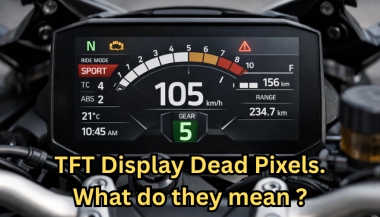
Dead pixels on a motorcycle TFT display are rarely “just cosmetic”. On modern bikes, the TFT dashboard is a sealed, laminated electronic unit exposed to sun, heat, vibration, rain, and pressure washing . When pixels fail, it often signals structural damage inside the display , not a surface defect. This article explains what TFT display dead pixels really mean, why they appear, how to diagnose them correctly, and the point where replacement becomes unavoidable . What riders mean by “dead pixels” — and why it matters The term motorcycle display dead pixels is used loosely. In practice, three very different faults exist. True dead pixels (permanently black) A true dead pixel is a pixel transistor that no longer functions. It stays black on all backgrounds and during startup screens. This is a hardware failure inside the LCD matrix . It does not self-heal. Stuck pixels (fixed bright color) A stuck pixel remains red, green, blue, or white. On phones or TVs, this can sometimes be intermittent. On motorcycle TFTs, stuck pixels are often caused by heat stress or internal pressure and frequently progress into permanent failure. Lines or blocks of dead pixels A vertical or horizontal line of missing pixels is not a pixel issue. It indicates row or column driver failure inside the panel — a structural defect of the display module. Once this appears, replacement is usually inevitable. Why TFT dead pixels appear on motorcycles Dead pixels on a dashboard are rarely random. They follow consistent mechanical and environmental causes. Heat and UV exposure Motorcycle TFTs sit in direct sunlight. Daily heat cycles expand and contract the laminated layers inside the display. Over time, this stresses internal bonds and pixel drivers. A single failed pixel can become a cluster. Micro-impact and pressure A light impact that doesn’t crack the glass can still damage the internal LCD stack. This is common on naked bikes and adventure models where the display is more exposed. Moisture ingress and condensation Condensation inside a TFT display is a critical warning sign. It means the factory seal has been compromised. Moisture accelerates corrosion on connectors and display drivers, often leading to dead pixels followed by total blackout. Electrical stress Voltage fluctuations or grounding issues can contribute, but if the pixel defect appears in the same physical location across reboots , the issue is almost always panel-level, not wiring. Brand examples: how this appears in real motorcycles Dead pixel reports follow similar patterns across brands. BMW TFT clusters: pixel lines or dark zones often appear after heat exposure or condensation events. Clusters are fully integrated and typically replaced as a unit. Yamaha TFT dashboards: isolated dead pixels may appear first, followed by spreading rows on models parked outdoors long-term. Kawasaki TFT displays: line failures are commonly reported after pressure washing or heavy rain use. Honda TFT dashboards: less frequent, but once pixel clusters appear, dealers usually recommend full replacement. Across all brands, panel repair is not part of standard dealer service . Fast diagnosis: how to tell if the damage is permanent You can determine the seriousness in minutes. Check startup screens If the pixel defect appears during the boot logo or splash screen, it is hardware, not software. Test multiple backgrounds Switch themes or display modes: Always black → dead pixel Always bright or colored → stuck pixel Straight line → driver failure Look for progression A defect that grows over weeks is not stable. Progression is a replacement signal. Inspect for condensation Any fogging or haze inside the screen means moisture ingress. Pixel failure combined with condensation almost always worsens. When TFT display replacement is inevitable Replacement is not about annoyance. It’s about predictable failure . Replacement becomes inevitable when any of the following occur: A row or column of dead pixels appears Dead pixels spread over time Dead pixels appear together with condensation The defect blocks speed, warnings, or riding data The bike relies on the TFT for ride modes or system alerts At this stage, the TFT is no longer a reliable instrument cluster. Why TFT displays are rarely repaired A motorcycle TFT is not a standalone screen. It is: Laminated glass + LCD + polarizer Sealed against weather Electronically paired to the motorcycle Separating and rebuilding this stack requires specialized industrial equipment. As a result, OEMs replace the entire unit . Used clusters introduce risks: coding issues, immobilizer pairing, mileage discrepancies, and unknown moisture history. Cost reality in Europe In Europe, OEM motorcycle TFT replacement typically ranges from: €600–€1,200 for mid-range models €1,500–€2,500+ for premium or integrated systems This includes coding and calibration, not just the display itself. That’s why a small dashboard pixel issue deserves early attention. Can dead pixels be prevented? You cannot prevent internal electronic aging. You can reduce the most common triggers: Surface scratches that weaken seals Micro-impacts UV exposure Moisture pooling around edges A properly fitted screen protector does not fix dead pixels, but it reduces the external damage pathways that often lead to full TFT failure. If you want to reduce the risk of turning a small pixel defect into a four-figure repair, you can protect the display surface early — explore motorcycle TFT screen protectors at mr-key.com FAQ: TFT display dead pixels Are dead pixels dangerous? They are not dangerous by themselves, but they often indicate deeper display degradation. Can software updates fix dead pixels? No. If the defect appears in the same physical location during startup, it is hardware. Will one dead pixel spread? Sometimes. Spread is common when heat or moisture is involved. Is condensation inside the TFT serious? Yes. Condensation indicates seal failure and greatly increases the risk of progressive damage. Is replacement always required? Not for a single stable pixel. Replacement becomes unavoidable with progression, lines, or moisture involvement.

How to Protect Your Car’s Navigation Screen from Scratches, Glare & Fingerprints

How to Protect Your Car’s Navigation Screen from Scratches, Glare & Fingerprints

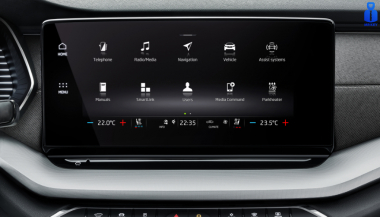
Modern cars often pack large touchscreens into the dash, and keeping these displays clear is key to enjoying every drive. A single scratch or dirty spot can make maps and menus hard to read. Car insurers warn that infotainment screens are surprisingly fragile – even a small dent or scratch can disable parts of the system . Worse, replacing a built-in navigation unit can cost thousands and take weeks . The good news? A little proactive care goes a long way. Interior dashboards are loaded with touchscreens that easily pick up scratches and smudges. For example, a high-quality navigation screen protector can shield your display from daily wear . These protectors are often made of tough 9H-tempered glass with an oleophobic coating (to repel fingerprints) and an anti-glare matte finish . A properly fitted protector keeps your screen looking brand-new and makes cleaning simpler. Invest in a Quality Screen Protector Choose the right fit Get a protector cut for your car’s make and model so it covers the entire display without blocking cameras or buttons. Hydrogel protector over tempered glass A hydrogel navigation screen protector is the best modern option for car screens. Unlike tempered glass, hydrogel film is flexible, ultra-thin, and self-healing — meaning small scratches disappear on their own over time. Hydrogel also fits curved or irregular screens better, doesn’t crack or chip like glass, and offers excellent clarity with strong anti-scratch and anti-glare properties. It maintains perfect touch sensitivity and blends seamlessly with the original display. To understand the real differences between hydrogel film and tempered glass — and which one offers the best long-term protection for your car — check out our detailed comparison guide: Hydrogel vs Tempered Glass Navigation Protectors Comparison . Anti-glare & oleophobic coatings Many navigation screen protectors include a matte, anti-glare surface. This scatters harsh sunlight and helps repel fingerprints and oil. (Some even advertise oleophobic layers that resist smudges.) Installation matters Follow the instructions carefully (clean the screen first, align the film, and smooth out bubbles). A misaligned or bubbled protector can itself cause visibility issues. Installing a car screen protector isn’t just about preventing scratches. It also helps maintain screen clarity over time. As one Tesla owner discovered, adding a new glass protector made even a worn, glare-prone screen “look almost new again” If you’ve already chosen a hydrogel protector and want to install it correctly, follow our step-by-step guide on how to install a hydrogel navigation screen protector . Clean Your Screen the Right Way Fingerprints, dust and grease are everyday enemies of visibility. But cleaning improperly can do more harm than good. Follow these expert tips: Use a microfiber cloth Wipe the screen with a soft, clean microfiber towel – even better if it’s dedicated just to your screen . This gentle fabric removes oils without scratching the glass. Spray cleaner on the cloth, not the screen If you need liquid cleaning, lightly mist it onto the cloth first. Never spray cleaners or water directly onto the touchscreen . Too much liquid or harsh chemicals can seep into seams or damage any oleophobic coatings. Avoid household glass cleaners Standard window cleaners (with ammonia or alcohol) can strip away protective coatings or damage the display . In fact, Car and Driver cautions that you should “avoid using household glass cleaner on your car’s touchscreen” unless you know it’s ammonia- and alcohol-free . Use fresh wipes Always use a clean side of your cloth or a new wipe on the screen. AGWS (an auto insurer) advises against using a cloth or wipe that’s already been on the dashboard or door panels – it can transfer grit and actually scratch the display Detail with precision If dirt or fingerprints linger, dampen the cloth with plain water or a gentle, screen-safe cleaner and buff in small circles. For stubborn spots, a second dry pass with the microfiber cloth will remove streaks. Wipe smudges away with a soft cloth – spraying cleaner on the cloth, not on the screen . Clean your screen each time you wash the car, or whenever you notice foggy patches. In fact, one test found that many “interior detailer” sprays (like Chemical Guys or Meguiar’s) can work just as well as specialized screen cleaners if they’re labeled safe for screens. Reduce Sunlight Glare Glare is one of the biggest complaints with modern car touchscreens. It makes maps hard to read, increases eye strain, and leads to drivers pressing harder on the display—over time, this causes wear and visible marks. To reduce glare: Install a matte hydrogel screen protector Adjust the display’s brightness and contrast Avoid cleaning with shiny or oily cloths Park with the dashboard away from intense sunlight when possible Hydrogel films help significantly because they diffuse harsh reflections without dulling the screen. Prevent Fingerprints and Smudges Touchscreens are fingerprint magnets. Oils from your hands quickly accumulate on the surface, especially on climate controls or zoom gestures. Solutions that actually work: Oleophobic coatings (built into many hydrogel protectors) Regular microfiber wipe-downs Avoid touching the screen with sunscreen or lotion on your hands Use voice commands for common actions when possible Drivers notice a big difference after installing a car navi screen protector—much fewer smudges and much easier cleaning. Protect the Screen During Everyday Use Small habits reduce long-term wear: Remove rings before using the touchscreen Don’t store hard objects (keys, coins) near the display Keep dust off the dashboard Avoid pressing with fingernails Use steering-wheel controls when possible Tiny scratches add up, especially on softer automotive materials. FAQ What is the best way to protect a car navigation screen? Installing a car-specific hydrogel screen protector provides the best protection against scratches, glare and fingerprints. Do hydrogel protectors really self-heal? Yes. The top layer softens slightly with heat and pressure, allowing micro-scratches to fade within minutes. Do these protectors affect touch sensitivity? No. Hydrogel films are extremely thin and designed to preserve the original touchscreen response. Can I install a screen protector myself? Hydrogel films are easy to install because they are flexible and bubble-resistant. Most people complete the installation in minutes. Will a protector reduce screen brightness? A high-quality hydrogel film maintains screen clarity while reducing harsh glare. Do car manufacturers recommend screen protectors? Many dealerships now advise using some form of screen protection due to rising replacement costs and increasing touchscreen sizes. Which Cars Benefit Most Some car brands benefit disproportionately from hydrogel screen protection — especially large-format touchscreens in premium models. If you want the full breakdown of the top models for 2025–2026, see our detailed guide on which cars benefit most from hydrogel navigation protection . To protect your own car’s screen from scratches, glare and fingerprints, visit our shop at mr-key.com . Related Guides How to Install a Hydrogel Navigation Screen Protector Which Cars Benefit Most From Hydrogel Navigation Protection? (2026 Overview) Hydrogel vs Tempered Glass Navigation Protectors Comparison

Chat with us