Post Name

Unlocking the Modern Car Key

In the past, a car key was a simple piece of metal. You inserted it into the door, turned it, and the car unlocked. You repeated the process in the ignition to start the engine. Today, however, a car key might be a sleek device that never even leaves your pocket. It may unlock your doors remotely, start the car with a button, or communicate with your vehicle without you even touching it.

This evolution in key technology has introduced convenience, security, and — for many drivers — a bit of confusion. What kind of key do you actually have? Is it a transponder key, a key fob, or a smart key? And why does it matter?

In this blog, we break down each type of modern car key, explain how they work, and highlight what makes them different — so you can better understand, maintain, and protect the device that starts your vehicle.

What Is a Transponder Key?

The transponder key was the first major step toward electronic vehicle security. Introduced in the 1990s, it features a small microchip embedded in the plastic head of a standard metal key. This chip communicates with the car's immobilizer system.

When you insert the key into the ignition and turn it, the car sends out a low-frequency signal. If the chip responds with the correct, pre-programmed code, the vehicle starts. If the code is incorrect — or missing — the car won’t start at all.

Key characteristics:

Looks like a traditional key

Contains a passive chip (no battery needed)

Requires physical insertion and turning

Designed to prevent hotwiring and unauthorized key copies

Transponder keys are still widely used, especially in vehicles produced between the late 1990s and early 2010s. They’re simple, reliable, and provide basic but effective protection against theft.

What Is a Key Fob?

The term key fob typically refers to a small, handheld remote that controls access to your car without inserting a key into a lock. Most modern fobs include buttons for locking and unlocking the doors, opening the trunk, and triggering a panic alarm. Some also support remote engine start.

In many vehicles, the fob is attached to — or integrated with — a mechanical key that includes a transponder chip. Others are "flip keys," with a metal blade that folds inside the fob casing.

Key fob features:

Enables remote locking/unlocking

May include a transponder chip

Often includes a mechanical backup key

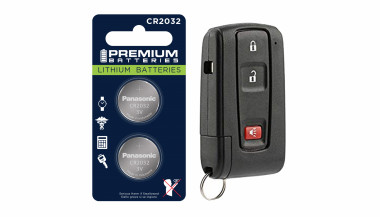
Battery-powered (usually coin cell batteries)

May include passive entry on some models

Key fobs offer a balance between convenience and control. While you still need to press buttons or insert a key in many cases, they streamline the process and add useful features.

What Is a Smart Key?

The smart key is the most advanced and convenient type of car key available today. It communicates with your vehicle wirelessly using radio frequency or low-energy Bluetooth. As long as the smart key is within range — often in your pocket or bag — the car will unlock automatically when you touch the handle, and start when you press the ignition button.

Unlike a key fob, there’s no need to press buttons or insert anything into the ignition. The system detects the key’s presence and grants access and engine start as needed.

Smart key features include:

Passive keyless entry (PKE)

Push-button start

Proximity detection

Fully hands-free operation

Often includes comfort access features like memory seating and climate control

However, smart keys also introduce new considerations. They rely entirely on battery power, so a dead battery can temporarily disable key functions. Because smart keys are always transmitting a signal, they are also vulnerable to relay attacks, in which thieves use signal amplifiers to trick the car into unlocking.

Key Comparison Table

To help clarify the differences between each type of key, here’s a side-by-side comparison:

FeatureTransponder KeyKey FobSmart Key
Physical key requiredYesSometimes (flip blade)No
Remote locking/unlockingNoYes (buttons)Yes (proximity-based)
Push-button startNoNoYes
Battery requiredNoYesYes
Security levelModerateHigh (with chip)High
Common years of use1995–20122000–present2015–present
Risk of relay attackNoneLow (in some cases)High (without signal shield)


Why It Matters: Practical Impacts for Drivers

Understanding what kind of car key you have can save you time, money, and stress in several situations:

1. Replacing Lost or Broken Keys

Smart keys can cost anywhere from $200–$600+ to replace and usually require dealership programming. Transponder keys are cheaper and often programmable by locksmiths.

2. Diagnosing Key Issues

If your car won’t start, it could be due to a dead battery in your fob or smart key. But if you have a transponder key, the issue might be with the chip or immobilizer system.

3. Security Awareness

Smart keys are vulnerable to digital theft via relay attacks. If you have one, consider using a Faraday pouch or signal-blocking case to protect your vehicle while parked.

Want to protect your key? Browse Mr Key's security accessories here.

4. Choosing Accessories

Batteries, protective covers, signal-blocking cases, and replacement parts vary depending on your key type. Buying the wrong product can lead to frustration or compatibility issues.

Know Your Key, Protect Your Car

Your car key is more than a tool — it’s an entry system, a security feature, and a communication device. Whether you’re carrying a traditional transponder key, a button-operated key fob, or a proximity-based smart key, knowing the difference is the first step toward better security, smarter repairs, and fewer surprises.

In a world where cars are smarter than ever, your key plays a more important role than most drivers realize. Take a moment to identify which type you have — and take steps to protect it.

Related Posts

Lost Your Westfalia Towbar Key? Here's What to Do

Lost Your Westfalia Towbar Key? Here's What to Do

Have you lost your Westfalia towbar key just before a long-planned trip or an important towing job? Don’t worry, you’re not alone. Every year, thousands of drivers face the same issue: the towbar key disappears right when it's needed most. Westfalia detachable towbar keys are usually used only a few times per year – often for summer holidays, camping trips, towing, or moving. Because they are used so rarely, they often get forgotten for months. It's easy to lose track of where they were last placed: in the glove compartment, a drawer in the garage, or a coat pocket? Fortunately, there's a simple solution – without having to replace the entire towbar system. Step 1: Check the Lock Cylinder for a 5-Digit Code Take a close look at the front of your Westfalia towbar lock, around the keyhole. Many models have a 5-digit code engraved directly into the metal. If the code is between 20000 and 50000, it is your personal key code. This code allows professional key services (like MR-KEY) to create a perfectly matched replacement key – without the original. Examples of valid codes: 23456 27891 49821 You can enter this code directly into an online order form. Order a replacement key here: https://mr-key.com/cat/towbars-keys What if You Only See 3 Digits? Sometimes, you might only find a 3-digit number on the lock body (e.g., 104, 287). Unfortunately, these numbers are not valid key codes . They usually refer to batch numbers or internal components. In this case, we recommend: Conducting a thorough search for the original key (glove compartment, toolbox, jacket pockets, etc.) If the key cannot be found, consider replacing the towbar locking mechanism Tip: Make a Spare Key While You Still Can If you still have your original Westfalia towbar key, now is the perfect time to make a copy . Many Westfalia keys show a code like: 2W01 to 2W50 This code is usually engraved on the metal shaft of the key and matches your towbar lock. With this code, we can quickly and affordably produce a precise duplicate. Why make a spare key? Avoid last-minute panic before departure Reduce costs by preventing lock replacement Fast delivery when ordering by code Order here: https://mr-key.com/cat/towbars-keys Fast and Professional Westfalia Key Service At MR-KEY , we specialize in duplicating Westfalia towbar keys by code. Our service is fast, precise, and hassle-free: Simply provide the 5-digit lock code (20000–50000) We cut the key using high-precision machines Every key is checked before shipping In most cases, shipping is completed within 24 hours . Quick Overview Situation Can a New Key Be Made? What to Do 5-digit code on the lock (20000–50000) Yes Order a key by code Only 3-digit number on the lock No Search for the key or replace the lock Original key with "2W" code present Yes Have a spare key made Tips: How to Avoid Losing Your Key in the Future To avoid ending up in this situation again, follow these simple tips: Store your spare key in your vehicle documents folder or glove box Label your keychain with "Towbar" for easy identification Take a photo of your key code and save it on your phone or in the cloud These small steps can save you time, stress, and money. Losing your Westfalia towbar key doesn't have to ruin your travel plans. As long as your lock has a valid 5-digit code between 20000 and 50000 , a replacement key can be made and shipped quickly. And if you still have the original key? Make a copy now – a small investment for long-term peace of mind. Order your Westfalia replacement key now: https://mr-key.com/cat/towbars-keys Safe travels!

How to Choose the Right Car Key Shell for Your Vehicle + Why We Recommend Panasonic CR2032 Batteries

How to Choose the Right Car Key Shell for Your Vehicle + Why We Recommend Panasonic CR2032 Batteries

Your car key is one of those things you don’t really think about — until it breaks. Whether it’s the worn-out buttons, a cracked shell, or a battery that gives up at the worst possible moment, an aging car key can cause more than just annoyance. But here's the good news: you can restore your key to like-new condition easily, affordably, and from the comfort of your home. In this complete guide, we’ll show you how to choose the right replacement key shell for your car and why the Panasonic CR2032 battery is a trusted choice to keep your key fob performing reliably. Part 1: How to Choose the Right Car Key Shell Think of your key shell as a protective layer. It shields the sensitive electronics inside — the buttons, circuit board, and transponder chip — all of which are essential to operating your vehicle. When the case begins to wear down or fall apart, it’s time to replace it. 1. Know Your Car's Make, Model, and Year Key shells are made to fit specific car models and years. For instance: Flip key shells for Opel are commonly used on models from 2010 to 2024. Audi smart key shells are dependent on the platform code (like A3 8Y or A4 B9). Consult your owner's manual or use a compatibility tool like this one to confirm fitment. 2. Match the Key Blade Blades come in various formats like HU162, VA2, or HU100. Even a slight variation in shape or groove pattern can render the key useless in your ignition or door locks. Carefully compare the blade on your current key to the one listed for any replacement shell. 3. Button Layout and Functionality Make sure the number and positioning of buttons on the replacement shell matches your original. If not, the rubber pads may not line up with the contact points on your key’s circuit board, making the buttons unresponsive. 4. Interior Design and Compatibility The outside might look the same, but inside layouts often differ. Ensure that your circuit board, battery slot, and chip all fit securely inside the new shell. Misalignment can cause rattling, failure to start the car, or buttons that don’t function correctly. 5. Material Quality Avoid very cheap replacements with thin plastic and soft rubber. A good quality shell should be durable, with solid construction and tactile buttons that don't wear out quickly. For example, this Opel flip key shell combines strength with excellent fit. Part 2: Why We Recommend Panasonic CR2032 Batteries When your key fob starts failing — maybe the range drops or it takes multiple presses to unlock — chances are the battery is low. Many car owners replace the shell without considering the battery, only to find the problem persists. Understanding the CR2032 The CR2032 is a 3-volt lithium coin battery, commonly used in remote keys and small electronic devices. It’s compact, stable, and specifically suited for low-power, long-term applications. What Makes Panasonic CR2032 Stand Out? Panasonic’s version of the CR2032 is known for its consistency and reliability. It offers: A stable voltage output, ensuring your key communicates with your car effectively Longer life compared to many generic brands Resistance to leaks, which protects internal circuits from corrosion Choosing a battery from a trusted manufacturer can save you from unexpected failures, especially in colder climates where battery performance matters most. We recommend the Panasonic CR2032 battery for its excellent balance of performance and reliability. Refreshing Your Car Key: A Practical Approach If your car key is showing signs of age, it's usually best to replace both the shell and the battery. The process is simple: Open the old shell carefully, using a flat tool if needed. Remove the circuit board, chip, and battery. Clean the components gently with a dry brush. Place them into the new shell, ensuring alignment. Insert a fresh CR2032 battery. Close and secure the new shell. After completing these steps, your key should be more responsive, look better, and feel sturdier in your hand.

Guide to Identifying and Replacing Your Keys

Guide to Identifying and Replacing Your Keys

Losing your keys can be a frustrating experience, but identifying the right replacement doesn't have to be. Whether you've lost a house key, a car key, or a key to a padlock or cabinet, understanding how to identify the key you need is crucial. This guide will walk you through the process of identifying your keys, ensuring you find the right replacement quickly and efficiently. The Importance of Key Identification Before diving into how to replace a lost key, it’s important to understand why key identification is critical. Keys come in a variety of shapes, sizes, and designs, each tailored to specific types of locks. Identifying your key correctly will save time, money, and frustration. For example, car keys often include transponder chips that need to be programmed to your vehicle, while house keys may have specific patterns that fit only one brand of lock. Step 1: Check for Key Codes and Markings The first step in identifying your key is to look for any codes or markings. These can be found on the key itself or sometimes on the lock. Key codes are often a series of letters and numbers that indicate the specific model or cut of the key. If you still have the original key, examine it closely for these codes. If not, check the lock for any inscriptions that might offer clues. Key codes are essential, particularly for high-security keys or specialized keys such as those used in commercial settings. For car keys, this code might also be found in the vehicle’s manual or on a key tag provided at the time of purchase. Step 2: Determine the Key Type Next, determine the type of key you need. Different keys serve different purposes: House Keys: Typically flat with unique grooves along the edge, these are used in residential locks. Car Keys: These may include electronic transponders and are often more complex. Padlock Keys: Usually smaller, these keys have a unique profile that fits the specific lock. Cabinet or Locker Keys: These are often smaller and may be specific to a brand or lock type. Identifying the correct key type is important because it narrows down your options when searching for a replacement. Step 3: Identify the Lock Brand If you cannot find a key code, identifying the lock brand is the next best step. The brand name is usually stamped somewhere on the lock or key. Knowing the brand will help you narrow down the options for finding a replacement key. For example, many house keys are cut to fit specific brands like Yale or Schlage. Car keys, on the other hand, are usually specific to the car manufacturer. Knowing the brand is especially useful when you need to replace a key without an original to reference. Step 4: Examine the Key Profile The profile of the key refers to the unique cuts, grooves, and ridges along its blade. This profile is what allows the key to operate a specific lock. When identifying your key, compare the profile of your key to those available through online resources or in-store at key-cutting services. If you have a high-security key, it may have a more complex profile that is difficult to replicate. In such cases, it’s best to consult a professional locksmith or the lock manufacturer for an exact match. Step 5: Utilize Online Resources There are many online resources available to help you identify and replace your lost key. Websites often offer key identification tools where you can input details such as key codes, lock brands, and key types to find a match. Additionally, many online stores specialize in replacement keys, offering a wide selection based on the information you provide. Step 6: Contact the Manufacturer If you're still having trouble identifying your key, contacting the lock or car manufacturer can be extremely helpful. Provide them with any details you have about the lock or key, and they can often guide you to the right replacement. For car keys, your vehicle identification number (VIN) can often be used by the dealership to cut a new key or program a replacement transponder key. Step 7: Professional Locksmith Assistance When all else fails, a professional locksmith is your best bet. Locksmiths have the tools and expertise to identify and replicate nearly any type of key. They can also assist with programming transponder keys for cars or creating master keys for complex locking systems. Losing a key doesn't have to be a stressful experience if you know how to identify and replace it effectively. By following these steps—checking for key codes, determining the key type, identifying the lock brand, examining the key profile, using online resources, and seeking professional help—you can ensure that you find the right replacement quickly and efficiently. Proper key identification is the first step toward restoring access and ensuring security.

5 Reasons Why Your Car Remote Isn’t Working and How to Fix It

5 Reasons Why Your Car Remote Isn’t Working and How to Fix It

In an age where convenience is king, keyless entry systems have revolutionized how we interact with our vehicles. Gone are the days of fumbling for physical keys—today’s drivers rely heavily on the sleek, compact functionality of car remotes. However, what happens when this modern convenience fails you? Few things are more frustrating than standing beside your car, repeatedly pressing your remote, only to be met with silence. Understanding why your car remote isn’t working can save you from unnecessary panic, costly repairs, and inconvenient lockouts. This comprehensive guide explores the five most common reasons your remote may malfunction and offers in-depth, actionable solutions to get you back on the road quickly. 1. Battery Depletion: The Silent Saboteur The number one reason for car remote failure is, unsurprisingly, a dead or depleted battery. Though seemingly small, the battery inside your remote plays a crucial role in its operation. Most key fobs use lithium coin batteries (commonly CR2025 or CR2032), known for their durability and longevity. But even these reliable power sources don’t last forever. Factors contributing to faster battery depletion include: Frequent use (especially for remote start and lock/unlock functions) Extreme temperature exposure (both heat and cold reduce battery life) Long periods of inactivity (leading to gradual discharge) Solution: Replacing your key fob battery is a simple, cost-effective fix. Always consult your vehicle’s manual to identify the correct battery type. When replacing, ensure the new battery is seated correctly to avoid poor contact. Proactively changing the battery every 1-2 years, even before it’s fully drained, can prevent sudden failures. 2. Signal Interference: The Invisible Obstacle Key fobs communicate with your vehicle via radio frequencies. However, various external factors can interfere with this communication. Living in urban environments, parking in underground garages, or being near large electronic devices (such as cell towers, Wi-Fi routers, or even other vehicles) can disrupt the signal between your remote and car. Solution: If you suspect signal interference: Move closer to your vehicle or try unlocking it from a different angle. Step away from potential sources of interference like electronic devices or heavy machinery. Hold the key fob higher or away from your body to improve signal transmission. While occasional interference is common, if the problem persists across multiple locations, consider resetting or reprogramming your fob. 3. Desynchronization: Losing Connection Sometimes, your key fob may lose synchronization with your vehicle’s receiver—especially after events like a battery change or extended periods of non-use. When this happens, the fob and vehicle are essentially "speaking different languages," resulting in non-responsiveness. Solution: Check your vehicle's manual, as many manufacturers provide step-by-step instructions to manually re-sync the fob. Typically, this involves a sequence like inserting and turning the ignition key, pressing specific buttons, or opening and closing the doors in a set pattern. If manual reprogramming fails, you may need assistance from a dealership or certified locksmith equipped with the necessary diagnostic tools. 4. Physical Damage: The Wear and Tear Factor Remote key fobs, despite their solid appearance, are not invincible. Everyday handling—dropping the remote, spilling liquids, or even rough storage—can cause internal components to malfunction. Moisture exposure, in particular, is a key offender, leading to corrosion or short-circuiting of the circuitry inside. Solution: Inspect your remote regularly for: Visible cracks, chips, or signs of wear Sticky buttons or unresponsive keys Water damage indicators If damage is evident, replacing the remote may be your best bet. For minor issues, cleaning the interior components (after carefully opening the casing) with a soft cloth and isopropyl alcohol can sometimes restore functionality. Consider investing in a protective cover to prevent future damage. 5. Vehicle Receiver Issues: The Hidden Problem While the key fob often gets the blame, sometimes the issue lies within your vehicle’s receiver system. If the receiver—which detects and processes the signal from your remote—is malfunctioning, your remote will appear useless regardless of its condition. Solution: One telltale sign of a faulty receiver is if multiple remotes fail to operate the car. In this case, the problem is likely internal. Diagnosing and fixing receiver issues typically requires professional assistance, either from a dealership or an experienced automotive technician equipped with specialized diagnostic tools. Global Context: Keyless Challenges Worldwide The rise of keyless systems isn't limited to one region—it’s a global phenomenon. However, as technology advances, so do the challenges. For instance, key signal cloning and relay attacks have become prevalent, particularly in Europe and North America, prompting manufacturers to enhance security measures continually. Understanding the basics of how your key fob works and its vulnerabilities can help protect against both everyday failures and more sophisticated threats. Stay Ahead of the Problem Modern car remotes offer unmatched convenience, but when they fail, the disruption can be significant. Whether it’s a dead battery, signal interference, synchronization glitch, physical damage, or vehicle receiver issue, knowing how to identify and fix the problem puts you in control. Take proactive steps—replace batteries regularly, handle your remote with care, and familiarize yourself with your vehicle’s reprogramming process. A small investment of time today could save you from major headaches tomorrow. Stay informed. Stay prepared. And keep your car remote working seamlessly, wherever the road takes you.

Chat with us