
Post Name

Unlocking the World of Car Keys

Car keys have come a long way from simple metal tools to high-tech devices designed to enhance convenience and security. As vehicles evolve, so do the keys that unlock and operate them. Whether you’re a car enthusiast or a driver navigating modern technology, understanding the different types of car keys and their functions can help you appreciate their role in your vehicle’s performance and safety. This guide explores various car key types, their unique features, and the technologies behind them.

Traditional Car Keys: The Classics

Traditional car keys, often referred to as mechanical keys, are the simplest type of car keys. These are commonly found in older vehicles and rely on a basic metal blade that fits into the car’s ignition and door locks.

Key Features of Traditional Keys:

  • Require no electronic components.
  • Depend on physical alignment to operate the lock or ignition.
  • Can be duplicated easily using a standard key-cutting machine.

While these keys are straightforward to use and replace, they lack the advanced security features of modern alternatives, making them more vulnerable to theft.

Transponder Keys: Enhanced Security

Transponder keys are a significant upgrade from traditional keys, incorporating a small electronic chip inside the plastic head of the key. This chip communicates with the vehicle's computer system to authenticate the key before the car starts.

How Transponder Keys Work:

  • The chip transmits a unique signal to the car’s receiver when the key is turned in the ignition.
  • If the signal matches, the car starts; if not, the engine remains immobilized.

Benefits of Transponder Keys:

  • Reduced risk of car theft due to their encryption technology.
  • Widely used in most vehicles manufactured after the mid-1990s.

However, duplicating or replacing a transponder key requires specialized equipment, making it more expensive than traditional keys.

Smart Keys: The Modern Marvels

Smart keys represent a leap into advanced automotive technology. These keys are typically used in vehicles with keyless entry and push-button start systems. Instead of inserting a key into the ignition, drivers simply need to have the smart key inside the vehicle.

Key Features of Smart Keys:

  • Allow for keyless entry and ignition.
  • Use radio frequency identification (RFID) or Bluetooth technology to communicate with the car.
  • Often come with additional functions, such as opening the trunk or remotely starting the vehicle.

Advantages of Smart Keys:

  • Enhanced convenience and ease of use.
  • Advanced security features to deter theft.

Despite their benefits, smart keys are expensive to replace and rely heavily on battery power.

Remote Keys: A Blend of Mechanical and Digital

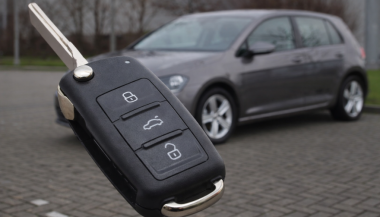
Remote keys, often combined with transponder technology, offer the ability to lock and unlock car doors at the push of a button. They are commonly included in modern car key fobs and sometimes have a physical blade as a backup.

Features of Remote Keys:

  • Control doors, windows, and sometimes the trunk remotely.
  • Combine traditional key functions with modern convenience.

These keys are versatile and user-friendly but may require reprogramming if the battery is replaced or the signal becomes disrupted.

Key Cards: Compact and Stylish

Key cards are a relatively new addition to the world of car keys, commonly used in high-end and electric vehicles. These slim, credit card-sized devices function like smart keys and communicate wirelessly with the vehicle.

Advantages of Key Cards:

  • Compact and easy to carry.
  • Offer the same functionality as smart keys, including keyless entry and ignition.

While key cards are sleek and innovative, they are prone to damage due to their thin design and may not be as durable as traditional keys.

Valet Keys: Limited Access

Valet keys are designed to offer restricted functionality, allowing a valet or another driver to operate the car without accessing certain areas, such as the glove compartment or trunk.

Purpose of Valet Keys:

  • Provide limited access to the vehicle for security purposes.
  • Prevent unauthorized access to personal belongings.

Valet keys are a practical solution for safeguarding your possessions while still enabling temporary access to your car.

Digital Keys: The Future of Key Technology

Digital keys are the latest innovation in car key technology, allowing drivers to use their smartphones or smartwatches to unlock and start their vehicles.

How Digital Keys Work:

  • Use NFC (Near Field Communication) or Bluetooth to interact with the vehicle.
  • Allow for remote access, such as locking or unlocking the car from a distance.

Benefits of Digital Keys:

  • Eliminate the need for a physical key.
  • Offer enhanced customization, such as granting temporary access to other users.

As convenient as they are, digital keys rely on smartphone technology and can be vulnerable to hacking if not properly secured.

Choosing the Right Key for Your Needs

Car keys have evolved into sophisticated devices that combine functionality, convenience, and security. Whether you’re using a traditional key or embracing the future with a digital key, understanding the type of key your vehicle uses can help you maintain it properly and replace it if necessary.

By staying informed about the different types of car keys and their unique functions, you can make smarter choices when it comes to safeguarding your vehicle and enjoying the driving experience to the fullest.
Related Posts

What to Do If You Lose Your Volkswagen Key?

What to Do If You Lose Your Volkswagen Key?

Losing a Volkswagen key is stressful. It usually happens at the worst possible moment—before work, during travel, or far from home. Modern VW keys are no longer simple pieces of metal. They combine electronics, immobiliser chips, and precision-cut blades. When a lost car key situation happens, knowing the right steps saves time, money, and frustration. This guide explains exactly what to do if you lose your VW key, how to secure your vehicle, and how to get a proper VW key replacement without unnecessary delays. Stay Calm and Check the Obvious First Before assuming your VW key is gone for good, pause. Keys are often misplaced, not stolen. Check: Jacket and trouser pockets Bags and backpacks Around the car, driveway, or parking area Home entry points and recent stops Many VW keys are lost nearby and found within minutes. If the key truly cannot be located, move to the next step. Secure Your Volkswagen Immediately If you suspect the key is lost in a public place, vehicle security becomes the priority. Modern Volkswagen keys communicate with the car via encrypted signals. While this offers protection, losing a key still creates risk. What to do: Lock the vehicle if possible Avoid leaving the car unattended for long periods Do not delay replacement if the key cannot be recovered The fewer active keys exist for your vehicle, the safer it remains. Identify What Type of VW Key You Lost Not all Volkswagen keys are the same. Knowing what you lost helps you choose the correct replacement. Common VW key types include: Mechanical keys (older VW models) Transponder keys (chip-based immobiliser keys) Remote flip keys Smart / proximity keys (keyless entry systems) You can usually identify your key type by: The year of the vehicle Whether it had buttons Whether the car starts with a traditional ignition or push-start This information ensures you order the correct VW key replacement. Why a Spare Volkswagen Key Matters More Than You Think Many VW owners only realise the importance of a spare after losing their only key. A spare key: Prevents vehicle immobilisation Reduces stress during travel Makes replacement faster and simpler Acts as a backup for emergencies Relying on a single key is one of the most common and avoidable mistakes VW drivers make. Replacing a Lost Volkswagen Key the Smart Way A VW key replacement does not always require the original key. At mr-key.com , you can order replacement Volkswagen keys, fobs, and key cases designed to match your exact model. Available solutions include: Replacement VW key shells and fobs New key blades cut to match your vehicle Keys cut from a photo of the original Keys cut from a code , where available This allows you to restore access even if the original key is completely lost. Important : Electronic keys may still require programming after cutting, depending on the model. How VW Keys Can Be Cut Without the Original Many drivers assume a missing key makes replacement impossible. That is not true. VW keys can often be cut: From a clear photo of the original key blade From a key code linked to the vehicle or lock This method restores the physical function of the key with high precision. It is especially useful when no spare key exists. More information on official VW security and immobiliser systems can be found on the Volkswagen website Protect Your Replacement VW Key Once you replace a lost VW key, protect it properly. Simple habits make a big difference: Use a protective key case Avoid placing keys loosely in bags or pockets Keep a spare key stored safely at home Small steps prevent repeat key loss—and repeat stress. Frequently Asked Questions Can I replace a Volkswagen key without the original? Yes. A VW key replacement is possible even without the original key. Keys can be cut from a photo or code, depending on the model. What should I do if I lose my only VW key? Secure the vehicle first. Then order a replacement key as soon as possible to avoid being locked out or immobilised. Are all VW keys the same? No. Volkswagen uses different key types depending on model and year, including mechanical, transponder, remote, and smart keys. Does a replacement VW key need programming? Some VW keys include electronic chips that require programming. Cutting the key restores physical access, while programming enables full functionality. Why is having a spare VW key important? A spare key saves time, stress, and complications if your main key is lost or damaged. For independent vehicle security standards and best practices, see guidance from recognised automotive organisations such as ADAC If you’ve lost your Volkswagen key or want to avoid future problems, explore VW key replacements , fobs , cases , and key cutting services at mr-key.com and secure your vehicle the smart way.

How to Program a Spare Car Key: Should You DIY or Call a Pro?

How to Program a Spare Car Key: Should You DIY or Call a Pro?

You’ve got a spare car key in your hand and one big question on your mind: can you program it yourself, or should you visit a locksmith or dealer? The answer depends on your car and the key. In this guide, you'll discover when DIY programming is possible, when it's not, and how to avoid common mistakes. Whether you're aiming to save money or just want a backup key for peace of mind, here's everything you need to know. Types of Car Keys: What You’re Working With Not all car keys are the same—and that matters. Older vehicles often use simple metal keys or basic transponder keys, while modern cars rely on electronic fobs and smart keys with encrypted chips. If your car was built before the early 2000s, there’s a good chance you can program a spare yourself without any special tools. Newer vehicles, however, might require dealer-level software or diagnostic equipment to complete the job. Basic key types include: Non-transponder metal keys : can be copied at any key-cutting service. Transponder keys : contain a chip that communicates with your car’s immobilizer. Remote key fobs : combine keyless entry with a transponder chip. Smart/proximity keys : high-tech, often require dealer programming. How DIY Key Programming Works If your car supports on-board programming, you're in luck. Here’s how a common DIY method looks: Insert your original (master) key into the ignition and turn it to “on” (don’t start the engine). Leave it for five seconds, then remove it. Quickly insert the new spare key and turn it to “on.” Wait for the security light to blink or turn off—this confirms successful programming. Test the spare key by starting the engine. Note: This process varies by vehicle. Always consult your owner's manual or search for your specific make, model, and year online before starting. When You’ll Need a Professional DIY isn’t always an option. If your car uses advanced keyless systems, push-button start, or encrypted communication, programming usually requires access to manufacturer software and security codes. In these cases, a qualified locksmith or dealership is your best (and safest) bet. Also, if your vehicle requires a unique PIN to program a new key—and you don’t have it—don’t guess. Incorrect attempts could lock the system and result in costly reprogramming. Choosing the Right Spare Key Buying the correct spare key is critical for success. You’ll need: The correct transponder chip type (e.g., ID46, ID48, PCF7946 ) Matching blade shape or key profile The correct frequency (commonly 433MHz or 868MHz ) Avoid cheap generic blanks unless you're certain they’re compatible. Poor-quality keys may not accept programming or may fail shortly after. Quick DIY Checklist: Are You Ready? You already have a working master key Your vehicle supports on-board key programming The spare matches in chip, frequency, and blade You’re comfortable following time-sensitive steps You’re okay calling a pro if things don’t work If you checked most of those, DIY might be a great fit. If not, you’re better off with professional help—it could save you time, frustration, and possibly money in the long run. Be Smart with Your Spare Key Having a backup key is more than convenient—it’s essential. From lost keys to unexpected lockouts, a properly programmed spare key can save the day. If your vehicle allows DIY programming, take your time, follow instructions carefully, and double-check compatibility. If you hit a wall, don’t force it. Pros are there for a reason. No matter which route you take, you’ll thank yourself later for being prepared. Because when it comes to your car keys, one really isn’t enough.

How to Upgrade Your Car Key: A Step-by-Step Guide

How to Upgrade Your Car Key: A Step-by-Step Guide

Upgrading your car key can significantly improve your vehicle’s security and make your daily routine more convenient. Whether you’re upgrading from a basic key to a remote key or stepping up to a smart key, this guide will take you through the entire process, step by step, ensuring a smooth transition. Understanding Your Key Type Before you start the upgrade process, it’s important to know which type of key you currently have. Here are the most common key types: Traditional Metal Keys : These are basic, mechanical keys, common in older vehicles. They don’t have any electronic components. Transponder Keys : These have an electronic chip inside the key head that communicates with the vehicle’s computer system for added security. Remote Keys : These keys have buttons to lock/unlock the doors remotely and usually have a physical blade as a backup. Understanding your current key type will help guide your decision on the best upgrade path. Choosing the Right Upgrade Once you know what type of key you have, you need to decide what features you want in your upgraded key. Some options to consider are: Remote Locking : Allows you to lock/unlock the doors from a distance. Keyless Entry : Lets you unlock the car without taking the key out of your pocket. Smart Key : Offers advanced functions such as proximity unlocking, push-button start, and remote engine start. Take some time to research the options available for your specific car model. Many car manufacturers offer compatible upgrades for different key types, so it’s important to consult your dealership or a trusted locksmith for recommendations. Gathering What You’ll Need Before starting the upgrade process, make sure you have the following materials: The New Key : This could be a transponder key, remote key, or smart key. Your Original Key : You’ll need this as a reference throughout the process. Key Programming Device : Some keys require a special device to pair the key with your car. Car Manual or Programming Guide : It’s always a good idea to have your car’s manual handy for specific instructions. Having everything ready will make the process much smoother. Step-by-Step Upgrade Process Purchase the New Key Start by purchasing your new key. You can buy it from your car’s dealership, a certified locksmith, or a trusted online retailer. Make sure that the key is compatible with your vehicle’s make and model. Transfer Electronics (if necessary) If your new key is just a shell, you will need to transfer the internal components from your old key. This includes the transponder chip and, if applicable, the key blade. Be careful when transferring the electronics to avoid any damage. Program the Key Programming the new key is crucial for it to work with your vehicle. Here’s a general guide: Insert the original key into the ignition and turn it to the ON position. Quickly remove the original key and insert the new key. Turn the new key to the ON position and wait for the security light to turn off. This might take a few minutes. Test the New Key After programming, it’s important to test the new key to ensure everything works properly. Check the following functions: Locking and unlocking the doors Starting the engine Any additional functions like remote trunk opening or proximity unlocking Troubleshooting Common Issues If your new key isn’t working as expected, don’t worry! Here are some common problems and their solutions: Key Not Recognized : Check if the transponder chip is properly placed in the key. Key Doesn’t Start the Car : Double-check the programming steps to ensure everything was done correctly. Buttons Don’t Work : Verify that the battery in the new key is properly installed and functional. If the problem persists, it’s best to consult a professional locksmith or visit your dealership for further assistance. Upgrading your car key is an excellent way to improve both the security and convenience of your vehicle. By following these steps, you’ll be able to transition smoothly to your new key. If you run into any issues, don’t hesitate to reach out to a professional locksmith who can help you along the way. Enjoy the benefits of your new car key and the added peace of mind that comes with enhanced security.

Effortlessly Ordering Multiple Replacement Car Keys: A Step-by-Step Guide

Effortlessly Ordering Multiple Replacement Car Keys: A Step-by-Step Guide

As a car owner, managing multiple key replacements can be daunting. Fortunately, there's a streamlined method to order several keys simultaneously using a CSV file. Here's how you can simplify the process: 1. Prepare Your Key List Create a Spreadsheet: Use software like Microsoft Excel to list your key codes. Enter Details: In Column A, input each key code; in Column B, specify the quantity needed. Avoid Headers: Start directly with your data; do not include column titles. 2. Save as CSV Choose CSV Format: When saving, select 'CSV (Comma delimited)' from the 'Save as type' dropdown. Ensure Correct Format: Avoid other CSV formats to prevent compatibility issues. 3. Upload Your CSV File Access Your Account: Log into your trade account on the key replacement website. Navigate to Product Page: Find the specific key product you need. Upload CSV: Click the 'Upload a CSV' button above the key number entry field and select your file. Wait for Processing: Large files may take time to upload; remain on the page until completion. 4. Complete Your Order Add to Basket: Once uploaded, click 'Add to basket.' Proceed to Checkout: Follow the standard payment process to finalize your order. Important Considerations Separate Files for Different Keys: If ordering various key types or series, create individual CSV files for each. Trade Account Requirement: This feature is typically available to trade account holders; ensure you have the necessary access. By following these steps, you can efficiently manage bulk key replacements, saving time and ensuring accuracy.

Chat with us