Post Name

Lost Your Car Key Programming? Here's What to Do

Have you ever lost your car keys or found yourself with a spare key that doesn’t start your vehicle? While the process of programming a car key might seem intimidating, it’s often simpler than you’d expect. In many cases, car owners can program keys themselves without needing a visit to a dealership. This guide walks you through the essentials of car key programming, helping you save time, effort, and potentially a significant amount of money.

Understanding Car Key Programming: The Basics

Car key programming is the process of syncing a key with a car's internal computer so it can communicate securely. Modern vehicles use transponder keys or smart keys equipped with chips that emit a unique signal. Without proper programming, these keys won’t function, even if they fit perfectly into the ignition.

While older mechanical keys didn’t require programming, today’s advanced systems add a layer of security, reducing the risk of car theft. However, this added sophistication means that replacing or reprogramming a key is no longer as simple as cutting a piece of metal.

Quick Tip: Check your vehicle’s owner manual to see if programming your car key is a DIY-friendly process, as some models allow self-programming, while others require professional tools.

Step-by-Step Guide to Programming a Car Key

Before starting, ensure you have all necessary tools and information:

  • The vehicle’s owner manual.
  • All keys that need programming, including the functional ones.

Step 1: Access Programming Mode
Start by sitting in the driver’s seat with all the doors closed. Insert the already functional key into the ignition and turn it to the “on” position (do not start the engine). Some vehicles require you to cycle the key between “on” and “off” positions a specific number of times to enter programming mode.

Step 2: Add the New Key
Once in programming mode, remove the functional key and quickly insert the new key into the ignition. Turn it to the “on” position. The vehicle’s security light may flash to indicate the key has been successfully programmed.

Step 3: Test the Key
After programming, remove the new key and test it to ensure it can start the car and unlock the doors.

Note: Each car manufacturer has unique programming steps. Be sure to consult your owner’s manual or the manufacturer’s website for specific instructions.

When Professional Help Is Needed

While many vehicles allow for DIY key programming, others require specialized equipment or software that only dealerships or locksmiths can access. This is particularly true for luxury or high-end cars with advanced encryption and security features. If your DIY efforts fail, it’s best to seek help from a certified professional.

Visiting a dealership is a reliable, albeit more expensive, option. Alternatively, professional locksmiths often provide programming services at a lower cost, making them a practical choice for many drivers.

Costs and Considerations

The cost of programming a car key varies significantly based on the vehicle’s make and model. For basic models, self-programming might cost nothing if you already have a functional key. However, professional programming can range from $50 to $300 or more, especially for smart keys or proximity fobs.

To minimize costs:

  • Have a spare key: Always keep a functional spare to simplify programming if a replacement is needed.
  • Research costs: Call local locksmiths or dealerships to compare pricing.

Empower Yourself with Knowledge

Programming a car key doesn’t have to be a daunting task. With the right tools and information, many car owners can handle the process themselves, saving time and money. However, it’s essential to recognize when professional assistance is necessary, particularly for complex key systems.

By understanding the basics of car key programming and following a step-by-step approach, you can ensure your vehicle remains secure and functional. So, whether it’s a spare key or a replacement, you now have the confidence to tackle the task or know where to turn for help.
Related Posts

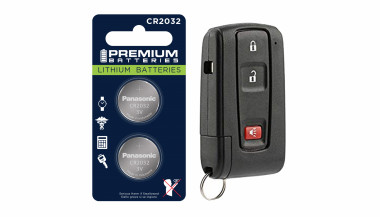
How to Choose the Right Car Key Shell for Your Vehicle + Why We Recommend Panasonic CR2032 Batteries

How to Choose the Right Car Key Shell for Your Vehicle + Why We Recommend Panasonic CR2032 Batteries

Your car key is one of those things you don’t really think about — until it breaks. Whether it’s the worn-out buttons, a cracked shell, or a battery that gives up at the worst possible moment, an aging car key can cause more than just annoyance. But here's the good news: you can restore your key to like-new condition easily, affordably, and from the comfort of your home. In this complete guide, we’ll show you how to choose the right replacement key shell for your car and why the Panasonic CR2032 battery is a trusted choice to keep your key fob performing reliably. Part 1: How to Choose the Right Car Key Shell Think of your key shell as a protective layer. It shields the sensitive electronics inside — the buttons, circuit board, and transponder chip — all of which are essential to operating your vehicle. When the case begins to wear down or fall apart, it’s time to replace it. 1. Know Your Car's Make, Model, and Year Key shells are made to fit specific car models and years. For instance: Flip key shells for Opel are commonly used on models from 2010 to 2024. Audi smart key shells are dependent on the platform code (like A3 8Y or A4 B9). Consult your owner's manual or use a compatibility tool like this one to confirm fitment. 2. Match the Key Blade Blades come in various formats like HU162, VA2, or HU100. Even a slight variation in shape or groove pattern can render the key useless in your ignition or door locks. Carefully compare the blade on your current key to the one listed for any replacement shell. 3. Button Layout and Functionality Make sure the number and positioning of buttons on the replacement shell matches your original. If not, the rubber pads may not line up with the contact points on your key’s circuit board, making the buttons unresponsive. 4. Interior Design and Compatibility The outside might look the same, but inside layouts often differ. Ensure that your circuit board, battery slot, and chip all fit securely inside the new shell. Misalignment can cause rattling, failure to start the car, or buttons that don’t function correctly. 5. Material Quality Avoid very cheap replacements with thin plastic and soft rubber. A good quality shell should be durable, with solid construction and tactile buttons that don't wear out quickly. For example, this Opel flip key shell combines strength with excellent fit. Part 2: Why We Recommend Panasonic CR2032 Batteries When your key fob starts failing — maybe the range drops or it takes multiple presses to unlock — chances are the battery is low. Many car owners replace the shell without considering the battery, only to find the problem persists. Understanding the CR2032 The CR2032 is a 3-volt lithium coin battery, commonly used in remote keys and small electronic devices. It’s compact, stable, and specifically suited for low-power, long-term applications. What Makes Panasonic CR2032 Stand Out? Panasonic’s version of the CR2032 is known for its consistency and reliability. It offers: A stable voltage output, ensuring your key communicates with your car effectively Longer life compared to many generic brands Resistance to leaks, which protects internal circuits from corrosion Choosing a battery from a trusted manufacturer can save you from unexpected failures, especially in colder climates where battery performance matters most. We recommend the Panasonic CR2032 battery for its excellent balance of performance and reliability. Refreshing Your Car Key: A Practical Approach If your car key is showing signs of age, it's usually best to replace both the shell and the battery. The process is simple: Open the old shell carefully, using a flat tool if needed. Remove the circuit board, chip, and battery. Clean the components gently with a dry brush. Place them into the new shell, ensuring alignment. Insert a fresh CR2032 battery. Close and secure the new shell. After completing these steps, your key should be more responsive, look better, and feel sturdier in your hand.

How to Clean and Maintain Your Car Key Fob Like a Pro

How to Clean and Maintain Your Car Key Fob Like a Pro

Your car key fob is one of the most used items in your daily life. You press it multiple times a day, carry it in your pocket or bag, toss it on desks, and sometimes accidentally drop it on the ground. But how often do you actually clean or check it? Most people only think about their key fob when it stops working. By then, it's often too late. The good news is, with a little attention and regular maintenance, you can keep your car key fob working perfectly for years to come. In this article, you'll learn how to clean and maintain your car key fob like a pro — so you can save money, avoid frustration, and get the best performance out of your key. Why Cleaning and Maintaining Your Key Fob Matters Car key fobs aren’t just simple remotes. They're packed with sensitive electronics, small batteries, and tiny contact points that can easily get damaged by dirt, moisture, or simple neglect. If you never clean or check your key fob, you might start to notice: Unresponsive buttons Reduced signal range Frequent battery issues Complete failure to unlock or start the car Most of these problems are avoidable with basic maintenance . Cleaning your key fob regularly helps keep it functional, protects its electronics, and ensures it lasts longer. It also saves you from spending money on costly repairs or total key replacements. How to Clean Your Car Key Fob: Step-by-Step Guide Step 1: Open the Key Fob Gently Start by carefully opening your key fob. Most models have a small groove or notch where you can insert a flathead screwdriver or a coin to separate the shell. Be gentle — forcing it open can crack the plastic or damage internal clips. If you're unsure, check your car’s manual or look up your key model online to find specific instructions. Step 2: Remove the Battery Once you open the key fob, always remove the battery before cleaning. This protects the electronic circuit from any accidental moisture and prevents short-circuiting. Set the battery aside in a dry, safe place. Step 3: Clean the Exterior Use a soft, dry microfiber cloth to wipe the outside of the key fob shell. For tougher dirt or sticky areas, slightly dampen the cloth with water or isopropyl alcohol (70% or higher). Avoid using harsh cleaning chemicals that could damage the plastic or remove painted symbols. Step 4: Clean the Buttons and Small Gaps Dirt, dust, and pocket debris often collect around the buttons. These particles can block the buttons from making proper contact or cause them to stick. Use a cotton swab or a soft toothbrush to gently clean around the edges and in between the buttons. For tight spaces, a toothpick can help dislodge stubborn dirt. If needed, lightly moisten the cotton swab with alcohol to break down grime. Always dry the key fob thoroughly after cleaning. Step 5: Inspect and Clean the Battery Contacts Battery contacts can become dirty or corroded over time, especially if the battery leaked or moisture got inside. Check the metal contact points carefully. If you see white powder or greenish residue (common signs of corrosion), gently clean them using a cotton swab dipped in isopropyl alcohol. Be extremely careful not to bend or scratch the contacts. If corrosion is too severe, the key fob might need professional repair or a replacement circuit board. Step 6: Replace the Battery if Needed Key fob batteries typically last between 1 to 2 years, but frequent use, weak signals, or exposure to extreme temperatures can shorten battery life. If your battery is old or low, replace it with a new one. Most car key fobs use CR2032 or CR2025 batteries. Always make sure you install the new battery in the correct position, respecting the polarity (+ / -). A fresh battery not only improves response time but also ensures the signal reaches your car reliably. Step 7: Reassemble the Key Fob Once everything is clean and fully dry, carefully snap the key fob back together. Make sure the casing is securely closed and the buttons feel smooth and responsive. Test the key fob to confirm that it works correctly. Pro Tips to Keep Your Car Key Fob in Top Shape A well-maintained key fob can last many years. Here’s how to keep it working perfectly: Keep it Dry: Most key fobs aren’t waterproof. Avoid rain, puddles, wet pockets, or any contact with liquids. Use a Protective Cover: A silicone or rubber key cover adds shock protection, keeps out dirt, and prevents scratches. Avoid Extreme Heat or Cold: Leaving your key fob in direct sunlight or in a freezing car can damage the battery and weaken plastic parts. Change the Battery Regularly: Don’t wait for your key fob to completely stop working. Weak batteries can lead to unreliable signals and unexpected failure. Don’t Drop It: Even though most key fobs can handle light drops, repeated impact can cause internal damage. When to Replace the Key Fob Shell If your key fob shell is cracked, worn, or no longer closes tightly, it’s time to replace it. A damaged shell can let moisture and dirt reach the electronics and cause long-term damage. Replacing the shell is a quick and affordable solution that can extend your key fob’s life significantly. At Mr. Key , we offer high-quality key fob shells, batteries, and repair kits that can help you refresh your key fob and save money compared to dealership prices. Explore our key fob repair kits, protective covers, and replacement batteries now at mr-key.com . Your car key fob may seem like a small detail, but it plays a huge role in your daily life. Without it, you can’t get in or even start your car. The good news is that taking care of your key fob is easy. With regular cleaning, battery checks, and some simple maintenance, you can keep it working reliably for years. And if you need to replace your battery, your key shell, or your entire key fob, Mr. Key is here to help. We provide everything you need to keep your keys in perfect shape, save money, and avoid unnecessary trips to the dealer.

How to Identify Your Key Type for Easy Replacement

How to Identify Your Key Type for Easy Replacement

Replacing a lost or broken key might seem straightforward, but identifying the correct type of key is crucial to getting an exact replacement. Whether you need a car key, a house key, or even a cabinet key, each type has specific features that determine its function and fit. Here’s a step-by-step guide to understanding your key type, so you can save time and avoid unnecessary frustration when ordering a replacement. Why Key Identification is Important Keys come in many shapes and sizes, each designed for specific types of locks. Understanding your key’s unique characteristics ensures you get the right replacement and avoid wasted time or money on mismatched keys. Avoid Extra Costs : Ordering the wrong key can mean additional fees for reordering. Save Time : Getting the right key from the start saves the hassle of sending it back and waiting for the correct replacement. Enhance Security : Accurate key identification ensures your security by avoiding compromised, incorrect key fits. Types of Keys: Which One is Yours? Understanding the different types of keys can help you determine what you have. Here are the common types and what makes each unique. 1. Household Keys Household keys are typically designed for residential locks like front doors, back doors, and garage doors. These keys are often small and have either a single or double-sided cut pattern along the edges. Some household keys are unique in design, making them specific to a particular lock type. Common Features : Smaller, single or double-sided cuts. Typical Use : Standard residential door locks, such as deadbolts and knob locks. Tip : Look for any identifying numbers or letters on the key itself. These may indicate a specific lock series, making it easier to identify. 2. Car Keys Car keys come in various styles, depending on the make, model, and year of the vehicle. While older cars may use basic metal keys, most modern vehicles use transponder keys or fob keys with embedded chips for added security. Basic Car Keys : Metal keys without electronic components. Transponder Keys : These have a small chip embedded in the head, which communicates with the car to prevent theft. Key Fobs : Some cars use a fob that contains a keyless entry system, which requires programming specific to your vehicle. Tip : If your car uses a transponder or fob key, you may need assistance programming the replacement. 3. Padlock Keys Keys for padlocks can be small and compact, with a straightforward design. These keys often have a unique series number printed on them, making it easier to match them to a specific lock model. Common Features : Small size, usually single-sided. Typical Use : Storage units, gym lockers, and outdoor gates. 4. Furniture and Cabinet Keys Furniture and cabinet keys are typically found on desks, filing cabinets, and other types of lockable furniture. These keys are generally small, with a straight or tubular shaft, and they often have numbers or letters for identification. Common Features : Compact, single or double-sided cuts, often with identification codes. Typical Use : Office furniture, personal storage, and older-style drawers. 5. High-Security Keys High-security keys are specifically designed to prevent unauthorized duplication. These keys have unique, intricate cut patterns and require special authorization for copying. Common Features : Complex, often multi-sided cuts with additional security features. Typical Use : High-security doors in residential or commercial settings, safes, and secure access points. Key Identification Tips: What to Look For Once you know the type of key, you’ll want to examine specific details that will help with identification. Here’s what to look for: Keyway and Shape : The groove pattern, or “keyway,” is specific to the key type. Take note of the key’s shape and groove configuration. Markings and Codes : Look for any numbers or letters printed on the key. These often refer to specific lock brands or key series. Size and Length : Measure your key’s length, as some keys are longer or shorter depending on the lock type. Metal Head Design : Certain keys, like car keys, may have plastic or rubberized heads, which can indicate the need for a transponder or chip inside. Steps to Identify Your Key Type Inspect for Markings : Look closely at your key for any stamped numbers, letters, or symbols. These markings can often be referenced to find a matching lock or brand series. Measure Your Key : Use a ruler or tape measure to record the length and width of your key. These dimensions can help narrow down the exact key type. Examine the Cut Pattern : Take note of the number of cuts and whether they are on one or both sides. Identify the Head Style : If it’s a car key with a transponder, the head might be plastic or rubber. Check for a Code on the Lock : Some padlocks and cabinet locks have codes printed on them that correspond to a specific key model. What to Do When You Can't Identify the Key If your key has no visible markings or the cuts are unusual, consider taking a photo to help in the identification process. For specialty keys or hard-to-identify types, you may want to seek professional help or consult a detailed online database for reference. Preventing Future Key Confusion Once you’ve identified your key, take a few steps to prevent future issues with identification. Label Your Keys : Adding a small tag with a brief description can help you remember the type of key. Keep Spare Keys in a Safe Place : Having a backup key prevents you from needing a replacement immediately. Store Key Codes or Information : If your key or lock has a series code, store it in a safe place in case you need it for future reference. Identifying your key type is essential for getting a precise replacement without unnecessary hassle. By taking the time to understand your key’s unique features, you can save both time and money when it’s time to replace it. Following these steps will help ensure that your replacement key works as smoothly as the original.

How to Rescue Your Car Key After It Gets Wet: A Practical Guide

How to Rescue Your Car Key After It Gets Wet: A Practical Guide

The Modern Dilemma: Wet Car Keys and How to Fix Them Imagine this: you’re caught in an unexpected downpour, and your car key slips from your hand, landing straight into a puddle. Or perhaps you accidentally leave your keys in your pocket while diving into a swimming pool. Whatever the scenario, the moment you realize your car key has been submerged in water can be panic-inducing. With modern car keys embedded with electronic chips and sophisticated technology, exposure to moisture can mean more than just a temporary inconvenience—it could leave you locked out or facing expensive repairs. But before you rush to replace your key, there are several steps you can take to salvage it. Understanding the Risks: What Happens When a Car Key Gets Wet? Car keys today are more than just metal; many include electronic transponders and remote control systems that communicate with the vehicle’s ignition. Water exposure can lead to: Short circuits: Moisture can cause electronic components to malfunction or fail entirely. Corrosion: Over time, water can lead to rust and degradation of internal circuits. Battery failure: Many car keys contain small batteries, and water exposure can lead to leakage or loss of function. While traditional metal keys are less affected by water, smart keys and key fobs are vulnerable. Acting quickly can often save your key from irreparable damage. Immediate Steps to Take When Your Car Key Gets Wet If your car key has been exposed to water, time is of the essence. Here’s what you need to do: Retrieve the key from the water as quickly as possible and wipe off excess moisture using a dry, absorbent cloth or paper towel. Remove the battery if possible since many car key fobs have removable batteries; check your car manual for instructions. If the battery is wet, replace it with a new one rather than attempting to dry and reuse it. Disassemble the key fob if safe to do so, carefully opening the casing to allow internal components to dry. Avoid using force or tools that might damage delicate parts. Use silica gel or rice for drying—place the key fob in a container of silica gel packets (often found in new shoe boxes or electronics packaging) for 24-48 hours; if silica gel is unavailable, uncooked rice can work as an alternative, though it may not be as effective. Avoid using direct heat—do not use hairdryers, microwaves, or ovens to speed up drying, as high temperatures can warp plastic components and damage circuits; instead, allow the key to air dry naturally in a warm, ventilated space. Finally, test the key once you’re confident it is dry by reinserting the battery and testing it on your car; if the key does not work, it may require reprogramming or replacement. When to Seek Professional Help If your key remains unresponsive despite thorough drying, it may have suffered internal damage. In such cases, consider these options: Contact your car manufacturer or dealership—they can provide a replacement key or attempt to reprogram the existing one. Visit a professional locksmith—many automotive locksmiths specialize in repairing and reprogramming electronic keys at a lower cost than dealerships. Check your car insurance policy—some policies cover lost or damaged keys, potentially reducing replacement costs. Global Trends in Key Fob Durability and Waterproofing Car manufacturers are increasingly designing key fobs to withstand water exposure. For example, Tesla’s Model 3 key card eliminates the need for traditional keys by using a waterproof RFID card, Toyota and BMW have introduced water-resistant key fobs, minimizing the risk of damage, and future innovations may include biometric key technology, reducing dependency on physical devices altogether. As technology advances, water-resistant key designs may become the norm, reducing the stress of accidental spills or submersion. Preventative Measures: How to Protect Your Car Key from Water Damage To avoid future incidents, consider these preventative steps: Use a waterproof key case: Available online, these cases provide a protective barrier against water exposure. Designate a dry storage spot: Avoid leaving keys in pockets that may go through the wash or near pools and sinks. Invest in a spare key: Having a backup key can be a lifesaver if your primary key is damaged beyond repair. Check for manufacturer upgrades: Some car brands offer upgraded, water-resistant key fobs for an additional fee. Act Quickly to Save Your Key A wet car key doesn’t necessarily mean it’s the end of the road. By acting swiftly and following proper drying techniques, you may be able to rescue your key without costly replacements. As car technology evolves, so too will key durability, but for now, a little caution and quick thinking can go a long way. If you frequently find yourself around water, taking preventative measures can save time, money, and frustration.

Chat with us