
Post Name

Lost Your Car Key Programming? Here's What to Do

Have you ever lost your car keys or found yourself with a spare key that doesn’t start your vehicle? While the process of programming a car key might seem intimidating, it’s often simpler than you’d expect. In many cases, car owners can program keys themselves without needing a visit to a dealership. This guide walks you through the essentials of car key programming, helping you save time, effort, and potentially a significant amount of money.

Understanding Car Key Programming: The Basics

Car key programming is the process of syncing a key with a car's internal computer so it can communicate securely. Modern vehicles use transponder keys or smart keys equipped with chips that emit a unique signal. Without proper programming, these keys won’t function, even if they fit perfectly into the ignition.

While older mechanical keys didn’t require programming, today’s advanced systems add a layer of security, reducing the risk of car theft. However, this added sophistication means that replacing or reprogramming a key is no longer as simple as cutting a piece of metal.

Quick Tip: Check your vehicle’s owner manual to see if programming your car key is a DIY-friendly process, as some models allow self-programming, while others require professional tools.

Step-by-Step Guide to Programming a Car Key

Before starting, ensure you have all necessary tools and information:

  • The vehicle’s owner manual.
  • All keys that need programming, including the functional ones.

Step 1: Access Programming Mode
Start by sitting in the driver’s seat with all the doors closed. Insert the already functional key into the ignition and turn it to the “on” position (do not start the engine). Some vehicles require you to cycle the key between “on” and “off” positions a specific number of times to enter programming mode.

Step 2: Add the New Key
Once in programming mode, remove the functional key and quickly insert the new key into the ignition. Turn it to the “on” position. The vehicle’s security light may flash to indicate the key has been successfully programmed.

Step 3: Test the Key
After programming, remove the new key and test it to ensure it can start the car and unlock the doors.

Note: Each car manufacturer has unique programming steps. Be sure to consult your owner’s manual or the manufacturer’s website for specific instructions.

When Professional Help Is Needed

While many vehicles allow for DIY key programming, others require specialized equipment or software that only dealerships or locksmiths can access. This is particularly true for luxury or high-end cars with advanced encryption and security features. If your DIY efforts fail, it’s best to seek help from a certified professional.

Visiting a dealership is a reliable, albeit more expensive, option. Alternatively, professional locksmiths often provide programming services at a lower cost, making them a practical choice for many drivers.

Costs and Considerations

The cost of programming a car key varies significantly based on the vehicle’s make and model. For basic models, self-programming might cost nothing if you already have a functional key. However, professional programming can range from $50 to $300 or more, especially for smart keys or proximity fobs.

To minimize costs:

  • Have a spare key: Always keep a functional spare to simplify programming if a replacement is needed.
  • Research costs: Call local locksmiths or dealerships to compare pricing.

Empower Yourself with Knowledge

Programming a car key doesn’t have to be a daunting task. With the right tools and information, many car owners can handle the process themselves, saving time and money. However, it’s essential to recognize when professional assistance is necessary, particularly for complex key systems.

By understanding the basics of car key programming and following a step-by-step approach, you can ensure your vehicle remains secure and functional. So, whether it’s a spare key or a replacement, you now have the confidence to tackle the task or know where to turn for help.
Related Posts

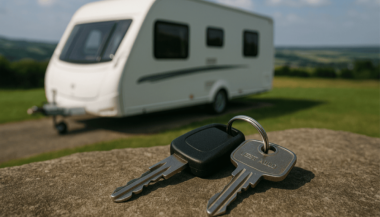
What to Do If You Lose Your Caravan, Motorhome or Camper Keys?

What to Do If You Lose Your Caravan, Motorhome or Camper Keys?

Imagine This Situation… You’ve arrived at your campsite after a long drive, set up your caravan, and enjoyed a relaxing afternoon. The awning is out, the chairs are ready, and the smell of food is still in the air from lunch. You decide to go on a hike in the hills nearby. The scenery is breathtaking, the walk refreshing. But when you return, ready to rest, you reach into your pocket — and your caravan keys are gone . You search your backpack, check the ground around you, even retrace your steps on the trail. Nothing. Now you’re locked out of your caravan or motorhome, with your belongings inside and no easy way in. It’s a nightmare scenario that many campers face — but the good news is that losing caravan, motorhome, or camper keys doesn’t have to ruin your holiday. Step 1: Stay Calm and Search Thoroughly Before panicking, take these first steps: • Check pockets and bags again. Keys can easily slip into hidden corners. • Look inside the caravan windows. They might be left on a table or bed. • Retrace your route. Sometimes keys drop near the campsite or along short trails. • Ask at campsite reception. Fellow campers often hand in lost keys. If your keys are truly gone, you’ll need a replacement quickly. Step 2: Know Your Brand and Lock Type Different caravans and motorhomes use different locks and keys. Identifying your brand and model is the first step to finding the right replacement. At MR-KEY , we supply keys for many popular brands, including: • Caravans & Motorhomes: Abbey, Ace, Adria, ABI, Auto-Sleeper, Auto-Trail, Autocruise, Avondale, Bailey, Burstner, Caretta, Compass, Dethleffs, Elddis, Fendt, Hymer, Knaus, Mobilvetta, Rapido, Sterling, Swift, Tabbert, Weinsberg, Chausson, Danbury • Locks & Accessories: Caraloc and more We also cover locker keys, water filler caps, gas bottle compartments, roof racks, and storage boxes , not just entry doors. Step 3: Replacement Options Through the Dealer • Pros: Original keys, guaranteed fit. • Cons: Expensive, slow (can take weeks), requires paperwork. Through MR-KEY • Keys cut to code – provide your key code and we’ll cut a precise replacement. • Keys cut by photo – send us a clear picture of your existing key. • Blank keys – order blanks and have them cut locally. Why MR-KEY is better than the dealer: • Fast delivery across Europe • Affordable pricing • Wide range of caravan, motorhome, and camper brands • Guaranteed accuracy with professional cutting Step 4: Don’t Get Stranded Again – Order a Spare If you’ve lost your keys once, it’s smart to prepare for next time: • Keep a spare set at home or with a trusted family member. • Store a second set in a safe place inside the caravan. • Use a Bluetooth key tracker (like Tile or AirTag) to find lost keys quickly. Why MR-KEY? • Largest range of caravan, motorhome & camper keys in Europe • Fast delivery to your campsite or home • Cheaper than dealerships without long waiting times • Precision cutting for a perfect fit every time Final Word Losing your caravan or motorhome keys can turn a dream holiday into a stressful experience. But with MR-KEY , getting a replacement is quick and simple. Whether you need a door key, locker key, or gas compartment key, we’ve got you covered. Order your Caravan, Motorhome & Camper Keys today from MR-KEY and get back to enjoying your adventure without worry.

How to Program a Spare Car Key: Should You DIY or Call a Pro?

How to Program a Spare Car Key: Should You DIY or Call a Pro?

You’ve got a spare car key in your hand and one big question on your mind: can you program it yourself, or should you visit a locksmith or dealer? The answer depends on your car and the key. In this guide, you'll discover when DIY programming is possible, when it's not, and how to avoid common mistakes. Whether you're aiming to save money or just want a backup key for peace of mind, here's everything you need to know. Types of Car Keys: What You’re Working With Not all car keys are the same—and that matters. Older vehicles often use simple metal keys or basic transponder keys, while modern cars rely on electronic fobs and smart keys with encrypted chips. If your car was built before the early 2000s, there’s a good chance you can program a spare yourself without any special tools. Newer vehicles, however, might require dealer-level software or diagnostic equipment to complete the job. Basic key types include: Non-transponder metal keys : can be copied at any key-cutting service. Transponder keys : contain a chip that communicates with your car’s immobilizer. Remote key fobs : combine keyless entry with a transponder chip. Smart/proximity keys : high-tech, often require dealer programming. How DIY Key Programming Works If your car supports on-board programming, you're in luck. Here’s how a common DIY method looks: Insert your original (master) key into the ignition and turn it to “on” (don’t start the engine). Leave it for five seconds, then remove it. Quickly insert the new spare key and turn it to “on.” Wait for the security light to blink or turn off—this confirms successful programming. Test the spare key by starting the engine. Note: This process varies by vehicle. Always consult your owner's manual or search for your specific make, model, and year online before starting. When You’ll Need a Professional DIY isn’t always an option. If your car uses advanced keyless systems, push-button start, or encrypted communication, programming usually requires access to manufacturer software and security codes. In these cases, a qualified locksmith or dealership is your best (and safest) bet. Also, if your vehicle requires a unique PIN to program a new key—and you don’t have it—don’t guess. Incorrect attempts could lock the system and result in costly reprogramming. Choosing the Right Spare Key Buying the correct spare key is critical for success. You’ll need: The correct transponder chip type (e.g., ID46, ID48, PCF7946 ) Matching blade shape or key profile The correct frequency (commonly 433MHz or 868MHz ) Avoid cheap generic blanks unless you're certain they’re compatible. Poor-quality keys may not accept programming or may fail shortly after. Quick DIY Checklist: Are You Ready? You already have a working master key Your vehicle supports on-board key programming The spare matches in chip, frequency, and blade You’re comfortable following time-sensitive steps You’re okay calling a pro if things don’t work If you checked most of those, DIY might be a great fit. If not, you’re better off with professional help—it could save you time, frustration, and possibly money in the long run. Be Smart with Your Spare Key Having a backup key is more than convenient—it’s essential. From lost keys to unexpected lockouts, a properly programmed spare key can save the day. If your vehicle allows DIY programming, take your time, follow instructions carefully, and double-check compatibility. If you hit a wall, don’t force it. Pros are there for a reason. No matter which route you take, you’ll thank yourself later for being prepared. Because when it comes to your car keys, one really isn’t enough.

Simple and Affordable Solutions for Car Key Replacement and Repairs

Simple and Affordable Solutions for Car Key Replacement and Repairs

Misplacing or damaging your car keys can be a major inconvenience, but it doesn't have to be a costly ordeal. As a car owner seeking budget-friendly and efficient solutions, understanding your options is crucial. Here's a comprehensive guide to help you navigate the process of replacing your car keys without breaking the bank. Understanding Your Car Key Type Identifying the specific type of car key you have is the first step toward an effective replacement: Traditional Metal Keys : Simple, non-electronic keys that are easy and inexpensive to duplicate. Transponder Keys : Equipped with a chip that communicates with your vehicle's ignition system for added security. Remote Key Fobs : Allow remote locking and unlocking of your vehicle, often integrated with a transponder chip. Smart Keys : Provide keyless entry and start features, utilizing advanced technology for convenience. Cost-Effective Alternatives to Dealership Key Replacement Dealerships are known for charging premium prices for key replacements. Consider these more affordable options: Professional Locksmiths : Specialize in cutting and programming various types of car keys, often at a fraction of dealership costs. Online Key Retailers : Offer replacement keys and fobs that can be purchased and then programmed either by yourself or a professional. Hardware Stores : Some stores can duplicate traditional metal keys on the spot, providing a quick and inexpensive solution. Steps to Take When You've Lost Your Car Key Losing your car key can be stressful, but following these steps can streamline the replacement process: Verify Your Vehicle Identification Number (VIN) : Locate your VIN, typically found on the dashboard or inside the driver's side door, as it is essential for key replacement. Gather Necessary Documentation : Prepare proof of ownership, such as your vehicle registration and personal identification. Contact a Professional : Reach out to a reputable locksmith or key replacement service with your vehicle details to obtain a new key. Removing a Broken Key from the Ignition or Door Lock A broken key can be a frustrating obstacle. Here's how to address it: Use Needle-Nose Pliers : If a portion of the key is protruding, gently extract it using pliers. Apply Lubricant : Spray a graphite-based lubricant into the lock to ease the removal process. Seek Professional Assistance : If the key fragment is lodged deep or these methods fail, contact a locksmith to prevent further damage. Preventative Measures to Avoid Future Key Issues Keep a Spare Key : Having a duplicate stored safely can save time and money in emergencies. Regular Maintenance : Inspect your keys and locks periodically for signs of wear and address issues promptly. Use Key Protectors : Invest in key covers or cases to minimize physical damage.

Key Fob vs. Transponder vs. Smart Key: What’s the Difference?

Key Fob vs. Transponder vs. Smart Key: What’s the Difference?

Unlocking the Modern Car Key In the past, a car key was a simple piece of metal. You inserted it into the door, turned it, and the car unlocked. You repeated the process in the ignition to start the engine. Today, however, a car key might be a sleek device that never even leaves your pocket. It may unlock your doors remotely, start the car with a button, or communicate with your vehicle without you even touching it. This evolution in key technology has introduced convenience, security, and — for many drivers — a bit of confusion. What kind of key do you actually have? Is it a transponder key , a key fob , or a smart key ? And why does it matter? In this blog, we break down each type of modern car key, explain how they work, and highlight what makes them different — so you can better understand, maintain, and protect the device that starts your vehicle. What Is a Transponder Key? The transponder key was the first major step toward electronic vehicle security. Introduced in the 1990s, it features a small microchip embedded in the plastic head of a standard metal key. This chip communicates with the car's immobilizer system. When you insert the key into the ignition and turn it, the car sends out a low-frequency signal. If the chip responds with the correct, pre-programmed code, the vehicle starts. If the code is incorrect — or missing — the car won’t start at all. Key characteristics: Looks like a traditional key Contains a passive chip (no battery needed) Requires physical insertion and turning Designed to prevent hotwiring and unauthorized key copies Transponder keys are still widely used, especially in vehicles produced between the late 1990s and early 2010s. They’re simple, reliable, and provide basic but effective protection against theft. What Is a Key Fob? The term key fob typically refers to a small, handheld remote that controls access to your car without inserting a key into a lock. Most modern fobs include buttons for locking and unlocking the doors, opening the trunk, and triggering a panic alarm. Some also support remote engine start. In many vehicles, the fob is attached to — or integrated with — a mechanical key that includes a transponder chip. Others are "flip keys," with a metal blade that folds inside the fob casing. Key fob features: Enables remote locking/unlocking May include a transponder chip Often includes a mechanical backup key Battery-powered (usually coin cell batteries) May include passive entry on some models Key fobs offer a balance between convenience and control. While you still need to press buttons or insert a key in many cases, they streamline the process and add useful features. What Is a Smart Key? The smart key is the most advanced and convenient type of car key available today. It communicates with your vehicle wirelessly using radio frequency or low-energy Bluetooth. As long as the smart key is within range — often in your pocket or bag — the car will unlock automatically when you touch the handle, and start when you press the ignition button. Unlike a key fob, there’s no need to press buttons or insert anything into the ignition. The system detects the key’s presence and grants access and engine start as needed. Smart key features include: Passive keyless entry (PKE) Push-button start Proximity detection Fully hands-free operation Often includes comfort access features like memory seating and climate control However, smart keys also introduce new considerations. They rely entirely on battery power, so a dead battery can temporarily disable key functions. Because smart keys are always transmitting a signal, they are also vulnerable to relay attacks , in which thieves use signal amplifiers to trick the car into unlocking. Key Comparison Table To help clarify the differences between each type of key, here’s a side-by-side comparison: Feature Transponder Key Key Fob Smart Key Physical key required Yes Sometimes (flip blade) No Remote locking/unlocking No Yes (buttons) Yes (proximity-based) Push-button start No No Yes Battery required No Yes Yes Security level Moderate High (with chip) High Common years of use 1995–2012 2000–present 2015–present Risk of relay attack None Low (in some cases) High (without signal shield) Why It Matters: Practical Impacts for Drivers Understanding what kind of car key you have can save you time, money, and stress in several situations: 1. Replacing Lost or Broken Keys Smart keys can cost anywhere from $200–$600+ to replace and usually require dealership programming. Transponder keys are cheaper and often programmable by locksmiths. 2. Diagnosing Key Issues If your car won’t start, it could be due to a dead battery in your fob or smart key. But if you have a transponder key, the issue might be with the chip or immobilizer system. 3. Security Awareness Smart keys are vulnerable to digital theft via relay attacks. If you have one, consider using a Faraday pouch or signal-blocking case to protect your vehicle while parked. Want to protect your key? Browse Mr Key's security accessories here. 4. Choosing Accessories Batteries, protective covers, signal-blocking cases, and replacement parts vary depending on your key type. Buying the wrong product can lead to frustration or compatibility issues. Know Your Key, Protect Your Car Your car key is more than a tool — it’s an entry system, a security feature, and a communication device. Whether you’re carrying a traditional transponder key, a button-operated key fob, or a proximity-based smart key, knowing the difference is the first step toward better security, smarter repairs, and fewer surprises. In a world where cars are smarter than ever, your key plays a more important role than most drivers realize. Take a moment to identify which type you have — and take steps to protect it.

Chat with us