Post Name

Misplacing or damaging your car keys can be a major inconvenience, but it doesn't have to be a costly ordeal. As a car owner seeking budget-friendly and efficient solutions, understanding your options is crucial. Here's a comprehensive guide to help you navigate the process of replacing your car keys without breaking the bank.

Understanding Your Car Key Type

Identifying the specific type of car key you have is the first step toward an effective replacement:

Traditional Metal Keys: Simple, non-electronic keys that are easy and inexpensive to duplicate.

Transponder Keys: Equipped with a chip that communicates with your vehicle's ignition system for added security.

Remote Key Fobs: Allow remote locking and unlocking of your vehicle, often integrated with a transponder chip.

Smart Keys: Provide keyless entry and start features, utilizing advanced technology for convenience.

Cost-Effective Alternatives to Dealership Key Replacement

Dealerships are known for charging premium prices for key replacements. Consider these more affordable options:

Professional Locksmiths: Specialize in cutting and programming various types of car keys, often at a fraction of dealership costs.

Online Key Retailers: Offer replacement keys and fobs that can be purchased and then programmed either by yourself or a professional.

Hardware Stores: Some stores can duplicate traditional metal keys on the spot, providing a quick and inexpensive solution.

Steps to Take When You've Lost Your Car Key

Losing your car key can be stressful, but following these steps can streamline the replacement process:

Verify Your Vehicle Identification Number (VIN): Locate your VIN, typically found on the dashboard or inside the driver's side door, as it is essential for key replacement.

Gather Necessary Documentation: Prepare proof of ownership, such as your vehicle registration and personal identification.

Contact a Professional: Reach out to a reputable locksmith or key replacement service with your vehicle details to obtain a new key.

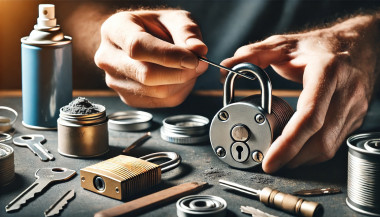
Removing a Broken Key from the Ignition or Door Lock

A broken key can be a frustrating obstacle. Here's how to address it:

Use Needle-Nose Pliers: If a portion of the key is protruding, gently extract it using pliers.

Apply Lubricant: Spray a graphite-based lubricant into the lock to ease the removal process.

Seek Professional Assistance: If the key fragment is lodged deep or these methods fail, contact a locksmith to prevent further damage.

Preventative Measures to Avoid Future Key Issues

Keep a Spare Key: Having a duplicate stored safely can save time and money in emergencies.

Regular Maintenance: Inspect your keys and locks periodically for signs of wear and address issues promptly.

Use Key Protectors: Invest in key covers or cases to minimize physical damage.

Related Posts

15 Essential Car Hacks Every Driver Should Know in 2026

15 Essential Car Hacks Every Driver Should Know in 2026

Get ready for the road ahead with our collection of 15 essential car hacks for 2026 . From daily driver tips to clever car life hacks , these practical tricks will help every driver – new or experienced – save time, money and stress behind the wheel. 1. Pack a Smart Emergency Kit Never be caught unprepared. Your car’s emergency kit should include basic tools and supplies: jumper cables, flashlight, first-aid kit and a blanket. Don’t skip the abrasive material – keep a bag of sand or cat litter on hand to spread under icy wheels for traction . Store these items in a sturdy box or duffel in the trunk. For example, AAA recommends keeping sand, salt or kitty litter for tire grip, and even suggests using a floor mat under a spinning tire to get out of snow. Jumper cables: A dead battery can ruin your day. Kitty litter or sand: Sprinkle under spinning tires for grip . Flashlight & flares: Stay visible at night or in breakdowns. Tools & blanket: Basic tools (multi-tool, duct tape) plus a warm blanket. 2. Boost Your Traction Tricks If you ever get stuck in snow or mud, common household items can help you move. AAA specifically recommends carrying a bag of sand, rock salt or kitty litter for traction. You can also use your car’s own items: slide one of your floor mats under a stuck wheel to give the tire something to grab . With a gentle back-and-forth rocking of the vehicle, you’ll likely be back on the road in no time. 3. Track Your Maintenance History Keep a log of every oil change, brake service and repair. When selling or trading in your car, a documented history proves you cared for it. In fact, buyers will pay more for a vehicle with clear service records . Use a small notebook in the glovebox or a smartphone app to note dates and mileage for each service. This simple habit boosts resale value and prevents overlooked maintenance. 4. Check for Recalls Often Automakers sometimes issue safety recalls, and driving with an unresolved recall can be dangerous. Make it a habit to check your vehicle’s VIN on NHTSA’s website or app at least twice a year . NHTSA even offers email alerts and a “SaferCar” app to notify you of new recalls . If there’s a recall, visit your local dealer for a free fix. Regular recall checks keep you safely on the road. 5. Don’t Idle to Warm Up the Engine In cold weather, skip the long idling. Modern fuel-injected engines warm up faster when you drive, not when idling. In fact, idling too long can foul plugs and degrade engine oil . Start the car and drive away gently after about 30 seconds – you’ll reach operating temperature faster and waste less fuel. The EPA even advises limiting idling to 30 seconds or less to reduce pollution. 6. Keep the Car Organized A clutter-free car is a stress-free car. Use simple containers and organizers to tame the mess. For example, putting a couple of laundry baskets in the trunk lets you group items (gym gear in one, groceries in another) . Hang an over-seat organizer or shower caddy on the back of a front seat to stash toys, chargers and snacks. A tidy cabin means you’ll spend less time hunting for what you need. Laundry baskets: Sort trunk items by category . Seatback pockets: Store phones, maps, sunglasses and cables. Cupholder liners: (silicone or paper muffin liners) to catch crumbs for easy cleanup. 7. Leverage Your Smartphone Apps Your phone is a powerful co-pilot. Navigation apps (Google Maps, Waze) give real-time traffic alerts and fastest routes. For parking, use Apple Maps’ “parked car” feature or apps like iParked to mark your location. Fuel apps like GasBuddy or Gas Guru can find the cheapest gas nearby. Just use a hands-free mount or voice commands so your eyes stay on the road. These daily driver tips can save time and money on every trip 8. Clean Headlights with Toothpaste Faded, cloudy headlights don’t just look old – they reduce night visibility. An easy remedy: apply non-gel toothpaste to a damp cloth and scrub the headlight lens in circular motions . The mild abrasives polish away grime and small scratches. Rinse and wipe clean – your headlights will shine clearer, improving safety and curb appeal. 9. Polish the Dashboard with Kitchen Oil Dull, dusty dashboards can be revived with items you already have. Pour a bit of olive oil (or baby oil) onto a coffee filter and gently wipe the dash . The oil lifts dust and adds a light shine without harsh chemicals. It’s a cheap, scratch-free way to keep your interior looking sharp. 10. Thaw Frozen Door Locks Winter mornings often mean frozen locks. Keep an alcohol-based hand sanitizer (gel) in the glove box or door pocket. A small squirt into the lock’s keyhole will melt ice on contact , letting your key turn again. This quick hack saves time and frustration on cold days. 11. Protect Doors in the Garage Tight garages often mean dinged doors. A simple hack: attach foam pool noodles or strips to the garage wall at car-door height. When you open the door, it bumps the soft foam instead of your paint. This DIY bumper protects against scratches and dents during parking. 12. Use Gas-Saving Habits Fuel economy hacks can save real money. In hot weather, try to fill up in the cool of early morning or late evening – gasoline is denser when it’s cold, so you get slightly more fuel per gallon. Smooth acceleration and maintaining steady speeds also boost mileage. Over time, good habits and using gas-price apps make a noticeable difference in your wallet. 13. Photograph Rentals Before Driving Always take photos of any rental or loaner car (or even a valet-parked car) before you drive off . Capture all sides, bumpers and interiors. Those timestamped photos document pre-existing scratches or dings, protecting you from false damage claims later. 14. Store Spare Change and Documents Wisely Keep a small change container in the car for parking meters and tolls – an empty gum or Tic-Tac box works well. Also organize your paperwork: put your vehicle registration, insurance and roadside assistance info in the glovebox or a designated pouch. Being able to grab these without panic is a true life hack when you need them. 15. Park Strategically When possible, face east during winter. The morning sun will hit your windshield first and help defrost it. In summer, park in shade if you can, or use a sunshade on the dash to keep the interior cooler. These little parking hacks make getting into your car more comfortable. FAQ Q: What should I include in a basic car emergency kit? A: At minimum, pack jumper cables, a flashlight with extra batteries, a first-aid kit, warm blankets, and a basic tool kit. Add jumper cables and an auto tool kit. AAA and NHTSA advise including sand or kitty litter (for tire traction) plus flares or a reflective triangle in winter . Store all supplies in a waterproof box or bag in your trunk . Q: How often should I check my tire pressure? A: Check tire pressure at least once a month and before long trips . Temperature changes affect pressure: tires lose about 1-2 psi when it’s cold. Proper pressure improves mileage and handling, so use a gauge or have it done when you gas up. Q: Is it really bad to let my car idle in winter? A: Yes. Modern cars warm up faster by driving than by idling . Extended idling wastes fuel and increases engine wear. Start the car, let it run ~30 seconds, then drive gently until it reaches normal temperature. This gets you on the road sooner, saves gas, and reduces emissions. Q: How can I defrost my windshield faster? A: Aside from using the car’s defroster, park facing the rising sun (east) on cold mornings to let sunlight help melt ice. An ice scraper is essential. You can also spread a non-clumping cat litter or sand on the windshield while it’s cold (before icing) to help break up ice in the morning. In a pinch, pour lukewarm (not hot) water carefully on the glass to speed defrosting. Q: What’s a quick way to clean foggy headlights? A: Toothpaste to the rescue! Apply a dab of toothpaste on a soft cloth and scrub the headlights in circles . The mild abrasive will polish the plastic lens, removing haze and minor scratches. Rinse off and buff with a clean cloth. This simple hack can dramatically restore headlight clarity. Ready to put these hacks to use? For more car essentials and tools, visit our shop at mr-key.com . Safe driving!

Key Fob vs. Transponder vs. Smart Key: What’s the Difference?

Key Fob vs. Transponder vs. Smart Key: What’s the Difference?

Unlocking the Modern Car Key In the past, a car key was a simple piece of metal. You inserted it into the door, turned it, and the car unlocked. You repeated the process in the ignition to start the engine. Today, however, a car key might be a sleek device that never even leaves your pocket. It may unlock your doors remotely, start the car with a button, or communicate with your vehicle without you even touching it. This evolution in key technology has introduced convenience, security, and — for many drivers — a bit of confusion. What kind of key do you actually have? Is it a transponder key , a key fob , or a smart key ? And why does it matter? In this blog, we break down each type of modern car key, explain how they work, and highlight what makes them different — so you can better understand, maintain, and protect the device that starts your vehicle. What Is a Transponder Key? The transponder key was the first major step toward electronic vehicle security. Introduced in the 1990s, it features a small microchip embedded in the plastic head of a standard metal key. This chip communicates with the car's immobilizer system. When you insert the key into the ignition and turn it, the car sends out a low-frequency signal. If the chip responds with the correct, pre-programmed code, the vehicle starts. If the code is incorrect — or missing — the car won’t start at all. Key characteristics: Looks like a traditional key Contains a passive chip (no battery needed) Requires physical insertion and turning Designed to prevent hotwiring and unauthorized key copies Transponder keys are still widely used, especially in vehicles produced between the late 1990s and early 2010s. They’re simple, reliable, and provide basic but effective protection against theft. What Is a Key Fob? The term key fob typically refers to a small, handheld remote that controls access to your car without inserting a key into a lock. Most modern fobs include buttons for locking and unlocking the doors, opening the trunk, and triggering a panic alarm. Some also support remote engine start. In many vehicles, the fob is attached to — or integrated with — a mechanical key that includes a transponder chip. Others are "flip keys," with a metal blade that folds inside the fob casing. Key fob features: Enables remote locking/unlocking May include a transponder chip Often includes a mechanical backup key Battery-powered (usually coin cell batteries) May include passive entry on some models Key fobs offer a balance between convenience and control. While you still need to press buttons or insert a key in many cases, they streamline the process and add useful features. What Is a Smart Key? The smart key is the most advanced and convenient type of car key available today. It communicates with your vehicle wirelessly using radio frequency or low-energy Bluetooth. As long as the smart key is within range — often in your pocket or bag — the car will unlock automatically when you touch the handle, and start when you press the ignition button. Unlike a key fob, there’s no need to press buttons or insert anything into the ignition. The system detects the key’s presence and grants access and engine start as needed. Smart key features include: Passive keyless entry (PKE) Push-button start Proximity detection Fully hands-free operation Often includes comfort access features like memory seating and climate control However, smart keys also introduce new considerations. They rely entirely on battery power, so a dead battery can temporarily disable key functions. Because smart keys are always transmitting a signal, they are also vulnerable to relay attacks , in which thieves use signal amplifiers to trick the car into unlocking. Key Comparison Table To help clarify the differences between each type of key, here’s a side-by-side comparison: Feature Transponder Key Key Fob Smart Key Physical key required Yes Sometimes (flip blade) No Remote locking/unlocking No Yes (buttons) Yes (proximity-based) Push-button start No No Yes Battery required No Yes Yes Security level Moderate High (with chip) High Common years of use 1995–2012 2000–present 2015–present Risk of relay attack None Low (in some cases) High (without signal shield) Why It Matters: Practical Impacts for Drivers Understanding what kind of car key you have can save you time, money, and stress in several situations: 1. Replacing Lost or Broken Keys Smart keys can cost anywhere from $200–$600+ to replace and usually require dealership programming. Transponder keys are cheaper and often programmable by locksmiths. 2. Diagnosing Key Issues If your car won’t start, it could be due to a dead battery in your fob or smart key. But if you have a transponder key, the issue might be with the chip or immobilizer system. 3. Security Awareness Smart keys are vulnerable to digital theft via relay attacks. If you have one, consider using a Faraday pouch or signal-blocking case to protect your vehicle while parked. Want to protect your key? Browse Mr Key's security accessories here. 4. Choosing Accessories Batteries, protective covers, signal-blocking cases, and replacement parts vary depending on your key type. Buying the wrong product can lead to frustration or compatibility issues. Know Your Key, Protect Your Car Your car key is more than a tool — it’s an entry system, a security feature, and a communication device. Whether you’re carrying a traditional transponder key, a button-operated key fob, or a proximity-based smart key, knowing the difference is the first step toward better security, smarter repairs, and fewer surprises. In a world where cars are smarter than ever, your key plays a more important role than most drivers realize. Take a moment to identify which type you have — and take steps to protect it.

How to Program a Spare Car Key: Should You DIY or Call a Pro?

How to Program a Spare Car Key: Should You DIY or Call a Pro?

You’ve got a spare car key in your hand and one big question on your mind: can you program it yourself, or should you visit a locksmith or dealer? The answer depends on your car and the key. In this guide, you'll discover when DIY programming is possible, when it's not, and how to avoid common mistakes. Whether you're aiming to save money or just want a backup key for peace of mind, here's everything you need to know. Types of Car Keys: What You’re Working With Not all car keys are the same—and that matters. Older vehicles often use simple metal keys or basic transponder keys, while modern cars rely on electronic fobs and smart keys with encrypted chips. If your car was built before the early 2000s, there’s a good chance you can program a spare yourself without any special tools. Newer vehicles, however, might require dealer-level software or diagnostic equipment to complete the job. Basic key types include: Non-transponder metal keys : can be copied at any key-cutting service. Transponder keys : contain a chip that communicates with your car’s immobilizer. Remote key fobs : combine keyless entry with a transponder chip. Smart/proximity keys : high-tech, often require dealer programming. How DIY Key Programming Works If your car supports on-board programming, you're in luck. Here’s how a common DIY method looks: Insert your original (master) key into the ignition and turn it to “on” (don’t start the engine). Leave it for five seconds, then remove it. Quickly insert the new spare key and turn it to “on.” Wait for the security light to blink or turn off—this confirms successful programming. Test the spare key by starting the engine. Note: This process varies by vehicle. Always consult your owner's manual or search for your specific make, model, and year online before starting. When You’ll Need a Professional DIY isn’t always an option. If your car uses advanced keyless systems, push-button start, or encrypted communication, programming usually requires access to manufacturer software and security codes. In these cases, a qualified locksmith or dealership is your best (and safest) bet. Also, if your vehicle requires a unique PIN to program a new key—and you don’t have it—don’t guess. Incorrect attempts could lock the system and result in costly reprogramming. Choosing the Right Spare Key Buying the correct spare key is critical for success. You’ll need: The correct transponder chip type (e.g., ID46, ID48, PCF7946 ) Matching blade shape or key profile The correct frequency (commonly 433MHz or 868MHz ) Avoid cheap generic blanks unless you're certain they’re compatible. Poor-quality keys may not accept programming or may fail shortly after. Quick DIY Checklist: Are You Ready? You already have a working master key Your vehicle supports on-board key programming The spare matches in chip, frequency, and blade You’re comfortable following time-sensitive steps You’re okay calling a pro if things don’t work If you checked most of those, DIY might be a great fit. If not, you’re better off with professional help—it could save you time, frustration, and possibly money in the long run. Be Smart with Your Spare Key Having a backup key is more than convenient—it’s essential. From lost keys to unexpected lockouts, a properly programmed spare key can save the day. If your vehicle allows DIY programming, take your time, follow instructions carefully, and double-check compatibility. If you hit a wall, don’t force it. Pros are there for a reason. No matter which route you take, you’ll thank yourself later for being prepared. Because when it comes to your car keys, one really isn’t enough.

What’s the Difference Between a Key Fob, Smart Key, and Proximity Key?

What’s the Difference Between a Key Fob, Smart Key, and Proximity Key?

Over the past two decades, vehicle security and convenience have evolved dramatically. Traditional metal keys have steadily given way to a range of more advanced systems that offer not only better protection but also more comfort for the everyday driver. Among the most commonly used terms in today’s automotive world are key fob , smart key , and proximity key . While often used interchangeably, these are not identical technologies. Each represents a step forward in how drivers interact with their cars, and understanding the differences between them is essential—especially when replacing, repairing, or purchasing new key components. In this article, we’ll explore each key type in detail, highlight what sets them apart, and offer practical insights to help you identify which type you own—and what that means for functionality, replacement options, and compatibility. Key Fob: The Foundation of Remote Access A key fob , in the modern context, refers to a remote control device that allows users to perform basic functions such as locking or unlocking the car doors. The word "fob" originally described a decorative accessory on a keychain, but it has evolved to refer specifically to these electronic remotes. Most key fobs use radio frequency (RF) signals to communicate with the vehicle. When you press a button on the fob, it sends a coded signal to a receiver inside the car, instructing it to lock, unlock, open the trunk, or activate the panic alarm. Some key fobs also include a physical key blade that can be used manually if the battery is dead or if the remote functionality fails. Key fobs became standard in the early 2000s and are now found in nearly every modern car. They represent the bridge between the traditional mechanical key and more advanced systems. While they don’t offer hands-free operation or engine-starting capabilities by default, they introduced a level of convenience that significantly improved the driving experience at the time of their launch. Smart Key: Hands-Free, High-Tech, Highly Secure The smart key builds on the foundation of the key fob but adds a major element of sophistication: hands-free access and ignition . With a smart key, you no longer need to press buttons to enter or start your vehicle. Instead, the key communicates continuously with the vehicle via low-frequency antennas and encrypted signals . As long as the key is within a certain range—often in your pocket or handbag—the vehicle automatically detects it and allows for keyless entry and push-button start. In many smart key systems, simply touching the door handle unlocks the vehicle. Once inside, starting the car requires nothing more than pressing a button on the dashboard. Some smart keys even store personalized settings, such as seat position or mirror alignment, offering a more tailored driving experience for each registered user. Originally reserved for luxury vehicles, smart keys have become increasingly common across all vehicle classes. Brands like Lexus, Mercedes-Benz, and BMW were early adopters, but today you’ll find smart keys in many Hyundai, Kia, Toyota, Nissan, and Volkswagen models. They offer both convenience and enhanced security thanks to rolling code encryption, which helps prevent signal interception and unauthorized vehicle access. Proximity Key: The Functional Twin of the Smart Key The term proximity key is often used synonymously with smart key, and in many cases, it functions in the same way. A proximity key allows the car to detect when the key is nearby—typically within one to three feet—and respond accordingly. You can unlock the car simply by approaching or touching the handle, and engine start is enabled through a button as long as the key remains inside the cabin. However, while all smart keys are proximity-based, not all proximity systems include the full feature set of a smart key. In some vehicles, the proximity key may lack advanced personalization or remote app integration, but the core functionality— hands-free locking, unlocking, and push-to-start capability —remains intact. The term “proximity key” is more commonly used in owner manuals or by manufacturers in Europe and Asia, while “smart key” has become the marketing standard in North America. Regardless of the terminology, the underlying technology is largely the same, relying on short-range radio waves, signal encryption, and two-way authentication between the key and the car. Breaking Down the Differences To simplify the distinctions between these three key types, it’s helpful to focus on user experience and technical capability. A traditional key fob requires active input—pressing a button to unlock the doors—whereas smart and proximity keys allow for passive, automatic operation. Additionally, the integration of engine start buttons, memory features, and enhanced security protocols tends to be exclusive to smart and proximity systems. Another notable difference lies in design and construction . Key fobs often have visible mechanical blades and rubber buttons, while smart keys are usually more compact, feature fewer or no physical buttons, and hide the emergency key blade inside the unit. Understanding this can help when shopping for replacement shells, batteries, or full units. Identifying Your Key Type Not sure which key your car uses? You’re not alone. Here's how to tell: If you must press a button on your key to unlock the doors and start the engine with a physical ignition slot, you’re likely using a key fob . If your car unlocks automatically when you approach and starts with a dashboard button —without ever removing the key from your pocket—you have a smart key or proximity key . If your car allows for keyless entry but still requires button pressing on the remote , it's most likely a standard key fob with added convenience features. Why Knowing the Difference Matters Understanding what type of key you use is crucial when you’re purchasing replacement components. A smart key cannot be replaced by a basic key fob, as it contains far more complex electronics and vehicle-specific programming. Likewise, replacing a proximity key requires knowing the exact frequency, chip type, and compatibility with your vehicle’s immobilizer system. At mr-key.com , we help car owners find exactly what they need—whether it’s a replacement key shell, a fresh battery, or a full remote unit with electronics and transponder chip included. With detailed listings sorted by make, model, and key type, it’s easy to identify the correct product and avoid costly dealership programming fees. As automotive technology continues to evolve, so does the way we access and operate our vehicles. Whether you're using a classic key fob, a cutting-edge smart key, or a proximity-based system, each offers a different balance of convenience, security, and technical complexity. Recognizing the key you use—and understanding how it works—not only makes you a more informed vehicle owner but also helps you take better care of your key system. When the time comes for a replacement or upgrade, you’ll be prepared to make the right choice quickly and confidently. For high-quality, vehicle-specific replacement parts, visit mr-key.com . From fob covers and CR2032 batteries to complete electronic keys and blades, we’ve got everything you need to keep your key performing like new.

Chat with us