Post Name

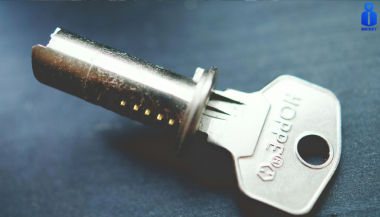
The ignition switch is one of the most important electrical components in any car. When it starts to fail, the symptoms can appear suddenly, seem unrelated, and quickly leave you stranded. This guide explains the real-world signs, the common causes, the most accurate diagnosis steps, and a clear ignition switch replacement guide that helps any driver understand what’s happening and what to do next.

If you’re dealing with car ignition lock problems, this article gives you the clarity you need to fix the issue fast and safely.


What the Ignition Switch Actually Does

The ignition switch has two critical jobs:

1. Electrical power distribution

It sends power to the dashboard, fuel pump, ignition system, starter motor, and electronic modules.

2. Starting the engine

When you turn the key (or press the button), it bridges electrical circuits, enabling the starter motor to crank the engine.

When the ignition switch begins failing, even slightly, it disrupts these circuits. That’s why symptoms can range from flickering dash lights to complete engine shutdown.


Symptoms of a Failing Ignition Switch


These are the most common, proven symptoms that mechanics use to identify ignition switch problems.

1. Car Won’t Start or Cranks Intermittently


If turning the key does nothing—or the engine cranks sometimes but not always—the ignition switch may not be sending power consistently to the starter relay.

Typical behavior includes:

Silence when turning the key

Clicks but no cranking

Starts only after multiple attempts

Total power loss during cranking

This is one of the most classic ignition switch symptoms.

2. Stalling While Driving


A failing ignition switch can cut power to the engine while you’re moving.

Common signs:

Sudden stall for no reason

All dash lights go off instantly

Engine dies when hitting bumps

Engine cuts out but restarts immediately

This is dangerous and needs urgent attention.

3. Dashboard Lights Flickering or Turning Off


When the internal contacts inside the switch wear out, they create tiny power interruptions.

You may see:

Speedometer drops to zero

Warning lights randomly appear

Interior electronics momentarily cut out

Radio resets or flickers

These short power losses are a major red flag.

4. Key Feels Hot or Hard to Turn


If the key is warm after driving, the switch may be overheating internally.

If the key becomes difficult to rotate, the ignition cylinder (mechanical part) may be worn — which often leads to switch failure later.

5. Accessories Don’t Work in ACC Mode


If turning the key to ACC does not activate:

radio

wipers

power windows

heater fan

…the accessory circuit inside the switch may be failing.

6. No Sound from the Fuel Pump When Turning the Key


You should hear a soft humming for 1–2 seconds.

If you don’t, it may mean the ignition switch isn’t powering the pump relay.


What Causes Ignition Switch Problems?


Ignition switches fail for predictable and well-documented reasons.

1. Internal Wear Over Time


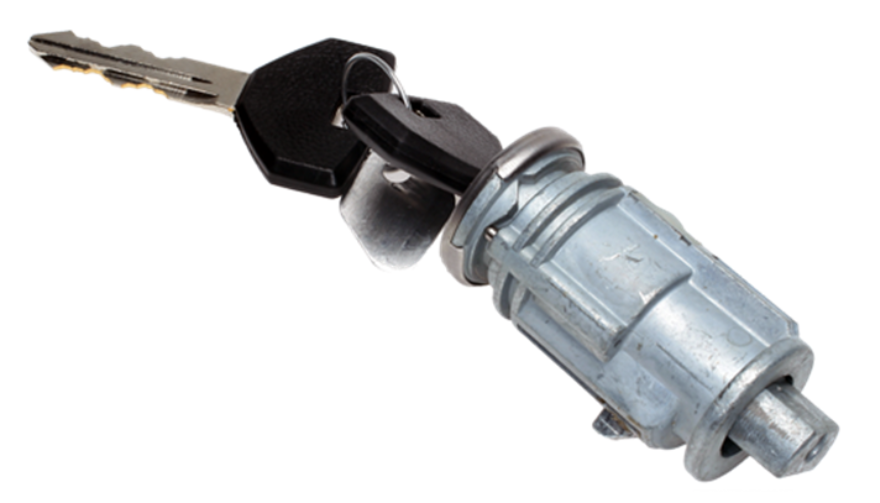
Inside the ignition switch are metal contact plates.

After thousands of cycles, these contacts burn, corrode, or lose tension.

Symptoms develop slowly:


random stalling

needing to wiggle the key

intermittent power

This is the most common cause.

2. Heavy Keychains


Many drivers don’t realise this:

A heavy keychain constantly pulls on the ignition cylinder.

Over years, this causes:

internal looseness

misalignment

premature switch failure

If your keychain has more than a few items, it may be contributing.

3. Heat and Electrical Overload


Faulty relays, worn fuel pumps, or aftermarket accessories can overload the ignition switch.

Excess heat damages the internal copper contacts, causing:

hot key symptoms

partial circuit failure

total switch burnout

4. Moisture or Dirt in the Cylinder


Moisture or dust causes the mechanical part of the ignition to jam or bind.

This forces extra pressure onto the switch every time the key turns.


5. Faulty Key or Worn Key Blade


If your key doesn’t rotate smoothly, it can damage both the cylinder and the switch.

Worn keys often lead to electrical faults later.


How to Diagnose Ignition Switch Problems Accurately


Before replacing parts, you should confirm the ignition switch is truly the issue. These steps follow the same logic professional mechanics use.


1. Check if Dashboard Lights Turn On


Turn the key to ON without starting the engine.

If:

no lights come on

lights flicker

radio stays off

…the ignition switch might not be sending voltage.

2. Try Starting with Accessories On


Turn the key to ACC.

If the accessories work in ACC but the engine won’t start, the “start circuit” inside the ignition switch may be failing.


3. Wiggle Test


Gently wiggle the key while:

trying to start

with ACC on

with the engine idling


If wiggling makes electronics turn on/off, the switch is internally worn.

4. Bump Test While Driving


If the car stalls when hitting bumps or potholes, the switch is losing internal contact momentarily.

This is one of the strongest indicators of a failing switch.

5. Test Voltage at the Ignition Switch (Advanced)


Using a multimeter, check for:

constant power

switched power

accessory power

start signal power

If any circuit fails randomly, it confirms an ignition switch fault.


If you need a safety reference for electrical testing, you can check the UK Government’s general vehicle safety guidance here:


Prevention: How to Avoid Ignition Switch Problems


Ignition switch failures can often be prevented with small habits.

1. Keep Your Keychain Light


Remove heavy accessories.

This reduces stress on the ignition cylinder and switch dramatically.

2. Avoid Resting Hands on the Key While Driving


Constant pressure on the key twists the internal contacts.

3. Only Use Correct, Undamaged Keys


Bent, cracked, or worn keys can damage:

the cylinder

the switch

the steering lock


If your key is worn, replace it before it causes further problems.


4. Address Electrical Problems Early


A failing alternator, weak battery, or short circuits can overload the ignition switch.

If you notice dim headlights or battery warnings, fix those early.

5. Keep Dust and Moisture Out of the Cylinder


Avoid spraying WD-40 or household lubricants into the ignition—it attracts dust.

Use proper graphite lock lubricant if needed.


Ignition Switch Replacement Guide


You should only replace the ignition switch if diagnosis confirms it.

Below is a clear replacement overview used by both DIYers and technicians.


Note: Procedures vary by vehicle, but the overall steps are similar.

1. Disconnect the Battery


Always disconnect the negative terminal.

This prevents:

accidental airbag deployment

electrical shorts

damage to modules

2. Remove Steering Column Covers


Most cars use simple screws underneath.

Once removed, the top and bottom covers split apart.

3. Locate the Ignition Switch Module


It is usually mounted behind the ignition cylinder.

Depending on the car:

it may be held by two screws

or secured with clips

or integrated into a combined steering lock module

4. Remove the Electrical Connector


Ignition switches usually have one large multi-pin connector.

Release the locking tab and pull it gently.

5. Remove and Replace the Switch


Install the new switch in the exact orientation as the old one.

Common mistakes to avoid:

misaligning the switch’s internal slot

tightening screws unevenly

damaging wiring during removal

6. Reassemble and Test Thoroughly


After reassembly, test:

ACC mode

ON mode

engine start

headlights

indicators

wipers

radio

If everything works consistently, the replacement is successful.


Is It Safe to Drive with a Bad Ignition Switch?


Usually no.

A failing ignition switch can:

stall the engine suddenly

disable power steering

shutdown ABS

cut power to headlights at night


The RAC warns that electrical failures causing engine cut-outs are a serious safety risk.

If your switch is failing, get it inspected immediately.


FAQ: Car Ignition Switch Problems


1. How much does ignition switch replacement cost?

Most replacements cost £80–£300 depending on the vehicle. Some modern cars require coding, making the cost higher.

2. Can a bad ignition switch cause the car to stall?

Yes. Loss of electrical contact in the switch can cut power to the engine instantly.

3. Is a failing ignition switch the same as a bad starter?

No.

A bad starter prevents the engine from cranking.

A bad ignition switch prevents power from reaching the starter or other systems.

4. Can a locksmith replace an ignition switch?

In many cases, yes — especially for older vehicles.

For modern immobilizer systems, a vehicle technician may be required.

5. Can I drive with ignition switch problems?

It’s unsafe. The engine can cut out while driving, especially on bumps or turns.

6. Does a bad ignition switch affect accessories only?

It can affect:

accessories

engine start

fuel pump

dashboard power

ECU communication

It depends on which internal circuit fails.

7. What’s the lifespan of an ignition switch?

Most last between 10–15 years, depending on usage and electrical load.

8. Do push-button cars have ignition switches?

Yes — they use an electronic ignition switch module instead of a mechanical one.

Failure symptoms are similar.

9. What does a worn key have to do with ignition switch problems?

A badly worn key can cause mechanical strain on the cylinder, which then stresses the electrical switch linked behind it.

10. Can I prevent ignition switch issues?

Yes — keep your keychain light, avoid forcing the key, and keep electrical systems maintained.


For high-quality replacement automotive parts and spare key, visit our shop at mr-key.com.
Related Posts

Simple Tips to Free a Stuck Lock: What You Need to Know

Simple Tips to Free a Stuck Lock: What You Need to Know

Locks are meant to provide security, but when they seize up, they can leave you feeling frustrated and helpless. Dealing with a stuck lock is more common than you might think, and thankfully, there are affordable and effective solutions to get it working smoothly again. Whether it's a car door, trunk, or your home lock, here are some tried-and-true methods to free up a jammed lock. Why Locks Seize Up Understanding the causes behind a stuck lock can help you prevent it from happening in the future. Locks can seize up for various reasons: Dirt and Debris : Over time, dust, grime, or even small particles can accumulate inside the lock mechanism, making it harder for the internal parts to move smoothly. Rust and Corrosion : Exposure to moisture, humidity, or salty air can lead to rust buildup on metal parts within the lock, which can prevent movement. Lack of Lubrication : Locks need to be lubricated occasionally to ensure smooth operation. Without lubrication, friction increases, and the lock may eventually jam. Now, let’s look at some simple steps to tackle a seized lock. Step 1: Use Graphite Powder or Dry Lubricant The first thing to try is applying a lubricant, but be careful about what type you use. Wet or oil-based lubricants can attract dust, which eventually clogs the lock. Graphite Powder : This is one of the best options for freeing up a stuck lock. Sprinkle a small amount of graphite powder into the keyhole, insert the key, and gently move it back and forth. This spreads the graphite, reducing friction and allowing the lock components to move more freely. Dry Lubricants : These are specifically designed for locks and are ideal for situations where you want to avoid residue buildup. Spray a small amount into the lock, then insert the key and gently turn it. Pro Tip : Avoid using regular WD-40 or other oil-based products, as they may lead to a buildup over time, making the problem worse. Step 2: Try the Key with Gentle Force If lubrication alone doesn’t do the trick, the next step is to use a little gentle force with your key. Be cautious here; applying too much force could break the key inside the lock. Insert the Key : Once the lubricant has been applied, insert the key fully into the lock. Wiggle Carefully : Gently wiggle and turn the key without applying too much force. This movement may help distribute the lubricant further and gradually loosen up any stuck components. Caution : If you feel excessive resistance, don’t force the key. Forcing it can cause damage or even snap the key, which would require additional assistance to remove. Step 3: Warm Up the Lock (Especially Useful for Cold Weather) Cold temperatures can cause locks to seize due to ice or metal contraction. If you suspect the cold is the issue, warming up the lock can be effective. Use a Hair Dryer : Direct warm air onto the lock for several minutes to allow the metal to expand and the ice (if any) to melt. Heat the Key : You can also try warming the key slightly with a lighter, but exercise caution and make sure it isn’t too hot before inserting it into the lock. Safety Note : Avoid open flames directly on the lock itself, as this can damage surrounding surfaces or even warp the lock mechanism. Step 4: Use a Vinegar Solution for Corroded Locks If rust is the culprit, vinegar is a great household solution for loosening rust and corrosion in a lock. Apply Vinegar : Put a few drops of vinegar on the key, insert it into the lock, and let it sit for a minute or two. Vinegar can help dissolve light rust, making it easier to turn the key. Follow with Lubricant : After using vinegar, apply a small amount of graphite powder or dry lubricant to ensure the lock remains smooth and functional. Step 5: Work with Compressed Air to Remove Debris If dirt or debris has accumulated inside the lock, compressed air is a quick and efficient way to clear it out. Blow Out Dust : Use a can of compressed air and direct the nozzle into the keyhole. Short bursts of air can blow out dust and small debris that may be obstructing the mechanism. Follow Up : After using compressed air, it’s a good idea to add a dry lubricant to prevent any remaining dust from causing future jams. How to Prevent Lock Seizure in the Future Once you’ve successfully freed a seized lock, it’s helpful to take steps to prevent it from happening again. Here are some preventive tips: Regularly Lubricate : Use a dry lubricant or graphite powder once or twice a year, especially if you live in a humid or dusty area. Keep Locks Clean : Wipe off any visible dirt or dust around the lock mechanism. If the lock is exposed to elements (like outdoor or car locks), covering it can help keep debris and moisture out. Avoid Overusing Keys : If your key shows signs of wear, consider getting a replacement. Worn-out keys can cause more friction inside the lock, leading to jams. When to Seek Professional Help Sometimes, despite your best efforts, a lock just won’t budge. In cases where the lock is significantly damaged, heavily corroded, or if the key breaks inside, it’s best to reach out for professional assistance. A professional has specialized tools and expertise to address these issues without causing further damage. Taking Care of Your Locks A stuck lock can be an inconvenience, but by following these simple steps and using a little patience, you can often resolve the issue without professional help. Keeping locks in good condition with regular care is the key to ensuring they function smoothly for years to come.

Effortlessly Ordering Multiple Replacement Car Keys: A Step-by-Step Guide

Effortlessly Ordering Multiple Replacement Car Keys: A Step-by-Step Guide

As a car owner, managing multiple key replacements can be daunting. Fortunately, there's a streamlined method to order several keys simultaneously using a CSV file. Here's how you can simplify the process: 1. Prepare Your Key List Create a Spreadsheet: Use software like Microsoft Excel to list your key codes. Enter Details: In Column A, input each key code; in Column B, specify the quantity needed. Avoid Headers: Start directly with your data; do not include column titles. 2. Save as CSV Choose CSV Format: When saving, select 'CSV (Comma delimited)' from the 'Save as type' dropdown. Ensure Correct Format: Avoid other CSV formats to prevent compatibility issues. 3. Upload Your CSV File Access Your Account: Log into your trade account on the key replacement website. Navigate to Product Page: Find the specific key product you need. Upload CSV: Click the 'Upload a CSV' button above the key number entry field and select your file. Wait for Processing: Large files may take time to upload; remain on the page until completion. 4. Complete Your Order Add to Basket: Once uploaded, click 'Add to basket.' Proceed to Checkout: Follow the standard payment process to finalize your order. Important Considerations Separate Files for Different Keys: If ordering various key types or series, create individual CSV files for each. Trade Account Requirement: This feature is typically available to trade account holders; ensure you have the necessary access. By following these steps, you can efficiently manage bulk key replacements, saving time and ensuring accuracy.

Do Car Keys Have GPS? What You Need to Know About Key Tracking

Do Car Keys Have GPS? What You Need to Know About Key Tracking

In an age where smartphones can locate us with pinpoint accuracy and lost luggage can be tracked halfway around the world, it’s easy to assume car keys are just as smart. But for many frustrated drivers, losing a car key feels like sending it into a black hole. The lack of a clear way to find them often leads to stress, wasted time, and sometimes costly replacements. So here’s the big question: Do car keys have GPS, and can they be tracked like other smart devices? This article explains the technology behind key tracking, compares GPS with Bluetooth, and offers practical ways to find lost keys in a connected world. The Truth About GPS in Car Keys While GPS technology has become common in many consumer devices, the vast majority of car keys do not include built-in GPS. Even the most modern remote key fobs, which allow for keyless entry and push-button start, generally lack the components necessary for GPS functionality. These components include a satellite GPS receiver, a data transmission module, and a sustainable power source—none of which are typically found in a key fob. The design of a car key prioritizes compactness, cost-efficiency, and low energy usage. Adding GPS would not only increase manufacturing costs but also introduce battery life challenges. That’s why most manufacturers have opted against including GPS tracking in car keys. GPS requires constant power and data transmission — something a small coin cell battery in a typical key fob can’t support." – Marcus Lee, Automotive Tech Analyst How Can Car Keys Be Tracked? Although your keys may not have GPS, there are other technologies that make it possible to track or locate them when they’re lost. These include Bluetooth trackers, crowdsourced networks, and GPS systems that track the vehicle instead of the key itself. 1. Bluetooth Trackers (Apple AirTag, Tile, Chipolo) These small, attachable gadgets can be added to your keychain and linked to a mobile app. They rely on Bluetooth to provide location data when within a certain range. If your keys are somewhere nearby—like in your home or office—these trackers can play a sound or show you their last known position on a map. The range is generally up to 120 meters (400 feet), and battery life can last up to a year, making them a practical, low-maintenance option for most users. 2. Crowdsourced Networks (Find My, Tile Network) If your Bluetooth tracker is out of range, some brands offer a smart workaround. Apple’s AirTag, for instance, uses the “Find My” network, which consists of millions of iPhones around the world. If someone with an Apple device passes near your lost keys, the location is anonymously and securely sent to your phone. This creates a global, decentralized tracking system that mimics GPS functionality without requiring satellites or cellular connections. 3. Car GPS Systems (Vehicle Only, Not the Key) Some high-end cars offer integrated GPS systems, but these track the vehicle, not the keys. Brands like Tesla, BMW, and Mercedes-Benz allow owners to locate their car through mobile apps. If your keys are left inside the car, you may be able to find them by locating the vehicle. However, once the keys are removed, they cannot be tracked unless equipped with a separate Bluetooth tracker. GPS vs Bluetooth: What’s the Difference? To better understand why GPS isn’t commonly included in car keys, it’s useful to compare the two technologies: GPS provides global, real-time tracking with high precision, but it’s power-intensive and costly. Bluetooth, while more limited in range, is ideal for small items and short distances, offering a cost-effective solution for everyday use. Global Perspectives on Key Tracking Around the world, the adoption of key tracking technologies differs based on privacy laws, tech infrastructure, and consumer behavior. In Japan and South Korea, smart home and car integration are advanced, yet GPS-enabled keys are still not the norm. In many parts of Europe, particularly in countries like Germany, Bluetooth solutions are favored due to strict data privacy regulations. In contrast, the U.S. market has embraced personal tracking devices like Apple AirTag and Tile, making them increasingly common accessories. These differences highlight how technology adoption often reflects broader cultural and legal norms, as well as the balance between convenience and privacy. Smart Tips to Keep Track of Your Keys Whether your keys have advanced tech or not, you can take simple steps to avoid losing them. Attaching a Bluetooth tracker is a great first line of defense. Keeping your keys in a consistent, designated place at home reduces the chances of misplacement. Many tracking apps also offer “left behind” alerts, which notify you if you leave your keys behind when moving out of range. It's also smart to keep a spare key somewhere safe and consider going keyless if your next car allows it. Implementing a few of these habits can save you time, frustration, and the cost of replacing a lost key. The Future of Key Tracking While car keys may not have built-in GPS, technology continues to evolve with practical alternatives. Bluetooth trackers, supported by app alerts and community networks, already provide effective ways to find lost keys. As innovation progresses, we can expect even more seamless solutions, such as Ultra Wideband (UWB) technology and Internet of Things (IoT) integrations, to become mainstream. As our tools become smarter, so must the way we use and manage them. With a little foresight and the right accessories, you'll never lose track of your keys again.

Can a Locksmith Cut a Key from a Photo or Code?

Can a Locksmith Cut a Key from a Photo or Code?

Short answer: yes— for many keys, a locksmith can cut accurately from a photo or a code . The details depend on the key type, the quality of the image/data. Key cutting from code vs from photo By code (most precise). A key code (often printed on locks, key tags, or documentation) translates into a series of cut depths called the bitting . On a code machine, a locksmith dials those depths and cuts a new key without the original present . This is the preferred method for many utility keys (e.g., caravan, retro auto, e-bike battery, furniture, mailboxes, ATVs, roof racks, towbars), but also for car keys. By photo (works in many cases). From a clear, square-on image, a trained technician can decode the cut depths and reproduce the bitting. Research has shown keys can be recreated from ordinary or telephoto shots if the profile and scale are known. This is why publishing close-ups of your keys is discouraged. When a photo is “good enough” If you’re ordering car keys cut by photo or utility keys by photo , expect guidelines like: Flat, well-lit, high-resolution image; key blade perfectly side-on. Ruler/coin in frame for scale; entire blade visible, shoulder to tip. For double-sided/laser keys, shots of both sides. Keyway/profile identification (brand/series). Automotive: cutting from photo or code—plus programming Cutting the blade is only step one for modern cars. Since the late 1990s, most vehicles have immobilisers ; the key’s transponder chip must be recognised or the engine won’t start. In practice: Get the correct blank and cut it (photo or code). Program the transponder/remote (OBD or on-board procedures), or pair a proximity fob. Test mechanical operation and ignition start. Main points UK readers should know: Immobiliser/transponder tech became standard in the mid-1990s; without a programmed chip, a correctly cut key usually won’t start the car. A key code specific to your vehicle lets a locksmith/dealer cut precisely without an original; some guides explain where owners can find it. Utility keys we commonly see cut by code If you have the key code , these are routinely cut accurately online: Retro automobile keys (classic patterns; often stamped codes). Caravan & motorhome key s (e.g., ZADI, FAP/FAWO—codes on barrels). E-bike battery keys (e.g., ABUS/AXA series). Furniture, mailboxes keys (office furniture, cam locks). ATV/quad ignition and compartment keys. Roof racks (e.g., Thule N*** series). Towbars (e.g., Westfalia/Brink code series). For these categories, supplying the printed code (from the lock face, key head, manual, or tag) usually yields the fastest, most reliable result compared to photos. Accuracy expectations & limitations What typically works well Flat cylinder keys with standard depth systems (common utility keys). Many car blades (including laser/sidewinder) if the image is clean and scaled. Keys where the lock/brand series is known and the bitting can be derived . What may be restricted or not feasible from a photo Patented/restricted keyways (require authorised proof and controlled blanks). Highly worn, bent, or obscured keys in photos. Complex security keys that need factory or authorised dealer processes. Car keys where programming tokens, PINs, or security codes are required. For security and consumer protection in the UK, look for MLA-approved locksmiths and insist on identity/ownership checks for sensitive work. Real-world risk: why photos can be enough Academic work and well-reported incidents show that key geometry can be decoded from images at surprising distances. Media have covered expensive lock replacements after keys appeared on camera, underlining the practical risk of sharing key images online. Keep your keys out of frame. What an online order typically requires For car keys (photo or code): Vehicle make/model/year, blade type, and VIN if needed for code retrieval. Clear photos (both sides). Programming method: mobile visit, on-site, or mail-in ECU/fob (varies by model). Expect additional steps for remote locking and proximity systems. For utility keys (cut by code): The code from the lock face or original key (e.g., N123 , Z **). Brand or system (Thule, Zadi, Westfalia, etc.). Quantity and turnaround needs (next-day options often available). Speed and success rates By code : fastest and most consistent for; minimal adjustment needed. By photo : slightly more validation and back-and-forth; still accurate when images meet spec. Why choose an online key cutting service like MR-KEY Unlike traditional emergency locksmiths who mainly handle urgent lockouts, MR-KEY specialises in precision key cutting from photos or codes — ideal when you’re not locked out but need an exact replacement or spare . Through our online platform, you can: Order from anywhere in the UK — simply upload a clear photo or enter your key code. Get fast, expert cutting using professional decoding software and calibrated machines. Receive your key by post , ready to use or, for vehicles, to be programmed locally. With MR-KEY, you save the cost and time of a mobile visit while still getting locksmith-level precision. Each key is verified before dispatch to ensure perfect fitting and reliable operation. FAQs Can a locksmith cut a car key from a photo? Often yes, the blade can be cut from a high-quality photo , but modern cars also need transponder/immobiliser programming before the engine will start. Is cutting by code more accurate than using a photo? For most utility keys , yes . A verified key code maps to exact cut depths, making the process highly repeatable and quick. Can someone copy my key from a social media photo? It’s technically possible; public cases and research have shown keys can be decoded from images . Avoid posting close-ups of keys online. What’s the difference between “key cutting,” “key replacement,” and an “emergency locksmith”? Key cutting : the physical milling of a blade (by code/copy/photo). Key replacement : end-to-end service supplying a working key/fob (cutting + programming if needed). Emergency locksmith : rapid response for lockouts or urgent access/security issues. Order your new key today at mr-key.com — fast, accurate, and cut by professionals from your photo or code.

Chat with us