Post Name

Over the past two decades, vehicle security and convenience have evolved dramatically. Traditional metal keys have steadily given way to a range of more advanced systems that offer not only better protection but also more comfort for the everyday driver. Among the most commonly used terms in today’s automotive world are key fob, smart key, and proximity key. While often used interchangeably, these are not identical technologies. Each represents a step forward in how drivers interact with their cars, and understanding the differences between them is essential—especially when replacing, repairing, or purchasing new key components.

In this article, we’ll explore each key type in detail, highlight what sets them apart, and offer practical insights to help you identify which type you own—and what that means for functionality, replacement options, and compatibility.

Key Fob: The Foundation of Remote Access

A key fob, in the modern context, refers to a remote control device that allows users to perform basic functions such as locking or unlocking the car doors. The word "fob" originally described a decorative accessory on a keychain, but it has evolved to refer specifically to these electronic remotes.

Most key fobs use radio frequency (RF) signals to communicate with the vehicle. When you press a button on the fob, it sends a coded signal to a receiver inside the car, instructing it to lock, unlock, open the trunk, or activate the panic alarm. Some key fobs also include a physical key blade that can be used manually if the battery is dead or if the remote functionality fails.

Key fobs became standard in the early 2000s and are now found in nearly every modern car. They represent the bridge between the traditional mechanical key and more advanced systems. While they don’t offer hands-free operation or engine-starting capabilities by default, they introduced a level of convenience that significantly improved the driving experience at the time of their launch.

Smart Key: Hands-Free, High-Tech, Highly Secure

The smart key builds on the foundation of the key fob but adds a major element of sophistication: hands-free access and ignition. With a smart key, you no longer need to press buttons to enter or start your vehicle. Instead, the key communicates continuously with the vehicle via low-frequency antennas and encrypted signals. As long as the key is within a certain range—often in your pocket or handbag—the vehicle automatically detects it and allows for keyless entry and push-button start.

In many smart key systems, simply touching the door handle unlocks the vehicle. Once inside, starting the car requires nothing more than pressing a button on the dashboard. Some smart keys even store personalized settings, such as seat position or mirror alignment, offering a more tailored driving experience for each registered user.

Originally reserved for luxury vehicles, smart keys have become increasingly common across all vehicle classes. Brands like Lexus, Mercedes-Benz, and BMW were early adopters, but today you’ll find smart keys in many Hyundai, Kia, Toyota, Nissan, and Volkswagen models. They offer both convenience and enhanced security thanks to rolling code encryption, which helps prevent signal interception and unauthorized vehicle access.

Proximity Key: The Functional Twin of the Smart Key

The term proximity key is often used synonymously with smart key, and in many cases, it functions in the same way. A proximity key allows the car to detect when the key is nearby—typically within one to three feet—and respond accordingly. You can unlock the car simply by approaching or touching the handle, and engine start is enabled through a button as long as the key remains inside the cabin.

However, while all smart keys are proximity-based, not all proximity systems include the full feature set of a smart key. In some vehicles, the proximity key may lack advanced personalization or remote app integration, but the core functionality—hands-free locking, unlocking, and push-to-start capability—remains intact.

The term “proximity key” is more commonly used in owner manuals or by manufacturers in Europe and Asia, while “smart key” has become the marketing standard in North America. Regardless of the terminology, the underlying technology is largely the same, relying on short-range radio waves, signal encryption, and two-way authentication between the key and the car.

Breaking Down the Differences

To simplify the distinctions between these three key types, it’s helpful to focus on user experience and technical capability. A traditional key fob requires active input—pressing a button to unlock the doors—whereas smart and proximity keys allow for passive, automatic operation. Additionally, the integration of engine start buttons, memory features, and enhanced security protocols tends to be exclusive to smart and proximity systems.

Another notable difference lies in design and construction. Key fobs often have visible mechanical blades and rubber buttons, while smart keys are usually more compact, feature fewer or no physical buttons, and hide the emergency key blade inside the unit. Understanding this can help when shopping for replacement shells, batteries, or full units.

Identifying Your Key Type

Not sure which key your car uses? You’re not alone. Here's how to tell:

If you must press a button on your key to unlock the doors and start the engine with a physical ignition slot, you’re likely using a key fob.

If your car unlocks automatically when you approach and starts with a dashboard button—without ever removing the key from your pocket—you have a smart key or proximity key.

If your car allows for keyless entry but still requires button pressing on the remote, it's most likely a standard key fob with added convenience features.

Why Knowing the Difference Matters

Understanding what type of key you use is crucial when you’re purchasing replacement components. A smart key cannot be replaced by a basic key fob, as it contains far more complex electronics and vehicle-specific programming. Likewise, replacing a proximity key requires knowing the exact frequency, chip type, and compatibility with your vehicle’s immobilizer system.

At mr-key.com, we help car owners find exactly what they need—whether it’s a replacement key shell, a fresh battery, or a full remote unit with electronics and transponder chip included. With detailed listings sorted by make, model, and key type, it’s easy to identify the correct product and avoid costly dealership programming fees.

As automotive technology continues to evolve, so does the way we access and operate our vehicles. Whether you're using a classic key fob, a cutting-edge smart key, or a proximity-based system, each offers a different balance of convenience, security, and technical complexity.

Recognizing the key you use—and understanding how it works—not only makes you a more informed vehicle owner but also helps you take better care of your key system. When the time comes for a replacement or upgrade, you’ll be prepared to make the right choice quickly and confidently.

For high-quality, vehicle-specific replacement parts, visit mr-key.com. From fob covers and CR2032 batteries to complete electronic keys and blades, we’ve got everything you need to keep your key performing like new.

Related Posts

Comprehensive Guide: Common Car Key Problems and How to Solve Them

Comprehensive Guide: Common Car Key Problems and How to Solve Them

Your car key is a small but essential part of your daily life. When it stops working properly—whether due to a dead battery, water exposure, signal interference, or ignition issues—it can quickly disrupt your plans. Fortunately, many common car key problems can be identified early and resolved effectively with the right approach. In this comprehensive guide, we explore four of the most frequent car key issues and provide detailed solutions to help you stay on the road with confidence. Recognizing a Failing Car Key Battery The battery inside your car key fob is designed to last, but not indefinitely. On average, a CR2032 battery will power a key fob effectively for one to three years, depending on usage patterns and environmental conditions. A weakening battery usually does not fail suddenly; it provides warning signs that many drivers overlook. One of the earliest indications is a noticeable decrease in the remote’s operating range. You may find yourself needing to stand closer to the vehicle for the key fob to work. As the battery continues to lose power, the fob may start working inconsistently, responding only after multiple button presses or with a delay. Some vehicles will display a low battery warning on the dashboard, providing a clear signal that replacement is necessary. Allowing the battery to fully deplete can leave you unable to unlock or start your car at a critical moment. By promptly replacing the battery with a reliable product, such as the Panasonic CR2032, you can restore full functionality and prevent future inconvenience. Addressing Water Damage in Car Keys Water damage is a common cause of key fob failure. Whether it’s from rain exposure, dropping the key in water, or accidental washing, moisture can cause both immediate and long-term damage to the key's internal components. When water enters the fob, it can short-circuit the delicate electronics, rendering the key inoperative. In other cases, corrosion may develop slowly, causing the key to malfunction days or weeks after the exposure. If your car key gets wet, the first step is to remove the battery immediately to minimize damage. Dry the key as thoroughly as possible using a soft cloth and allow it to air dry in a warm, ventilated space for at least 24 hours. It is crucial to avoid using heat sources like hair dryers, which can damage sensitive components. After drying, install a fresh battery and test the key. If the key still does not function, the internal circuits may have been irreparably damaged, and a professional evaluation or shell replacement may be necessary. Understanding Weak Signal Issues in Car Keys A weak key fob signal can lead to frustration and can often be mistakenly attributed to a battery issue alone. While a low battery is a common cause, signal strength can also be affected by other factors. Physical impacts, such as dropping the key, can disrupt the internal connections or damage the antenna, reducing the fob's ability to communicate effectively with the car. Environmental factors can also interfere with the signal. Parking near large metal structures, power lines, or areas with strong electronic interference can block or weaken the signal temporarily. Additionally, worn buttons that no longer make proper contact with the internal circuit board can result in poor signal transmission, even if the battery is new. When experiencing signal issues, it is important to inspect the key carefully. Replacing the battery, ensuring all components are securely seated, and considering the replacement of worn key shells can often restore proper function. Persistent problems, however, may require professional assessment to ensure the key and vehicle are correctly paired. Dealing with Ignition Problems When the Car Key Won’t Turn One of the most alarming car key issues is inserting the key into the ignition only to find it won’t turn. This problem can stem from several sources, and identifying the correct cause is essential for a safe and effective fix. A worn key blade is a common culprit, especially in vehicles with many years of use. Over time, the precision cuts on the key blade can wear down, making it difficult for the key to properly engage the pins within the ignition cylinder. Another frequent cause is the steering wheel lock mechanism. If the steering wheel locks in place, it can prevent the key from turning until the wheel is gently moved to relieve the pressure. In some cases, the ignition cylinder itself may become dirty, misaligned, or mechanically worn. If you have a spare key, testing it can help determine whether the issue lies with the key or the ignition. Cleaning the ignition slot with compressed air can sometimes resolve minor blockages. If the problem persists, professional servicing of the ignition system may be necessary to avoid more serious mechanical failures. Car Key Maintenance and Problem Solving Car key problems are a common inconvenience that most drivers will face at some point. However, understanding the signs and causes of these issues can empower you to act quickly and avoid more significant disruptions. Whether dealing with a failing battery, water exposure, weak signal, or ignition lockout, timely intervention and proper maintenance can prevent escalation. Regularly checking your key's condition, replacing batteries with trusted products, and ensuring your key shell remains intact are simple yet effective practices that can extend the life of your car key. By addressing small issues early, you can maintain reliable access to your vehicle and reduce the risk of unexpected problems. For high-quality replacement shells, batteries, and accessories, visit mr-key.com and explore solutions designed to keep your car key functioning like new.

How to Program a Car Key: A Step-by-Step Guide

How to Program a Car Key: A Step-by-Step Guide

Lost Your Car Key Programming? Here's What to Do Have you ever lost your car keys or found yourself with a spare key that doesn’t start your vehicle? While the process of programming a car key might seem intimidating, it’s often simpler than you’d expect. In many cases, car owners can program keys themselves without needing a visit to a dealership. This guide walks you through the essentials of car key programming, helping you save time, effort, and potentially a significant amount of money. Understanding Car Key Programming: The Basics Car key programming is the process of syncing a key with a car's internal computer so it can communicate securely. Modern vehicles use transponder keys or smart keys equipped with chips that emit a unique signal. Without proper programming, these keys won’t function, even if they fit perfectly into the ignition. While older mechanical keys didn’t require programming, today’s advanced systems add a layer of security, reducing the risk of car theft. However, this added sophistication means that replacing or reprogramming a key is no longer as simple as cutting a piece of metal. Quick Tip: Check your vehicle’s owner manual to see if programming your car key is a DIY-friendly process, as some models allow self-programming, while others require professional tools. Step-by-Step Guide to Programming a Car Key Before starting, ensure you have all necessary tools and information: The vehicle’s owner manual. All keys that need programming, including the functional ones. Step 1: Access Programming Mode Start by sitting in the driver’s seat with all the doors closed. Insert the already functional key into the ignition and turn it to the “on” position (do not start the engine). Some vehicles require you to cycle the key between “on” and “off” positions a specific number of times to enter programming mode. Step 2: Add the New Key Once in programming mode, remove the functional key and quickly insert the new key into the ignition. Turn it to the “on” position. The vehicle’s security light may flash to indicate the key has been successfully programmed. Step 3: Test the Key After programming, remove the new key and test it to ensure it can start the car and unlock the doors. Note: Each car manufacturer has unique programming steps. Be sure to consult your owner’s manual or the manufacturer’s website for specific instructions. When Professional Help Is Needed While many vehicles allow for DIY key programming, others require specialized equipment or software that only dealerships or locksmiths can access. This is particularly true for luxury or high-end cars with advanced encryption and security features. If your DIY efforts fail, it’s best to seek help from a certified professional. Visiting a dealership is a reliable, albeit more expensive, option. Alternatively, professional locksmiths often provide programming services at a lower cost, making them a practical choice for many drivers. Costs and Considerations The cost of programming a car key varies significantly based on the vehicle’s make and model. For basic models, self-programming might cost nothing if you already have a functional key. However, professional programming can range from $50 to $300 or more, especially for smart keys or proximity fobs. To minimize costs: Have a spare key : Always keep a functional spare to simplify programming if a replacement is needed. Research costs : Call local locksmiths or dealerships to compare pricing. Empower Yourself with Knowledge Programming a car key doesn’t have to be a daunting task. With the right tools and information, many car owners can handle the process themselves, saving time and money. However, it’s essential to recognize when professional assistance is necessary, particularly for complex key systems. By understanding the basics of car key programming and following a step-by-step approach, you can ensure your vehicle remains secure and functional. So, whether it’s a spare key or a replacement, you now have the confidence to tackle the task or know where to turn for help.

How to Know If Your Car Key Has a Hidden Transponder Chip

How to Know If Your Car Key Has a Hidden Transponder Chip

Modern car keys are more than just simple tools to unlock doors—they're powerful components of your vehicle’s security system. Hidden inside many keys is a small yet crucial piece of technology known as a transponder chip . But how can you tell if your car key has one? Whether you’ve lost your key, are looking to replace it, or simply want to understand your vehicle better, knowing if your key contains a transponder chip is essential. This guide will explain what a transponder is, why it matters, and how you can easily check if your key is equipped with one. What Is a Transponder Chip? A transponder chip, short for "transmitter + responder," is a small electronic microchip embedded inside the plastic head of the car key or within a smart key fob. When you insert the key into the ignition—or have it nearby in a push-button start system—the chip emits a unique signal. The vehicle’s onboard computer must recognize this signal before it will allow the engine to start. Without the correct signal, even if the key physically fits into the ignition, the car won’t move. Transponders have been a game-changer in reducing car theft, and today, nearly all vehicles produced after the late 1990s are equipped with them. Learn more about how modern keys work and find replacement options in our car keys collection. Why It’s Critical to Know If Your Key Has a Chip If your key has a hidden transponder chip, replacing it is more complicated than simply cutting a new metal key. You will need a key that not only matches the cut but also includes the correct programming to communicate with your car’s immobilizer system. Failing to recognize this can lead to frustration, extra dealership fees, or even being stranded. Moreover, understanding your key's technology helps you make smarter choices when buying a spare, upgrading your security setup, or troubleshooting ignition issues. How to Check If Your Car Key Has a Transponder Chip Fortunately, you don’t need expensive equipment to find out. Start by considering the age of your vehicle: if your car was manufactured after 1995 (in Europe) or 1998 (in the USA), chances are very high it uses a transponder system. Next, examine the physical key. Keys with large, bulky plastic heads usually house a chip inside. In contrast, purely metallic keys without plastic parts tend to belong to older, non-transponder vehicles. You can also perform a simple foil test. Wrap the head of your key in aluminum foil and try to start the car. Since foil blocks radio frequencies, if the car refuses to start, it’s likely that a transponder chip is present. If you want absolute certainty, consult your vehicle’s manual or speak with a professional locksmith. Many locksmiths use specialized tools to detect whether a chip exists. For additional technical explanation, you can refer to this guide on how immobilizer systems work. What Happens If the Transponder Signal Is Missing? If you try to start your car without the proper transponder signal, the immobilizer system kicks in. Most vehicles will either not crank at all or crank without allowing the engine to fire. Some models will display a warning light on the dashboard, often shaped like a padlock or a car with a key icon. Without a valid transponder signal, you won't be going anywhere—no matter how new or well-cut the key is. Can You Program a Transponder Key Yourself? Depending on the make and model of your car, some basic keys can be programmed at home—especially if you already have one working key available. However, many newer vehicles require professional diagnostic tools connected directly to the car’s computer to program keys securely. Attempting DIY programming on these systems without the right knowledge can lock your car’s immobilizer and lead to expensive repairs. Always consult your car’s manual or seek professional help before attempting any programming yourself. Knowledge = Protection Understanding whether your car key contains a hidden transponder chip isn’t just a fun fact—it's essential for protecting your vehicle and saving yourself time, money, and hassle. Whether you're planning to replace a worn-out key, add a backup, or upgrade your security, knowing what’s inside your key helps you make better, safer decisions. If you ever need a spare key, a battery replacement, or advice on key maintenance, you can explore more in our online store at Mr Key . Remember: a smart driver is a secure driver. Stay informed, stay prepared, and you'll always stay one step ahead.

Dead Pixels on a Motorcycle TFT Display: What They Mean & When Replacement Is Inevitable

Dead Pixels on a Motorcycle TFT Display: What They Mean & When Replacement Is Inevitable

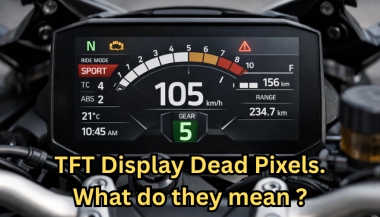
Dead pixels on a motorcycle TFT display are rarely “just cosmetic”. On modern bikes, the TFT dashboard is a sealed, laminated electronic unit exposed to sun, heat, vibration, rain, and pressure washing . When pixels fail, it often signals structural damage inside the display , not a surface defect. This article explains what TFT display dead pixels really mean, why they appear, how to diagnose them correctly, and the point where replacement becomes unavoidable . What riders mean by “dead pixels” — and why it matters The term motorcycle display dead pixels is used loosely. In practice, three very different faults exist. True dead pixels (permanently black) A true dead pixel is a pixel transistor that no longer functions. It stays black on all backgrounds and during startup screens. This is a hardware failure inside the LCD matrix . It does not self-heal. Stuck pixels (fixed bright color) A stuck pixel remains red, green, blue, or white. On phones or TVs, this can sometimes be intermittent. On motorcycle TFTs, stuck pixels are often caused by heat stress or internal pressure and frequently progress into permanent failure. Lines or blocks of dead pixels A vertical or horizontal line of missing pixels is not a pixel issue. It indicates row or column driver failure inside the panel — a structural defect of the display module. Once this appears, replacement is usually inevitable. Why TFT dead pixels appear on motorcycles Dead pixels on a dashboard are rarely random. They follow consistent mechanical and environmental causes. Heat and UV exposure Motorcycle TFTs sit in direct sunlight. Daily heat cycles expand and contract the laminated layers inside the display. Over time, this stresses internal bonds and pixel drivers. A single failed pixel can become a cluster. Micro-impact and pressure A light impact that doesn’t crack the glass can still damage the internal LCD stack. This is common on naked bikes and adventure models where the display is more exposed. Moisture ingress and condensation Condensation inside a TFT display is a critical warning sign. It means the factory seal has been compromised. Moisture accelerates corrosion on connectors and display drivers, often leading to dead pixels followed by total blackout. Electrical stress Voltage fluctuations or grounding issues can contribute, but if the pixel defect appears in the same physical location across reboots , the issue is almost always panel-level, not wiring. Brand examples: how this appears in real motorcycles Dead pixel reports follow similar patterns across brands. BMW TFT clusters: pixel lines or dark zones often appear after heat exposure or condensation events. Clusters are fully integrated and typically replaced as a unit. Yamaha TFT dashboards: isolated dead pixels may appear first, followed by spreading rows on models parked outdoors long-term. Kawasaki TFT displays: line failures are commonly reported after pressure washing or heavy rain use. Honda TFT dashboards: less frequent, but once pixel clusters appear, dealers usually recommend full replacement. Across all brands, panel repair is not part of standard dealer service . Fast diagnosis: how to tell if the damage is permanent You can determine the seriousness in minutes. Check startup screens If the pixel defect appears during the boot logo or splash screen, it is hardware, not software. Test multiple backgrounds Switch themes or display modes: Always black → dead pixel Always bright or colored → stuck pixel Straight line → driver failure Look for progression A defect that grows over weeks is not stable. Progression is a replacement signal. Inspect for condensation Any fogging or haze inside the screen means moisture ingress. Pixel failure combined with condensation almost always worsens. When TFT display replacement is inevitable Replacement is not about annoyance. It’s about predictable failure . Replacement becomes inevitable when any of the following occur: A row or column of dead pixels appears Dead pixels spread over time Dead pixels appear together with condensation The defect blocks speed, warnings, or riding data The bike relies on the TFT for ride modes or system alerts At this stage, the TFT is no longer a reliable instrument cluster. Why TFT displays are rarely repaired A motorcycle TFT is not a standalone screen. It is: Laminated glass + LCD + polarizer Sealed against weather Electronically paired to the motorcycle Separating and rebuilding this stack requires specialized industrial equipment. As a result, OEMs replace the entire unit . Used clusters introduce risks: coding issues, immobilizer pairing, mileage discrepancies, and unknown moisture history. Cost reality in Europe In Europe, OEM motorcycle TFT replacement typically ranges from: €600–€1,200 for mid-range models €1,500–€2,500+ for premium or integrated systems This includes coding and calibration, not just the display itself. That’s why a small dashboard pixel issue deserves early attention. Can dead pixels be prevented? You cannot prevent internal electronic aging. You can reduce the most common triggers: Surface scratches that weaken seals Micro-impacts UV exposure Moisture pooling around edges A properly fitted screen protector does not fix dead pixels, but it reduces the external damage pathways that often lead to full TFT failure. If you want to reduce the risk of turning a small pixel defect into a four-figure repair, you can protect the display surface early — explore motorcycle TFT screen protectors at mr-key.com FAQ: TFT display dead pixels Are dead pixels dangerous? They are not dangerous by themselves, but they often indicate deeper display degradation. Can software updates fix dead pixels? No. If the defect appears in the same physical location during startup, it is hardware. Will one dead pixel spread? Sometimes. Spread is common when heat or moisture is involved. Is condensation inside the TFT serious? Yes. Condensation indicates seal failure and greatly increases the risk of progressive damage. Is replacement always required? Not for a single stable pixel. Replacement becomes unavoidable with progression, lines, or moisture involvement.

Chat with us