
Post Name

Car keys have changed dramatically in the last 20 years. What was once a simple mechanical tool has become an essential electronic device packed with functionality. From remote locking and trunk opening to push-start ignition systems and proximity sensors, today's car keys do a lot more than just turn in the ignition. However, this increased functionality also means more components that can fail—and when they do, the inconvenience can be frustrating or even immobilizing.

For many drivers, key problems seem to come out of nowhere. A button stops working, the car doesn’t start, or a backup key won’t respond. Understanding the most common issues with modern car keys can help you avoid unnecessary trips to the dealership and identify quick fixes at home. Below, we’ll explore the ten most frequent car key problems, how to recognize the symptoms, and what steps to take to get your key working again—often without spending a fortune.

1. The Key Fob Has Stopped Responding

One of the most common complaints drivers have is that their key fob simply stops responding. The remote may no longer lock or unlock the vehicle, the trunk button might stop working, or there may be no visible LED indicator when you press a button. In most cases, the culprit is a dead battery—something that’s inexpensive and easy to replace. Most key fobs use a CR2032 coin-cell battery, which can typically be changed with a small screwdriver or a plastic pry tool.

If replacing the battery doesn’t bring the fob back to life, the issue may be with the internal electronics. Moisture, drops, and general wear over time can corrode or damage the tiny circuit board inside. In such cases, replacing the outer shell might not be enough—you may need to invest in a full replacement or transplant the electronics into a new case if only the buttons or housing are damaged.

2. The Car Doesn't Detect the Key

Another increasingly common issue—especially in vehicles with push-to-start systems—is that the car doesn’t detect the key, even though it's inside the cabin or close to the sensor. You might see a warning on the dashboard such as “Key Not Detected” or “No Key Present.” This can happen due to a nearly dead battery in the fob, radio frequency interference from nearby electronics, or a fault in the key’s transponder chip.

The first step is always to replace the key’s battery. If the issue persists, try holding the key closer to the start button or steering column—some vehicles have hidden backup sensors that detect the key at close range in emergencies. If none of that works, the problem could be with the chip inside the fob or the vehicle’s receiver, requiring diagnosis by a qualified locksmith or dealership technician.

3. The Key Turns in the Ignition, But Nothing Happens

This issue is particularly frustrating: you insert your key into the ignition, it turns freely, but the car doesn’t respond at all. Often, this is a sign that the vehicle’s immobilizer system isn’t recognizing the key. Modern car keys contain a small RFID chip that communicates with the car’s anti-theft system. If this chip is damaged or unprogrammed, the vehicle will not start—no matter how well the mechanical part of the key works.

Try using a spare key if you have one. If the backup works, you’ll know the issue lies within the primary key. If neither key works, the problem could be with the vehicle’s receiver, antenna ring, or immobilizer control unit. A professional diagnostic scan is typically needed to pinpoint the cause.

4. The Key Won’t Turn in the Door or Ignition

If your key suddenly stops turning in the door or ignition cylinder, the cause may be as simple as wear and tear. Key blades—especially older ones—can become worn down over time, resulting in poor contact with the internal pins in the lock. Dirt, rust, or debris inside the lock can also prevent the key from turning, particularly if the vehicle hasn’t been manually unlocked in a while.

First, try using a backup key. If it turns smoothly, your main key is likely worn. If both keys struggle, apply a non-residue contact cleaner or lock lubricant to clean out the cylinder. For long-term solutions, you may need to replace either the key blade or the ignition/door lock entirely. Don’t attempt to force the key, as this could cause the blade to bend or snap inside the lock.

5. The Buttons Feel Mushy or Stuck

Physical wear is one of the most overlooked causes of key fob failure. Over time, the rubber buttons on your remote can wear down, become loose, or stop pressing properly. You might notice that only one or two buttons respond, or that they must be pressed harder than usual to work. In many cases, the outer shell has simply degraded, while the electronic board inside remains perfectly functional.

The most effective fix is to replace the key shell. These replacement housings are inexpensive and widely available for most major vehicle brands. Simply open the fob, transfer the circuit board, battery, and buttons into the new shell, and your key will feel and function like new again—without any need for reprogramming.

6. Your Key Fob Got Wet

Water and electronics rarely mix well, and key fobs are no exception. Whether your key was left out in the rain, fell into a puddle, or went through the washing machine, moisture can quickly short-circuit the internal components or lead to long-term corrosion. If your key gets wet, act fast.

Remove the battery immediately and open the case to allow air circulation. Use desiccants such as silica gel packets to dry out the internal parts—avoid using rice, which is far less effective. If corrosion is visible, gently clean it with isopropyl alcohol and a cotton swab. If the key still doesn’t work after drying, the damage may be permanent and require replacement.

7. The Key Shell Is Cracked or Broken

Keys endure daily use, pocket pressure, accidental drops, and exposure to the elements. Over time, the plastic casing of the fob can crack, split, or completely fall apart, leaving internal electronics vulnerable. Although a broken shell doesn’t necessarily mean the key is non-functional, it can make usage difficult and risky.

Thankfully, key shell replacements are an easy and budget-friendly solution. You can often reuse all your original components, including the battery, buttons, and transponder chip. Replacing just the shell avoids costly reprogramming and restores your key’s durability and appearance.

8. The Key Still Doesn’t Work After Replacing the Battery

Replacing a fob battery is supposed to solve the problem—but sometimes it doesn’t. If your remote remains unresponsive after a battery change, you may have installed the wrong type of battery, inserted it incorrectly, or failed to clean the contact points inside the fob. In some cases, the circuit board itself may be damaged or shorted out.

Double-check that the battery type matches the original (commonly CR2032). Ensure it’s properly seated and that the metal contact tabs are clean and secure. If the problem continues, the issue likely lies with the circuit board, and the fob may need to be replaced entirely.

9. You’ve Lost Your Only Key

Few things are more stressful than losing your only car key—especially if you don’t have a spare. Most modern vehicles require the key to be electronically paired with the car, so simply cutting a new blade isn’t enough. You’ll need your Vehicle Identification Number (VIN), proof of ownership, and a visit to either a dealership or a certified locksmith.

Some aftermarket services can offer replacement keys that are compatible with your vehicle at a lower price than the dealership. Once the new key is cut and programmed, be sure to create and safely store a backup key to avoid being locked out in the future.

10. The Spare Key Doesn’t Work Anymore

Spare keys are often kept in drawers or glove compartments for years without use. When finally needed, many drivers are surprised to find that the backup key doesn’t work. Batteries may have died, circuit boards may have degraded, or the key may have fallen out of sync with the vehicle.

Start by replacing the battery. If that doesn’t work, the spare may need to be reprogrammed to the car. Keeping your spare key in a safe, climate-controlled environment and testing it occasionally is the best way to ensure it's ready when needed.


Car key problems can range from mildly inconvenient to seriously disruptive—but the majority are entirely fixable, often at home and at minimal cost. Understanding the common causes behind these issues allows you to respond quickly, avoid dealership prices, and extend the life of your keys.

At mr-key.com, you’ll find a wide selection of replacement key shells, batteries, blades, and complete electronic keys compatible with dozens of vehicle brands. With proper care and the right tools, you can keep your key in excellent condition and avoid ever being stranded due to a faulty fob.
Related Posts

Hydrogel vs Tempered Glass Navigation Protectors Comparison

Hydrogel vs Tempered Glass Navigation Protectors Comparison

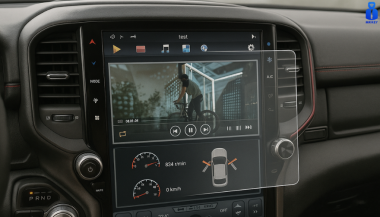
Cars and vehicles nowadays often include large touchscreen navigation systems that are prone to scratches, fingerprints and cracks. These displays are expensive to replace – one owner reported a factory infotainment screen costing over $3,000 to swap out – so protecting them is crucial. That’s where navigation screen protectors come in. The two main options are hydrogel film protectors and tempered glass protectors . Below, we compare hydrogel vs tempered glass for car navigation screens, looking at fit, durability, clarity and more, so you can choose the best protection for your car. Hydrogel vs Tempered Glass: The Essentials Tempered glass protectors A rigid, hard 9H glass shield. Excellent scratch resistance, very clear, and feels like the original screen. Best for completely flat displays. Hydrogel protectors A flexible, self-healing polymer film originally used in aviation and military applications. Ultra-thin, edge-to-edge fit, excellent for curved or uniquely shaped screens. Key difference: Hydrogel bends. Tempered glass doesn’t. Fit & Coverage (Hydrogel Wins) Modern cars often have curved or tapered displays. Tempered glass cannot follow these shapes, leaving exposed edges, air gaps or weak adhesion points. Hydrogel protectors conform perfectly to flat, curved and 3D-shaped screens. They wrap the edges, eliminate halo gaps, and achieve full-surface coverage. If your car’s screen isn’t perfectly flat, hydrogel is the correct choice. Scratch & Impact Protection Tempered glass: Extremely resistant to scratches Can crack on impact, sacrificing itself to protect the screen Once cracked, must be replaced Hydrogel: Softer surface, but self-heals micro-scratches over time Doesn’t shatter; absorbs everyday bumps Ideal for preventing long-term wear and swirl marks Glass is harder; hydrogel stays clearer longer thanks to self-healing. Clarity, Glare & Touch Sensitivity Both types maintain high clarity and touch accuracy, but behave differently in real use: Tempered glass: Ultra-clear Glossy surface shows fingerprints easily Good touch response Hydrogel: Crystal-clear or matte anti-glare options Reduces reflections in sunlight — very useful in cars Zero touch interference due to ultra-thin structure Minor micro-bubbles self-resolve within hours If you drive in bright sun or hate fingerprint shine, hydrogel’s matte option is a major advantage. Installation & Removal Tempered glass: Simple dry install One-shot alignment Rigid, so easy to place but unforgiving if misaligned Hydrogel: Dry or wet install Allows micro-adjustments Easy bubble removal No cracking during installation Removal is simple for both, though hydrogel is safer (no glass shards, no risk of breakage during removal). If you want to learn more about how to install your hydrogel navigation screen protector visit our guide. Which Should You Choose? For general car owners with modern infotainment systems, the winner is clear: ✔ Hydrogel protectors are better for most car navigation screens. Why: Perfect fit on curved screens Self-healing surface Anti-glare options Full edge-to-edge coverage Zero loss in touch sensitivity Tempered glass is fine for older or perfectly flat screens — but today’s automotive displays benefit more from hydrogel technology. FAQ Does a navigation screen really need protection? Yes. Screens scratch easily, attract fingerprints, and are expensive to replace. A protector preserves clarity and resale value. Is hydrogel or tempered glass better overall? Hydrogel — unless your screen is perfectly flat. It fits better, reduces glare, and self-heals surface scratches. Will a protector affect touch response? No. Both types maintain excellent touch accuracy. Hydrogel is especially responsive due to its thin, adaptive structure. How do I protect my screen from fingerprints and glare? Use a matte hydrogel film. For more techniques, see our guide on [ How to Protect Your Car’s Navigation Screen from Scratches, Glare & Fingerprints ] . Which cars benefit most from hydrogel protection? Any model with curved, large, glossy or high-resolution displays. See our model list: [ Which Cars Benefit Most From Hydrogel Navigation Protection? ] . For custom-cut hydrogel protectors for your exact car model, visit mr-key.com . Related Guides How to Protect Your Car’s Navigation Screen from Scratches, Glare & Fingerprints How to Install a Hydrogel Navigation Screen Protector Which Cars Benefit Most From Hydrogel Navigation Protection?

How Hot Weather Can Damage Your Car Key Fob – And What You Can Do About It

How Hot Weather Can Damage Your Car Key Fob – And What You Can Do About It

When you think about how hot weather affects your vehicle, your first thoughts might go to the engine, the tires, or maybe even the air conditioning. But there’s one small, essential part of your daily driving routine that’s often overlooked — your car key fob. It might seem like a tough little device, but the truth is, it’s far more sensitive than it looks. If you’ve ever left your key fob on the dashboard, in a hot glove box, or even inside your pocket during a heatwave, you may have already caused damage without realizing it. Car key fobs are built with delicate electronics, plastic shells, and lithium coin batteries — all of which are vulnerable to extreme temperatures. In this article, you’ll learn how hot weather affects each part of your key fob, how to spot the early signs of damage, and most importantly, what you can do to protect it. Taking just a few simple steps can save you from the cost and inconvenience of a non-functioning remote, especially when you least expect it. The Plastic Shell: First to Feel the Heat One of the first things to suffer from heat exposure is the plastic casing that protects your key fob. While it’s designed to withstand everyday use — being dropped, tossed in a bag, or handled frequently — it’s not built to survive hours in a baking-hot car. The interior temperature of a parked vehicle can soar past 60 or even 70 degrees Celsius on a sunny day, especially if the key is sitting directly in sunlight. Over time, this level of heat can soften the plastic, causing it to warp, bend, or even split at the seams. You may start to notice that your key doesn’t close as tightly as it used to, or the buttons may feel soft and spongy instead of firm. Cracks might appear along the sides, or parts of the shell may become discolored. While this might seem like a cosmetic issue at first, it has serious implications — a compromised shell allows moisture, dust, and debris to enter the fob, putting the internal electronics at risk. If your key fob’s shell is already showing signs of wear, especially after a hot summer, it’s time to consider replacing the casing before the damage gets worse. Battery Breakdown: How Heat Drains Power Inside your key fob, there’s usually a small lithium battery — typically a CR2032 coin cell. These batteries are reliable under normal conditions, but they don’t respond well to high temperatures. In fact, exposure to extreme heat can accelerate chemical breakdown inside the battery, leading to faster discharge and a shorter overall lifespan. What’s worse, in severe cases, the battery can swell or leak, which can damage the internal components of your fob permanently. If you’ve ever noticed your key fob suddenly stops working or becomes unreliable during the summer, there’s a good chance the battery is struggling under heat stress. The signal may become weaker, you might have to press buttons multiple times, or the remote might stop responding altogether. Replacing the battery is a quick and inexpensive fix, but it’s important to recognize that battery issues are often just the first symptom of deeper heat-related problems. Internal Electronics: Silent Victims of the Heat While the shell and battery are easier to see and replace, the most serious damage often happens silently — deep inside the electronic circuit board. This board, often referred to as the platine, is responsible for all communication between your key and your vehicle. It’s a compact, delicate system of soldered connections and microchips, and unfortunately, it’s not designed to cope with repeated thermal stress. When your key fob is exposed to fluctuating high temperatures, the constant expansion and contraction of materials can loosen solder joints or weaken connections. Moisture that gets trapped inside the shell during humid summer months can accelerate corrosion, especially if the casing is already cracked or loose. The damage might not be immediate, but over time you may find that your key fob becomes unpredictable — sometimes it works, other times it doesn’t, and eventually, it might stop working completely. What You Can Do to Prevent Heat Damage The good news is that most heat-related damage to key fobs is preventable with just a little care and awareness. First, never leave your key fob inside a parked car for extended periods, especially not in direct sunlight. It’s easy to toss your keys into the cup holder or leave them on the dashboard while you run errands, but those few minutes can expose them to dangerous levels of heat. Instead, keep your keys on you or store them in a shaded, temperature-controlled area. If you’re regularly in hot environments — such as driving in warm climates or working outdoors — consider investing in a protective silicone or leather cover. These not only shield the shell from heat exposure but also provide added protection against drops and dirt. You should also make it a habit to replace your battery once a year, even if it seems to be working fine. Batteries weakened by heat can fail suddenly, and a fresh cell ensures your key fob keeps working when you need it most. Finally, if your key fob’s shell is visibly worn or loose, replace it immediately. Many online stores, including Mr Key, offer affordable replacement shells that are easy to install and give your remote a like-new feel. Don’t wait for the damage to reach the internal electronics — by then, repair options are limited and usually more expensive. Protect Your Key, Protect Your Drive Your car key fob might be small, but it plays a huge role in your daily routine. From unlocking doors to starting your engine, it’s a modern convenience we all depend on — until it stops working. And while many drivers are careful with their car’s mechanical systems, few think twice about leaving their key fob in the heat. Now that you know how much damage summer temperatures can cause, you can take the steps needed to protect your key before it’s too late. If you’re looking for high-quality key shell replacements, batteries like the CR2032, or even complete key fobs compatible with your vehicle, Mr Key has you covered. Our online shop offers trusted parts for Peugeot, Citroën, Nissan, Suzuki, Fiat, and more — all designed to help you repair and maintain your car keys quickly and affordably.

Removing Keys from Locks: A Comprehensive Guide

Removing Keys from Locks: A Comprehensive Guide

Removing a key from a lock may seem simple, but it can become tricky when dealing with stuck or broken keys. Whether you're dealing with a standard lock, padlock, or vehicle ignition, understanding the correct techniques can save you from damage and frustration. This guide will walk you through the essential steps for removing keys from various types of locks, offering practical advice and tips to ensure a smooth process. Common Scenarios and Challenges Keys can become stuck or difficult to remove for several reasons, including misalignment, wear and tear, or damage to the key or lock. Additionally, environmental factors like temperature changes can cause metals to expand or contract, making key removal more challenging. Recognizing the cause of the issue is the first step in effectively addressing it. Basic Techniques for Key Removal Gentle Wiggle and Pull: The first technique to try is a gentle wiggle and pull. Hold the key firmly and move it slightly up and down or side to side while pulling gently. This method works well if the key is simply stuck due to misalignment. Lubrication: If the key is difficult to remove, applying a small amount of graphite powder or a silicone-based lubricant into the keyhole can help. Avoid using oil-based lubricants, as they can attract dirt and grime, potentially worsening the problem. Tapping the Lock: For stubborn cases, lightly tapping the lock with a hammer while gently pulling the key can help dislodge it. This method is effective when the key is stuck due to debris or minor misalignments within the lock. Advanced Techniques for Stuck Keys Using a Key Extractor: If the key is broken off inside the lock, a key extractor tool can be very effective. Insert the tool into the keyhole, hook the broken key piece, and pull it out carefully. This method requires patience and a steady hand. Pliers and Tweezers: If part of the key is still protruding, you can use needle-nose pliers or tweezers to grip and pull the key out. Be careful not to apply too much force, as this can push the key further into the lock or damage the lock mechanism. Heat Application: In cold weather, metal contracts, which can cause the key to get stuck. Gently heating the key with a hairdryer or warm cloth can expand the metal slightly, making it easier to remove. However, avoid using an open flame, as it can damage the lock or key. Preventing Key Stuck Issues Prevention is always better than cure. Here are some tips to prevent keys from getting stuck in the future: Regular Maintenance: Keep your locks and keys clean and well-lubricated with appropriate materials. Regularly inspect for wear and tear, and replace any damaged keys or locks. Use Duplicate Keys: If you notice a key becoming difficult to use, have a duplicate made before it breaks or becomes stuck. This will save you the hassle of dealing with a stuck key. Avoid Excessive Force: Never force a key into a lock. If it doesn’t turn easily, stop and inspect both the key and the lock for damage or obstruction. When to Call a Professional While many stuck key issues can be resolved with the techniques mentioned above, there are times when professional assistance is necessary. If you’ve tried all the methods and the key remains stuck, or if you’re dealing with a high-security lock, it’s best to contact a professional locksmith. They have the tools and expertise to safely remove the key without damaging the lock or key further. Dealing with a stuck key can be frustrating, but understanding the proper techniques can save you time and prevent damage. From basic wiggling and lubrication to more advanced methods like using a key extractor, there are various approaches depending on the severity of the situation. Regular maintenance and careful handling can help prevent these issues from occurring in the first place. When in doubt, don’t hesitate to seek professional help to ensure your lock and key remain in good working condition.

How to Spot a Car Key Cloning Scam: Warning Signs and Prevention Tips

How to Spot a Car Key Cloning Scam: Warning Signs and Prevention Tips

How to Spot a Car Key Cloning Scam: Warning Signs and Prevention Tips Car theft doesn’t always involve smashing windows or forced ignition anymore. These days, all it might take is a thief standing a few feet away from you — equipped with a small electronic device and a plan to clone your car key without ever touching it. Welcome to the age of car key cloning . Fast, silent, and nearly untraceable, this high-tech method of theft is on the rise, and many drivers don’t even know it exists. In this article, we’ll walk you through how it works, what red flags to watch for, and how to protect yourself from becoming the next victim. What Is Car Key Cloning and How Does It Work? Car key cloning is the process of copying the signal emitted by your key fob and using that signal to unlock and even start your car. Thieves use tools like signal amplifiers, cloning software, or plug-in programming devices to mimic the electronic code stored in your key. In most cases, they don’t even need to touch your key. They just need to be close enough — in a parking lot, next to your front door, or even in a restaurant — to intercept the signal when you lock or unlock your car. That signal is then copied and stored on another device or blank key fob. In some instances, criminals will break into your car and access the OBD port (the vehicle’s diagnostic system) to directly program a new key. This means they can drive off in your car with a cloned key, and you may not even know how they got in. Why This Scam Is Spreading So Quickly Key cloning was once limited to high-end criminal operations, but now the tools are cheap, easy to find , and widely available online. Some fob cloning devices are openly sold on marketplaces, making it simple for even low-level criminals to learn the trade. A cloned key leaves no trace of forced entry, no damage, and often no evidence — making it harder for insurance claims to be validated and for stolen cars to be recovered. The rise in keyless entry systems means millions of drivers are potential targets, whether they realize it or not. According to The Sun, cloning devices sold online can program new keys in under 30 minutes. 5 Warning Signs You May Be Targeted Strange behavior from your key fob – If the range suddenly becomes shorter or the buttons stop responding consistently, your signal may have been intercepted. Unfamiliar devices or people near your car – Be cautious if you see people lingering nearby with phone-like devices or bags near your car. Your car unlocks by itself – This could mean someone nearby is mimicking your key’s signal. You find marks or loose panels near the OBD port – Some thieves break in to plug in programming devices. You lose access to your spare key – It’s possible a third key was added to your system, locking the others out. How to Prevent Car Key Cloning While key cloning can be hard to detect, it's relatively easy to prevent if you're proactive. Here’s how to stay protected: Use a Faraday pouch : These small, signal-blocking cases prevent your key’s signal from being intercepted when not in use. Don’t store keys near doors or windows : Keep your keys at least 5–10 meters from exterior walls. Disable keyless entry if possible : Some vehicles allow you to turn off proximity unlocking in the settings. Invest in physical security : Steering wheel locks, OBD port locks, and even wheel clamps act as strong deterrents. Audit your key system : A locksmith can check how many keys are programmed to your vehicle and delete unauthorized ones. If you're ever in doubt, replace your key and reprogram your system. It may cost a bit up front, but it's cheaper than replacing a stolen car. Need a secure replacement key or a Faraday pouch? Browse our car key and accessories collection for trusted, secure options. Know the Risk, Beat the Scam Car key cloning scams are evolving — and fast. The combination of wireless technology, smart cars, and openly available tools has created the perfect storm for high-tech theft. But with a little awareness and some simple precautions, you can stay one step ahead. Don’t wait until it happens to you. Know the signs, protect your keys, and take action now — because in a world of silent theft, what you don’t see can hurt you .

Chat with us