Post Name

Programming a car key fob doesn’t always require a trip to the dealership or an expensive diagnostic tool. In many cases, you can program or resync your key fob at home—saving both time and money. Whether you’ve just replaced the battery, changed the shell, or purchased a new key fob entirely, this guide will walk you through the basics of syncing it with your vehicle.

Why Program Your Key Fob?

Key fobs are integral to modern car access and ignition systems. When you replace or reset your key, the vehicle and fob must reestablish communication. Without syncing, features like remote locking, trunk release, or even engine start may stop functioning. This synchronization process ensures your key fob and vehicle are electronically paired and communicate securely. Without it, even a new battery or case won’t make your remote functional again.

Can You Program It Yourself?

The answer depends largely on the make and model of your vehicle. Older vehicles with basic remote key fobs often support manual onboard programming that doesn’t require specialized equipment. These procedures typically involve inserting the key into the ignition, turning it in a specific sequence, and pressing buttons on the fob within a certain time frame. It’s a simple process, and many car owners are surprised at how effective these methods can be.

In contrast, modern vehicles with smart keys or keyless entry systems usually require advanced programming tools. These keys often contain transponders that must be linked to the car’s electronic control unit, a task typically performed by dealerships or professional auto locksmiths. Still, if you own a basic Opel, Peugeot, or Citroën model, there’s a good chance you can complete the task yourself at home.

How Onboard Programming Works

If your vehicle supports onboard programming, the steps are often straightforward. While the exact process may vary depending on the model, the general method includes entering the vehicle, turning the ignition on and off several times, and pressing a button on the remote to complete pairing. You may receive confirmation through a dashboard light flash or an audible chime, indicating that the key fob is now synced.

Take note, though: some vehicles require all remotes to be programmed in the same session, so if you have multiple key fobs, have them all with you before starting. If the procedure doesn’t work, don’t be discouraged—it may simply mean your car requires a more advanced programming approach.

When Should You Call a Professional?

Not all keys can be programmed at home. Smart keys, proximity sensors, and certain immobilizer systems are designed with enhanced security that requires proprietary equipment to program. If your vehicle doesn’t respond to onboard programming or your key fob is completely unresponsive, it’s best to seek assistance from a certified locksmith or dealership.

Trying to force the programming process can sometimes cause more harm than good. If you’re unsure, always verify the requirements in your car’s manual or consult a trusted technician.

Essential Tips for Success

To avoid frustration, start with the basics: always use a fresh battery from a trusted brand such as Panasonic CR2032. Clean the internal contacts and handle the circuit board carefully to prevent static damage. Don’t rush—take the time to follow steps precisely and test functionality before fully reassembling the key. When replacing the key shell, make sure it's compatible with your exact model and that the key blade, transponder chip, and electronics are properly seated.

With a bit of patience and the right information, programming your car key fob at home can be a practical and satisfying DIY fix. For basic vehicles, it’s a task you can handle in minutes—saving the cost and hassle of dealership appointments. Understanding your vehicle’s requirements and using reliable parts makes all the difference.

Whether you're refreshing an old key with a new case or pairing a new remote to your car, the ability to program it yourself puts control back in your hands. For a full selection of batteries, shells, and compatible accessories, visit mr-key.com.

Related Posts

The Importance of Having a Spare Car Key: What Every Driver Should Know

The Importance of Having a Spare Car Key: What Every Driver Should Know

When it comes to car ownership, many of us take pride in maintaining our vehicles. We keep up with oil changes, tire rotations, and insurance renewals. But there’s one crucial aspect that many drivers overlook: having a spare car key. It might seem like a small detail, but nearly 40% of car owners don’t have a backup key for their vehicle. That’s a risk you might not want to take. Let’s explore why having a spare car key is so important and how it can save you time, money, and frustration. The Hidden Risks of Having Only One Key You may think that having just one car key is fine—after all, you always know where it is, right? But life has a funny way of surprising us, and car keys get lost or damaged more often than you might think. Here are some common risks you face when relying on just one key: Lost Keys : Losing your only car key can leave you stranded. Whether you're in a rush for work or on your way to an important event, misplacing your key means you're stuck until you find it—or worse, until you get a replacement. Key Damage : Keys, like anything else, wear out over time. A bent or broken key can cause problems with your car’s ignition, and if it's your only one, you’re in for a headache. Lockouts : It’s easy to accidentally lock your keys inside your car. Without a spare key, you’ll need to figure out how to regain access—both costly and inconvenient. Theft : If someone steals your key, not only are you locked out of your car, but you also face a potential security risk. A spare key can give you quick access and peace of mind while you handle the situation. Why a Spare Key Is a Lifesaver Having a spare key is more than just a backup plan; it’s a practical solution that can save you in many situations. Here’s why having a spare key should be on your to-do list: Saves You Time : If you’ve ever lost a key, you know how time-consuming it can be to get a replacement. With a spare key, you can avoid the wait and get back on the road quickly. Prevents Expensive Lockouts : Getting locked out of your car is stressful and costly. Emergency situations like this can cost you not just time but money, and depending on the circumstances, you might even need additional assistance. Convenience for Multiple Drivers : If you share your car with a spouse, roommate, or family member, having a spare key allows both of you to have access without needing to coordinate every trip. Peace of Mind : With a spare key, you won’t have to worry about the “what if” scenarios. It’s a simple safety net that ensures you’re never completely stranded. Affordable Solutions for Replacing Your Car Key You might be wondering how to go about getting a spare key. Fortunately, the process has never been easier or more affordable. Gone are the days when you had to rely on expensive or complicated processes to secure a replacement key. Here are some practical ways to get a spare key: Online Key Replacement Services : Many services offer easy, affordable options for getting a spare car key. Simply upload a photo of your key, and you’ll receive a replacement. Automotive Dealerships : Dealerships provide spare keys for almost any car make or model. However, this option is often more costly and may require you to bring the car in for verification and programming. How to Choose the Right Key Replacement Option When deciding on how to get a spare key, consider these factors: Cost : Depending on the service or method you choose, prices can vary. Evaluate your budget and the type of key your car requires before proceeding. Convenience : For some, the most convenient option is one that doesn’t require in-person visits. Research which option offers the best balance between time and convenience for your needs. Speed : Depending on your urgency, choose an option that fits your timeframe. Some services offer express options, while others may take longer. Don’t Wait Until It’s Too Late Many car owners don’t think about getting a spare key until they’re faced with an emergency. Don’t let that be you. Having a backup key is a small investment that can save you from significant stress and financial strain down the line. Take action today and make sure you have a spare key for your vehicle. Whether it’s for a just-in-case moment or for daily convenience, having that extra key can make all the difference when you need it most.

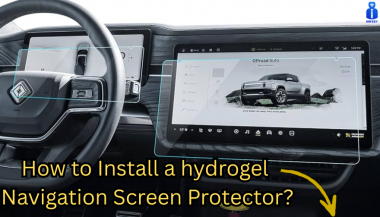
How to Install a Hydrogel Navigation Screen Protector

How to Install a Hydrogel Navigation Screen Protector

Nowadays car interiors rely heavily on touchscreens. Whether you drive a BMW 3 Series , VW Golf , Audi A4 , Mercedes A-Class , Peugeot 3008 , or Skoda Octavia , your infotainment display is the centre of navigation, settings, entertainment and safety features. But these screens are also fragile—prone to scratches , fingerprints , micro-abrasions , and glare . A hydrogel navigation screen protector is one of the best ways to protect your car touchscreen without affecting clarity or touch sensitivity. This guide shows you exactly how to install a hydrogel protector , step by step, with expert tips, mistakes to avoid, and a few insider tricks that most guides miss. What Is a Hydrogel Screen Protector? Hydrogel is a soft, self-healing, flexible material used widely in phone protection and now increasingly in automotive displays. Unlike tempered glass, it adapts to curved edges and eliminates small bubbles over time. For more technical background, you can read the scientific definition on hydrogels Hydrogel is ideal for infotainment screen protection because it: Reduces glare Absorbs micro-scratches Maintains full touch sensitivity Adapts to curved and angled car screens Self-heals small marks over 24–48 hours It’s especially useful for European cars where screens are large and glossy, such as: Mercedes MBUX screens (A-Class, C-Class, GLC) Volkswagen MIB systems (Golf, Passat, Tiguan) BMW iDrive displays (3 Series, X1, X3) Audi MMI touchscreens (A4, A3, Q5) Peugeot i-Cockpit models Renault Clio, Captur, Megane Skoda Octavia, Superb, Scala Curious which specific models benefit the most from hydrogel protection? Check out our full guide on which cars benefit most from hydrogel navigation protection . Before You Start: Essential Preparation Installing a hydrogel protector takes only a few minutes, but the preparation stage determines whether the final result looks factory-perfect . You Will Need Hydrogel screen protector Microfiber cloth Screen-cleaning wipe (wet & dry) Dust-removal sticker (optional but recommended) Small squeegee / card Choose the Right Environment Install the protector in: A dust-free space (car parked indoors is ideal) Soft lighting (so dust particles are visible) A still environment (no wind, no blowing air) Avoid doing it outside or while standing near open windows. Step-by-Step: How to Install a Hydrogel Navigation Screen Protector 1. Clean the Navigation Screen Thoroughly Use a wet wipe first, then a dry microfiber cloth. Focus on: Corners Edges Around the frame Any oily fingerprints Tip: Turn the screen off to see dust more easily. 2. Remove All Dust Particles Even one small dust speck can create a permanent bubble. Use: Dust-removal stickers A clean microfiber cloth Hold the screen at an angle and look under the light. If perfectionism matters anywhere, it’s here. 3. Peel the First Protective Layer Most hydrogel protectors have two layers . Peel Layer 1 halfway and align the protector with: Left and right edges Upper frame Any curved edges Do not peel it completely yet. 4. Align and Apply the Protector Once aligned: Press the top centre gently Slowly drag your finger downward Peel off the rest of Layer 1 as you go The film will naturally stick without much force. 5. Use the Squeegee to Push Out Air Work from centre outward , using firm but controlled pressure. Hydrogel is self-healing , so small micro-bubbles usually disappear within 24–48 hours . 6. Remove the Final Top Layer After application: Peel Layer 2 from one corner Pull slowly to avoid lifting the protector This reveals a glossy, clear surface below. 7. Allow 24 Hours for Full Adhesion Do not touch the screen too much during this period. Avoid: Heat exposure Cleaning sprays Aggressive pressing Hydrogel needs time to “settle” and self-heal. Common Mistakes to Avoid Even a perfect protector can be ruined by simple errors. Installing in a dusty environment Fibres, dust and hair easily get trapped. Touching the sticky side This leaves permanent marks. Rushing the alignment Hydrogel is flexible but not stretch-proof. Cleaning with alcohol after installation This can damage the outer coating. Installing on a hot screen Heat weakens adhesion and causes micro-bubbles. For a complete walkthrough , see our guide on how to protect your car’s navigation screen . Why Hydrogel Is Better Than Tempered Glass for Car Screens Tempered glass works well for smartphones—but not for car navigation screens. Hydrogel performs better because: It bends and adapts to curved displays It doesn’t create raised edges It avoids touchscreen sensitivity issues It self-heals micro-abrasions It provides better Anti-Glare performance If you want to see more in depth guide on why hydrogel protectors are better check out our guide on Hydrogel vs Tempered Glass Navigation Protectors Comparison FAQs 1. Does a hydrogel protector reduce screen sensitivity No. Hydrogel maintains full touch responsiveness because the material is soft and pressure-adaptive. 2. Can I reuse a hydrogel screen protector? No. Once removed, it cannot be reinstalled cleanly. 3. How long do micro-bubbles take to disappear? Usually 24–48 hours. Stubborn ones may take up to 72 hours if the screen is curved. 4. Will the protector affect brightness or clarity? High-quality hydrogel preserves original screen clarity. Matte versions reduce glare but may slightly soften reflections. 5. Is hydrogel safe for anti-reflective or coated screens? Yes. Hydrogel adhesive is gentle and does not damage coatings. If you want premium hydrogel protectors for BMW, Audi, Mercedes, VW, Peugeot, Renault, Skoda and more, explore our full selection today. Visit our shop at mr-key.com Related Guides Which cars benefit most from hydrogel navigation protection How to Protect Your Car’s Navigation Screen from Scratches,Glare & Fingerprints Hydrogel vs Tempered Glass Navigation Protectors Comparison

Jaguar and Land Rover Key Fobs: Common Problems & How to Fix Them

Jaguar and Land Rover Key Fobs: Common Problems & How to Fix Them

Owning a Jaguar or Land Rover means enjoying luxury, performance, and cutting-edge technology. But like any high-tech component, your key fob isn’t immune to problems. Whether you drive a Jaguar F-PACE, a Land Rover Discovery, or any other model, a malfunctioning key fob can quickly become an inconvenience. The good news is that most key fob issues can be resolved quickly and affordably . Here’s what you need to know about the most common Jaguar and Land Rover key fob problems and how you can fix them. Your Key Fob Isn’t Responding Pressing the button without any response is one of the most common issues. If your key fob isn’t unlocking or locking your car, the most likely culprit is a dead battery. Replacing it with a high-quality CR2032 battery is often the easiest fix. However, if the problem persists, your key fob may need reprogramming, or its internal electronic components might be damaged. Checking your vehicle’s manual for reprogramming instructions or visiting a dealership can help resolve the issue. In cases of water damage or physical impact, a complete key fob replacement might be necessary. Reduced Key Fob Signal Range If you notice that you need to be much closer to your car than usual for the key fob to work, the battery is likely weakening. Replacing the battery should be your first step. Other factors, such as interference from electronic devices like smartphones or WiFi routers, may also contribute to signal issues. Storing your key away from such devices can help. If these steps don’t improve the range, internal damage to the key fob’s antenna may require a replacement shell or an upgrade to a new key fob. Unresponsive or Sticking Buttons Over time, dirt and debris can accumulate under the buttons, making them less responsive or difficult to press. Cleaning the key fob with a soft cloth and isopropyl alcohol can help restore functionality. If the buttons feel loose or fail to click, a replacement shell might be necessary. In some cases, the internal button contacts wear out, requiring a full key fob upgrade. “Smart Key Not Found” or Keyless Start Issues If you see a “Key Not Found” message when trying to start your car, the issue may be a low battery in your key fob. Holding the key fob closer to the start button can sometimes override the problem, as many Jaguar and Land Rover models have a backup proximity sensor. If the issue persists, replacing the battery or consulting your vehicle’s manual for emergency start procedures might be required. If none of these solutions work, there may be a deeper issue with the vehicle’s keyless entry system. Spare Key Fob Not Working A backup key fob that hasn’t been used for a long time may no longer work when you need it. This can happen if the battery has drained due to inactivity or if the key has lost its programming. Regularly testing your spare key can prevent surprises. Replacing the battery should be the first step, and if the key has lost its programming, a visit to a professional or dealership may be necessary to restore its functionality. When to Replace Your Key Fob If you’ve tried all these fixes and your Jaguar or Land Rover key fob is still not working, it may be time for a replacement. Internal components wear out over time, and investing in a new key fob can save you from frustrating lockouts and start failures.

Car Ignition Switch Problems: Symptoms, Causes, and Replacement Guide

Car Ignition Switch Problems: Symptoms, Causes, and Replacement Guide

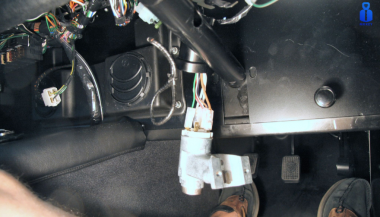
The ignition switch is one of the most important electrical components in any car. When it starts to fail, the symptoms can appear suddenly, seem unrelated, and quickly leave you stranded. This guide explains the real-world signs , the common causes , the most accurate diagnosis steps , and a clear ignition switch replacement guide that helps any driver understand what’s happening and what to do next. If you’re dealing with car ignition lock problems , this article gives you the clarity you need to fix the issue fast and safely. What the Ignition Switch Actually Does The ignition switch has two critical jobs: 1. Electrical power distribution It sends power to the dashboard, fuel pump, ignition system, starter motor, and electronic modules. 2. Starting the engine When you turn the key (or press the button), it bridges electrical circuits, enabling the starter motor to crank the engine. When the ignition switch begins failing, even slightly, it disrupts these circuits. That’s why symptoms can range from flickering dash lights to complete engine shutdown. Symptoms of a Failing Ignition Switch These are the most common, proven symptoms that mechanics use to identify ignition switch problems. 1. Car Won’t Start or Cranks Intermittently If turning the key does nothing—or the engine cranks sometimes but not always—the ignition switch may not be sending power consistently to the starter relay. Typical behavior includes: Silence when turning the key Clicks but no cranking Starts only after multiple attempts Total power loss during cranking This is one of the most classic ignition switch symptoms. 2. Stalling While Driving A failing ignition switch can cut power to the engine while you’re moving . Common signs: Sudden stall for no reason All dash lights go off instantly Engine dies when hitting bumps Engine cuts out but restarts immediately This is dangerous and needs urgent attention. 3. Dashboard Lights Flickering or Turning Off When the internal contacts inside the switch wear out, they create tiny power interruptions. You may see: Speedometer drops to zero Warning lights randomly appear Interior electronics momentarily cut out Radio resets or flickers These short power losses are a major red flag. 4. Key Feels Hot or Hard to Turn If the key is warm after driving, the switch may be overheating internally. If the key becomes difficult to rotate, the ignition cylinder (mechanical part) may be worn — which often leads to switch failure later. 5. Accessories Don’t Work in ACC Mode If turning the key to ACC does not activate: radio wipers power windows heater fan …the accessory circuit inside the switch may be failing. 6. No Sound from the Fuel Pump When Turning the Key You should hear a soft humming for 1–2 seconds. If you don’t, it may mean the ignition switch isn’t powering the pump relay. What Causes Ignition Switch Problems? Ignition switches fail for predictable and well-documented reasons. 1. Internal Wear Over Time Inside the ignition switch are metal contact plates . After thousands of cycles, these contacts burn, corrode, or lose tension. Symptoms develop slowly: random stalling needing to wiggle the key intermittent power This is the most common cause. 2. Heavy Keychains Many drivers don’t realise this: A heavy keychain constantly pulls on the ignition cylinder. Over years, this causes: internal looseness misalignment premature switch failure If your keychain has more than a few items, it may be contributing. 3. Heat and Electrical Overload Faulty relays, worn fuel pumps, or aftermarket accessories can overload the ignition switch. Excess heat damages the internal copper contacts, causing: hot key symptoms partial circuit failure total switch burnout 4. Moisture or Dirt in the Cylinder Moisture or dust causes the mechanical part of the ignition to jam or bind. This forces extra pressure onto the switch every time the key turns. 5. Faulty Key or Worn Key Blade If your key doesn’t rotate smoothly, it can damage both the cylinder and the switch . Worn keys often lead to electrical faults later. How to Diagnose Ignition Switch Problems Accurately Before replacing parts, you should confirm the ignition switch is truly the issue. These steps follow the same logic professional mechanics use. 1. Check if Dashboard Lights Turn On Turn the key to ON without starting the engine. If: no lights come on lights flicker radio stays off …the ignition switch might not be sending voltage. 2. Try Starting with Accessories On Turn the key to ACC. If the accessories work in ACC but the engine won’t start, the “start circuit” inside the ignition switch may be failing. 3. Wiggle Test Gently wiggle the key while: trying to start with ACC on with the engine idling If wiggling makes electronics turn on/off, the switch is internally worn. 4. Bump Test While Driving If the car stalls when hitting bumps or potholes, the switch is losing internal contact momentarily. This is one of the strongest indicators of a failing switch. 5. Test Voltage at the Ignition Switch (Advanced) Using a multimeter, check for: constant power switched power accessory power start signal power If any circuit fails randomly, it confirms an ignition switch fault. If you need a safety reference for electrical testing, you can check the UK Government’s general vehicle safety guidance here: Prevention: How to Avoid Ignition Switch Problems Ignition switch failures can often be prevented with small habits. 1. Keep Your Keychain Light Remove heavy accessories. This reduces stress on the ignition cylinder and switch dramatically. 2. Avoid Resting Hands on the Key While Driving Constant pressure on the key twists the internal contacts. 3. Only Use Correct, Undamaged Keys Bent, cracked, or worn keys can damage: the cylinder the switch the steering lock If your key is worn, replace it before it causes further problems. 4. Address Electrical Problems Early A failing alternator, weak battery, or short circuits can overload the ignition switch. If you notice dim headlights or battery warnings, fix those early. 5. Keep Dust and Moisture Out of the Cylinder Avoid spraying WD-40 or household lubricants into the ignition—it attracts dust. Use proper graphite lock lubricant if needed. Ignition Switch Replacement Guide You should only replace the ignition switch if diagnosis confirms it. Below is a clear replacement overview used by both DIYers and technicians. Note: Procedures vary by vehicle, but the overall steps are similar. 1. Disconnect the Battery Always disconnect the negative terminal. This prevents: accidental airbag deployment electrical shorts damage to modules 2. Remove Steering Column Covers Most cars use simple screws underneath. Once removed, the top and bottom covers split apart. 3. Locate the Ignition Switch Module It is usually mounted behind the ignition cylinder. Depending on the car: it may be held by two screws or secured with clips or integrated into a combined steering lock module 4. Remove the Electrical Connector Ignition switches usually have one large multi-pin connector. Release the locking tab and pull it gently. 5. Remove and Replace the Switch Install the new switch in the exact orientation as the old one. Common mistakes to avoid: misaligning the switch’s internal slot tightening screws unevenly damaging wiring during removal 6. Reassemble and Test Thoroughly After reassembly, test: ACC mode ON mode engine start headlights indicators wipers radio If everything works consistently, the replacement is successful. Is It Safe to Drive with a Bad Ignition Switch? Usually no . A failing ignition switch can: stall the engine suddenly disable power steering shutdown ABS cut power to headlights at night The RAC warns that electrical failures causing engine cut-outs are a serious safety risk. If your switch is failing, get it inspected immediately. FAQ: Car Ignition Switch Problems 1. How much does ignition switch replacement cost? Most replacements cost £80–£300 depending on the vehicle. Some modern cars require coding, making the cost higher. 2. Can a bad ignition switch cause the car to stall? Yes. Loss of electrical contact in the switch can cut power to the engine instantly. 3. Is a failing ignition switch the same as a bad starter? No. A bad starter prevents the engine from cranking. A bad ignition switch prevents power from reaching the starter or other systems. 4. Can a locksmith replace an ignition switch? In many cases, yes — especially for older vehicles. For modern immobilizer systems, a vehicle technician may be required. 5. Can I drive with ignition switch problems? It’s unsafe. The engine can cut out while driving, especially on bumps or turns. 6. Does a bad ignition switch affect accessories only? It can affect: accessories engine start fuel pump dashboard power ECU communication It depends on which internal circuit fails. 7. What’s the lifespan of an ignition switch? Most last between 10–15 years , depending on usage and electrical load. 8. Do push-button cars have ignition switches? Yes — they use an electronic ignition switch module instead of a mechanical one. Failure symptoms are similar. 9. What does a worn key have to do with ignition switch problems? A badly worn key can cause mechanical strain on the cylinder, which then stresses the electrical switch linked behind it. 10. Can I prevent ignition switch issues? Yes — keep your keychain light, avoid forcing the key, and keep electrical systems maintained. For high-quality replacement automotive parts and spare key, visit our shop at mr-key.com .

Chat with us