Post Name

In the digital age, vehicle security has evolved beyond traditional locks and keys. Modern cars rely on sophisticated electronic systems, with key fobs playing a crucial role in convenience and safety. However, many car owners overlook the importance of regularly updating their key fob software. Like any other electronic device, key fobs require updates to function optimally and protect against emerging threats. This article explores why keeping your car's key fob software up-to-date is essential for security, functionality, and overall vehicle performance.

Enhanced Security Against Keyless Theft

One of the primary reasons to update your key fob software is to safeguard your vehicle against hacking and theft. Car thieves have become increasingly tech-savvy, using methods such as relay attacks and key cloning to gain unauthorized access to vehicles. Manufacturers frequently release software updates to counteract these evolving threats, strengthening encryption protocols and implementing new security measures. Regular updates ensure that your vehicle remains protected against the latest hacking techniques, reducing the risk of keyless car theft.

Improved Functionality and Performance

Software updates do more than just enhance security; they also improve the functionality of your key fob. Updates can optimize the communication between the key fob and the vehicle, ensuring seamless operation of features like remote start, keyless entry, and trunk access. Some updates may also introduce new capabilities, such as extended remote range or better battery efficiency. By keeping your key fob software up to date, you maximize the effectiveness of these features, enhancing your overall driving experience.

Fixing Bugs and Resolving Malfunctions

Like any software-based system, key fobs can experience glitches or bugs over time. You may notice issues such as delayed responses, intermittent connectivity, or complete failure to unlock or start your car. In many cases, these problems stem from outdated software. Manufacturers release updates to fix such bugs, ensuring that your key fob operates smoothly. If you’ve been experiencing issues with your key fob, checking for software updates is a simple yet effective solution.

Compatibility with Newer Vehicle Features

Automakers continuously upgrade their vehicle software, adding new safety and convenience features. To ensure compatibility, your key fob software must also stay updated. For example, if your car receives an over-the-air (OTA) update that enhances security protocols, an outdated key fob may no longer function correctly. Keeping both your vehicle and key fob software current ensures seamless integration, preventing functionality issues and maintaining an optimal driving experience.

How to Update Your Key Fob Software

Updating your key fob software may vary depending on the manufacturer and model of your vehicle. Here are a few common ways to ensure your key fob is up to date:

Check the Manufacturer’s Website – Automakers often release software updates for key fobs and other electronic components on their official websites. Look for any available updates specific to your vehicle model.

Visit a Dealership or Certified Service Center – Many car manufacturers require key fob updates to be installed at an authorized dealership or service center. Technicians can update your key fob and ensure it is properly synced with your vehicle.

Use a Mobile App (If Available) – Some modern car brands offer mobile apps that allow users to update their key fob software remotely. Check if your vehicle’s manufacturer provides such an option.

Consult Your Owner’s Manual – Your car’s manual may provide instructions on how to check for key fob software updates and whether they can be performed manually.

Regularly updating your car's key fob software is a simple yet crucial step in maintaining vehicle security and functionality. Updates help protect against theft, fix software glitches, and ensure compatibility with new vehicle features. Given the increasing reliance on electronic key systems, staying proactive about updates is essential. Whether through a dealership visit or an online update, keeping your key fob’s software current will help you enjoy a safer and more convenient driving experience. Stay informed, stay updated, and keep your vehicle secure.

Related Posts

Are Key Fobs Waterproof? A Comprehensive Guide to Keeping Your Key Fob Safe

Are Key Fobs Waterproof? A Comprehensive Guide to Keeping Your Key Fob Safe

In an era of advanced automotive technology, key fobs have become an essential part of modern driving. From unlocking doors to starting engines remotely, these small yet powerful devices are a marvel of convenience. However, one question often looms in the minds of car owners: are key fobs waterproof? With water being a common hazard in everyday life, understanding the limitations and care requirements of your key fob is crucial. Understanding Key Fob Technology Key fobs are more than just electronic keys; they are compact computers that communicate with your car. Using radio frequency (RF) technology, they transmit encrypted signals to your vehicle, enabling features like remote locking, engine start, and even personalized settings. This intricate technology is housed in a small casing that protects the internal components. While key fobs are designed to endure daily wear and tear, their resilience to water varies. Some models offer water resistance, but this is not synonymous with being fully waterproof. The degree of water resistance depends on the design and build quality of the key fob, which can differ significantly between manufacturers and models. Are Key Fobs Waterproof or Water-Resistant? The terms “waterproof” and “water-resistant” are often used interchangeably, but they have distinct meanings. Waterproof indicates that a device can be submerged in water without damage, while water-resistant means it can withstand splashes or brief exposure to water but not submersion. Most key fobs fall into the latter category. For example, some car manufacturers claim their key fobs can handle minor splashes or light rain. However, prolonged exposure to water or immersion—such as dropping your fob into a pool—can damage the electronic components and render the device unusable. Global Standards and Variability Globally, there is no universal standard governing the water resistance of key fobs. Manufacturers often follow internal guidelines or industry best practices. In some regions, automakers have started offering key fobs with improved water resistance as a response to customer demands for greater durability. For instance, luxury brands like BMW and Mercedes-Benz have introduced models with enhanced protection, but even these devices are not guaranteed to survive complete immersion. Comparatively, in markets where cost efficiency is prioritized, such as in certain developing countries, key fobs may lack advanced water-resistant features. This variability underscores the importance of checking the specifications of your specific key fob model. What to Do If Your Key Fob Gets Wet Accidents happen, and it’s not uncommon for key fobs to encounter water. If your key fob gets wet, quick action can often prevent permanent damage. First, remove the key fob from water immediately and dry it thoroughly with a soft cloth. If possible, open the casing to allow air circulation and dry the internal components. Avoid using heat sources such as hair dryers, as excessive heat can warp the plastic casing or damage the sensitive electronics. In cases of significant water exposure, placing the key fob in a container of uncooked rice or silica gel packets can help absorb moisture. However, this is not guaranteed to save a severely water-damaged key fob. If the device does not work after drying, contacting a professional locksmith or dealership for repair or replacement is the best course of action. Tips for Protecting Your Key Fob To minimize the risk of water damage, there are several precautions you can take: Use a protective case or cover designed specifically for key fobs. These accessories provide an added layer of protection against moisture and physical impacts. Avoid placing your key fob in pockets or bags where it may come into contact with liquids, such as water bottles or spilled drinks. Store your key fob in a designated dry area when not in use, particularly in environments where water exposure is likely, such as beaches or pools. The Future of Waterproof Key Fobs As technology advances, so does the potential for more robust key fobs. Automotive manufacturers are exploring the use of advanced materials and sealing techniques to create truly waterproof devices. Additionally, the rise of smartphone-based digital keys may eventually render physical key fobs obsolete, eliminating concerns about water damage altogether. Internationally, innovations in waterproofing technology are being driven by consumer demand and environmental considerations. For example, in regions with high humidity or frequent rainfall, automakers are under pressure to offer more durable solutions. As a result, future key fobs may combine water resistance with other features, such as solar charging or biometric security. Navigating the Realities of Key Fob Care Key fobs are indispensable in modern driving, but they are not invincible. While some offer limited water resistance, the majority are vulnerable to prolonged exposure or immersion. Understanding these limitations and taking proactive measures to protect your key fob can save you time, money, and frustration. As technology evolves, the prospect of waterproof or entirely digital keys becomes more realistic. For now, car owners should familiarize themselves with the specifications of their key fobs and follow best practices for care. Whether you’re navigating a sudden downpour or an accidental spill, a little knowledge and preparation can go a long way in safeguarding your key fob and ensuring uninterrupted access to your vehicle.

Why Your Motorcycle TFT Display Needs a Screen Protector (Before It’s Too Late)

Why Your Motorcycle TFT Display Needs a Screen Protector (Before It’s Too Late)

Modern motorcycles are smarter, more connected, and more expensive than ever. At the center of that evolution sits the TFT display—your bike’s digital command hub. Speed, revs, riding modes, navigation, calls, warnings. One exposed surface controls it all. And it’s far more vulnerable than most riders realise. A motorcycle screen protector isn’t an accessory. It’s preventive maintenance. Ignore it, and you’re gambling with one of the most expensive components on your bike. The Hidden Weak Point on Modern Motorcycles Motorcycle manufacturers invest heavily in engines, frames, and electronics. But the TFT display? It’s still a thin, exposed panel, mounted directly in the line of fire. Unlike a phone, it: Lives outdoors 24/7 Takes direct UV exposure Gets hit by dust, sand, insects, and road debris Is cleaned repeatedly—often incorrectly A single mistake is enough to leave permanent damage. TFT Displays Scratch Far Easier Than You Think Most motorcycle TFT screens are plastic-based or plastic-coated , not hardened glass like premium smartphones. That matters. Plastic scratches: From dust particles wiped across the surface From dry cloths or paper towels From jacket zippers or gloves Even from “careful” cleaning at fuel stops Once scratched, there is no polish, no fix, no reset . The damage is permanent. A motorcycle display protector absorbs this damage instead of the screen itself. Sunlight Is Quietly Destroying Your Display UV exposure doesn’t crack screens overnight. It does something worse. It slowly: Fades colours Reduces contrast Creates uneven patches Permanently dulls brightness After a few summers, the display that once looked sharp now looks tired—especially when riding in direct sunlight. A quality bike screen protector acts as a UV barrier, preserving clarity and colour accuracy for years. Glare Isn’t Just Annoying. It’s Dangerous. A washed-out screen at speed isn’t just inconvenient. It means: Missed warning lights Hard-to-read navigation prompts Delayed reaction times In bright sun, an unprotected TFT can become a mirror. Screen protectors designed for motorcycles reduce reflections and glare, improving readability in real-world riding conditions—not showroom lighting. Cleaning Your Screen Is Probably Damaging It Most riders clean their TFT displays the same way they clean helmets or windscreens. That’s a mistake. Common causes of micro-scratches: Dry wiping Paper towels Window cleaners Cloths contaminated with dust Over time, these tiny marks add up. The screen becomes hazy. Night riding gets worse. Contrast drops. A motorcycle screen protector takes that abuse instead—so you can replace the protector, not the display. The Real Cost of a Damaged Motorcycle TFT Display Here’s what many riders discover too late. Replacing a TFT display typically costs: €800–€1,200 for the part Labour and coding often extra In many cases, the bike must go to an authorised dealer Insurance often won’t cover cosmetic damage. Scratches don’t qualify as “failure.” A screen protector costs a fraction of that—and eliminates the risk entirely. Resale Value Takes a Direct Hit Buyers notice screens immediately. A scratched or faded TFT display: Signals neglect Raises questions about overall maintenance Lowers perceived value Even if the bike is mechanically perfect, a damaged display can knock hundreds off resale or trade-in value. Protecting the screen protects the bike’s future value. Why Motorcycle Displays Are More Vulnerable Than Phones It’s tempting to compare TFT displays to smartphones. That comparison fails. Motorcycle screens: Are permanently exposed to the elements Experience constant vibration Are cleaned in uncontrolled environments Sit at steep angles that catch sunlight They endure more abuse in one riding season than most phones do in five years. A dedicated motorcycle display protector is designed for exactly these conditions. Screen Protectors Don’t Affect Touch or Visibility A common myth: screen protectors reduce clarity or touch response. High-quality motorcycle screen protectors are: Ultra-thin Optically clear Designed for glove interaction Precisely cut for each display shape Once installed, most riders forget it’s even there—until it saves the screen. Installation Is Easier Than You Expect Modern protectors are made for DIY installation. Typically: No liquids required No permanent adhesives No tools beyond what’s included With careful alignment, installation takes minutes—and protects the display for years. Who Should Use a Motorcycle Screen Protector? Short answer: every rider. Especially if you: Park outdoors Ride in bright sun Tour long distances Use navigation or Bluetooth features Plan to keep or resell the bike If your motorcycle has a TFT display, it’s already at risk. FAQ Do motorcycle TFT displays scratch easily? Yes. Most TFT displays use plastic-based surfaces that scratch far more easily than smartphone glass—often from normal cleaning alone. Can a scratched motorcycle display be repaired? No. Scratches are permanent. The only true fix is replacing the entire display unit. How much does it cost to replace a motorcycle TFT screen? Replacement typically costs between €800 and €1,200, excluding labour and dealer programming. Does a screen protector affect brightness or touch sensitivity? No. Quality protectors are optically clear and maintain full touch responsiveness. Is a motorcycle screen protector worth it? Considering the replacement cost of a TFT display, a screen protector is one of the highest-value protective upgrades you can make. Can I remove or replace the protector later? Yes. Screen protectors are removable and replaceable without damaging the original display. Protect the Most Expensive Screen on Your Bike Your motorcycle’s TFT display is essential, fragile, and costly to replace. Damage doesn’t announce itself. It accumulates quietly—scratch by scratch, fade by fade—until it’s too late. Visit our shop at mr-key.com to explore our motorcycle screen protectors and protect your display before the damage becomes permanent.

15 Essential Car Hacks Every Driver Should Know in 2026

15 Essential Car Hacks Every Driver Should Know in 2026

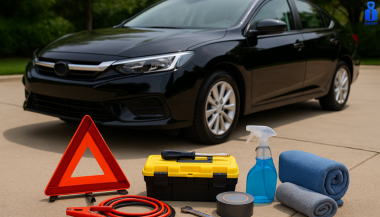
Get ready for the road ahead with our collection of 15 essential car hacks for 2026 . From daily driver tips to clever car life hacks , these practical tricks will help every driver – new or experienced – save time, money and stress behind the wheel. 1. Pack a Smart Emergency Kit Never be caught unprepared. Your car’s emergency kit should include basic tools and supplies: jumper cables, flashlight, first-aid kit and a blanket. Don’t skip the abrasive material – keep a bag of sand or cat litter on hand to spread under icy wheels for traction . Store these items in a sturdy box or duffel in the trunk. For example, AAA recommends keeping sand, salt or kitty litter for tire grip, and even suggests using a floor mat under a spinning tire to get out of snow. Jumper cables: A dead battery can ruin your day. Kitty litter or sand: Sprinkle under spinning tires for grip . Flashlight & flares: Stay visible at night or in breakdowns. Tools & blanket: Basic tools (multi-tool, duct tape) plus a warm blanket. 2. Boost Your Traction Tricks If you ever get stuck in snow or mud, common household items can help you move. AAA specifically recommends carrying a bag of sand, rock salt or kitty litter for traction. You can also use your car’s own items: slide one of your floor mats under a stuck wheel to give the tire something to grab . With a gentle back-and-forth rocking of the vehicle, you’ll likely be back on the road in no time. 3. Track Your Maintenance History Keep a log of every oil change, brake service and repair. When selling or trading in your car, a documented history proves you cared for it. In fact, buyers will pay more for a vehicle with clear service records . Use a small notebook in the glovebox or a smartphone app to note dates and mileage for each service. This simple habit boosts resale value and prevents overlooked maintenance. 4. Check for Recalls Often Automakers sometimes issue safety recalls, and driving with an unresolved recall can be dangerous. Make it a habit to check your vehicle’s VIN on NHTSA’s website or app at least twice a year . NHTSA even offers email alerts and a “SaferCar” app to notify you of new recalls . If there’s a recall, visit your local dealer for a free fix. Regular recall checks keep you safely on the road. 5. Don’t Idle to Warm Up the Engine In cold weather, skip the long idling. Modern fuel-injected engines warm up faster when you drive, not when idling. In fact, idling too long can foul plugs and degrade engine oil . Start the car and drive away gently after about 30 seconds – you’ll reach operating temperature faster and waste less fuel. The EPA even advises limiting idling to 30 seconds or less to reduce pollution. 6. Keep the Car Organized A clutter-free car is a stress-free car. Use simple containers and organizers to tame the mess. For example, putting a couple of laundry baskets in the trunk lets you group items (gym gear in one, groceries in another) . Hang an over-seat organizer or shower caddy on the back of a front seat to stash toys, chargers and snacks. A tidy cabin means you’ll spend less time hunting for what you need. Laundry baskets: Sort trunk items by category . Seatback pockets: Store phones, maps, sunglasses and cables. Cupholder liners: (silicone or paper muffin liners) to catch crumbs for easy cleanup. 7. Leverage Your Smartphone Apps Your phone is a powerful co-pilot. Navigation apps (Google Maps, Waze) give real-time traffic alerts and fastest routes. For parking, use Apple Maps’ “parked car” feature or apps like iParked to mark your location. Fuel apps like GasBuddy or Gas Guru can find the cheapest gas nearby. Just use a hands-free mount or voice commands so your eyes stay on the road. These daily driver tips can save time and money on every trip 8. Clean Headlights with Toothpaste Faded, cloudy headlights don’t just look old – they reduce night visibility. An easy remedy: apply non-gel toothpaste to a damp cloth and scrub the headlight lens in circular motions . The mild abrasives polish away grime and small scratches. Rinse and wipe clean – your headlights will shine clearer, improving safety and curb appeal. 9. Polish the Dashboard with Kitchen Oil Dull, dusty dashboards can be revived with items you already have. Pour a bit of olive oil (or baby oil) onto a coffee filter and gently wipe the dash . The oil lifts dust and adds a light shine without harsh chemicals. It’s a cheap, scratch-free way to keep your interior looking sharp. 10. Thaw Frozen Door Locks Winter mornings often mean frozen locks. Keep an alcohol-based hand sanitizer (gel) in the glove box or door pocket. A small squirt into the lock’s keyhole will melt ice on contact , letting your key turn again. This quick hack saves time and frustration on cold days. 11. Protect Doors in the Garage Tight garages often mean dinged doors. A simple hack: attach foam pool noodles or strips to the garage wall at car-door height. When you open the door, it bumps the soft foam instead of your paint. This DIY bumper protects against scratches and dents during parking. 12. Use Gas-Saving Habits Fuel economy hacks can save real money. In hot weather, try to fill up in the cool of early morning or late evening – gasoline is denser when it’s cold, so you get slightly more fuel per gallon. Smooth acceleration and maintaining steady speeds also boost mileage. Over time, good habits and using gas-price apps make a noticeable difference in your wallet. 13. Photograph Rentals Before Driving Always take photos of any rental or loaner car (or even a valet-parked car) before you drive off . Capture all sides, bumpers and interiors. Those timestamped photos document pre-existing scratches or dings, protecting you from false damage claims later. 14. Store Spare Change and Documents Wisely Keep a small change container in the car for parking meters and tolls – an empty gum or Tic-Tac box works well. Also organize your paperwork: put your vehicle registration, insurance and roadside assistance info in the glovebox or a designated pouch. Being able to grab these without panic is a true life hack when you need them. 15. Park Strategically When possible, face east during winter. The morning sun will hit your windshield first and help defrost it. In summer, park in shade if you can, or use a sunshade on the dash to keep the interior cooler. These little parking hacks make getting into your car more comfortable. FAQ Q: What should I include in a basic car emergency kit? A: At minimum, pack jumper cables, a flashlight with extra batteries, a first-aid kit, warm blankets, and a basic tool kit. Add jumper cables and an auto tool kit. AAA and NHTSA advise including sand or kitty litter (for tire traction) plus flares or a reflective triangle in winter . Store all supplies in a waterproof box or bag in your trunk . Q: How often should I check my tire pressure? A: Check tire pressure at least once a month and before long trips . Temperature changes affect pressure: tires lose about 1-2 psi when it’s cold. Proper pressure improves mileage and handling, so use a gauge or have it done when you gas up. Q: Is it really bad to let my car idle in winter? A: Yes. Modern cars warm up faster by driving than by idling . Extended idling wastes fuel and increases engine wear. Start the car, let it run ~30 seconds, then drive gently until it reaches normal temperature. This gets you on the road sooner, saves gas, and reduces emissions. Q: How can I defrost my windshield faster? A: Aside from using the car’s defroster, park facing the rising sun (east) on cold mornings to let sunlight help melt ice. An ice scraper is essential. You can also spread a non-clumping cat litter or sand on the windshield while it’s cold (before icing) to help break up ice in the morning. In a pinch, pour lukewarm (not hot) water carefully on the glass to speed defrosting. Q: What’s a quick way to clean foggy headlights? A: Toothpaste to the rescue! Apply a dab of toothpaste on a soft cloth and scrub the headlights in circles . The mild abrasive will polish the plastic lens, removing haze and minor scratches. Rinse off and buff with a clean cloth. This simple hack can dramatically restore headlight clarity. Ready to put these hacks to use? For more car essentials and tools, visit our shop at mr-key.com . Safe driving!

How to Take the Perfect Photo of Your Key for Easy Replacement

How to Take the Perfect Photo of Your Key for Easy Replacement

When you need a replacement key , taking a clear, detailed photo of your key can make the process much faster and more accurate. A high-quality image helps key makers understand the exact specifications, cuts, and dimensions of your key, which is especially important if you don’t have a spare. In this guide, we’ll walk you through the best practices for photographing your key so you can get an accurate replacement with ease. Why a Clear Key Photo Matters Photographing a key might sound simple, but it requires a bit of attention to detail. A well-taken photo captures the key’s grooves and unique cuts clearly, helping the key cutter replicate the exact pattern. Saves Time : A high-quality photo reduces the need for multiple attempts to cut a new key . Ensures Accuracy : Clear images help capture specific details, leading to a more precise fit. Convenient Process : With just a smartphone and a few tips, you can photograph your key from home without needing special equipment. Essential Tools for Photographing Your Key To take a clear photo of your key, you don’t need much beyond a few household items. Here’s what you’ll need: Smartphone or Camera : A phone camera is usually sufficient, but a standard digital camera works well too. Plain Background : Choose a neutral, solid-colored background like a piece of white paper or a smooth table surface. Good Lighting : Natural daylight or a bright room light helps capture details without shadows. Small Object for Elevation : A coin or similar item can lift the key slightly, making it easier to photograph. Step-by-Step Guide to Taking the Perfect Key Photo Follow these steps to take a photo that ensures clarity and accuracy for key replacement. 1. Set Up the Background Place a piece of plain white paper or another smooth, light-colored surface under your key. The solid color helps the details of the key stand out without any visual distractions. Tip : Avoid backgrounds with patterns or textures, as these can obscure the key’s features. 2. Position the Key Correctly Lay the key flat on the background, with the grooves and cuts facing up. The key should be positioned horizontally to allow a clear view of all its details. Side Profile : Make sure to capture the side profile that shows the cuts and grooves. Elevate Slightly : Place a coin or small object under one end of the key to angle it slightly toward the camera. This can help reduce shadows and improve focus on the cuts. 3. Adjust Lighting Good lighting is essential for capturing details. If possible, photograph your key in natural daylight near a window or use a well-lit room. Avoid Shadows : Ensure that no shadows fall across the key, as they can obscure details. Diffuse Light : If using a lamp, consider placing a thin cloth over it to diffuse the light and reduce harsh reflections. 4. Focus and Zoom Make sure your camera or smartphone is focused directly on the key. You may need to tap the screen to bring it into sharp focus. Zoom in Carefully : If you’re using a smartphone, zoom in slightly to capture the details, but avoid over-zooming, which can blur the image. Test Multiple Angles : Sometimes a slight adjustment in angle can capture the cuts more effectively, so take a few shots from slightly different perspectives. 5. Capture Multiple Photos It’s always a good idea to take several photos to ensure you have the best one. Try different angles and lighting adjustments to capture as many details as possible. Close-Up of the Grooves : Take one close-up image focusing on the cuts and grooves of the key. Overall Image : Include one full-length photo that shows the entire key from end to end. Try Different Angles : Slightly tilt the key or move the camera to see which angle best captures the detail of the cuts. Common Mistakes to Avoid When Photographing Your Key To get the best results, steer clear of these common issues that can impact the quality of your key photo: Blurry Images : If your hand shakes, use a small tripod or prop your phone on a stable surface. Poor Lighting : Avoid taking photos in dim rooms; use bright light to ensure the key is clearly visible. Obstructed Details : Make sure the entire length of the key is visible, without any part being cut off or covered. Tips for Ensuring a Smooth Replacement Process Once you have a clear photo of your key, there are a few final steps to make the replacement process as efficient as possible. Check the Photos : Look over your photos before sending them to ensure that they’re clear and detailed. Label the Key : If you’re photographing multiple keys, label each one in the image or add a note to avoid confusion. Include Measurements : If possible, add the measurements of the key’s length and width in your notes for added accuracy. A clear, detailed photo of your key can save you time and effort when seeking a replacement. By following these simple steps, you’ll provide all the necessary details to ensure your new key is an accurate match. Remember, good lighting, focus, and capturing all the unique cuts are essential to achieving the best results. With these guidelines, you’re set to take a photo that will make your key replacement process smooth and hassle-free.

Chat with us